1. Consolidated Asset Depreciation Entries to Reduce Paperwork and Accelerate Period-End Closing
Package: Basic and above
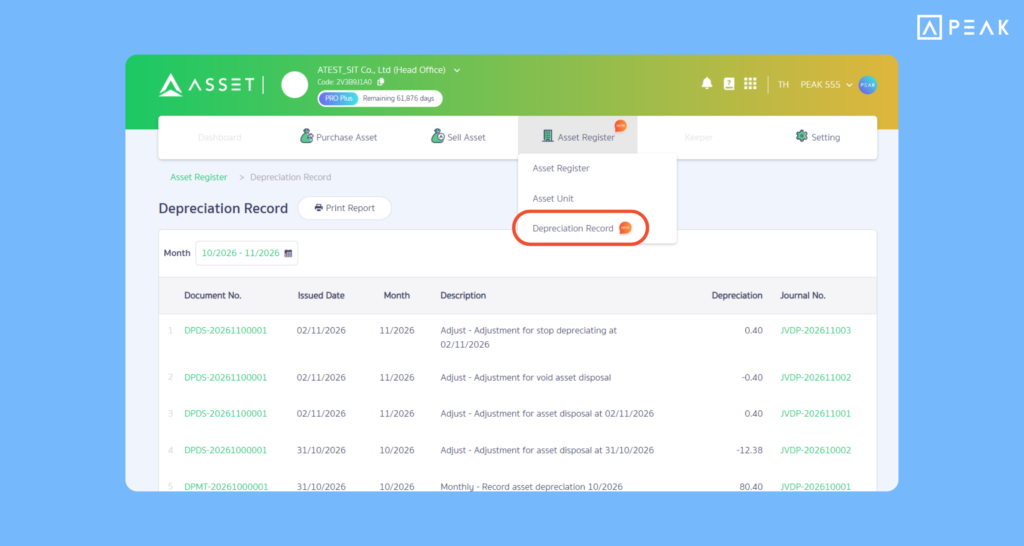
Menu: PEAK Asset > Depreciation Record
System Updates:
- Monthly Consolidation: Depreciation was previously recorded individually per asset. The system now automatically records entries at the end of each month by consolidating all assets into a single document / General Journal voucher (JVDP). Assets classified by tracking category (e.g., Department) will be listed on separate journal lines, while full asset-level breakdowns remain accessible within the document.
- Depreciation Management Menu: View all monthly and adjustment documents (from asset sales, depreciation pauses, or voided transactions). Click to view details grouped by category, asset class, or individual asset. You can also print, download, or email reports filtered by month ranges.
- Sale, Pause Depreciation, and Void Sale: The system does not delete or void existing entries; instead, it automatically generates offset adjustment vouchers. Original records remain fully auditable. Note that transactions cannot be posted if the accounting period is locked.
- Void Instead of Delete: The “Delete Asset” button is now “Void Asset.” Voided assets will display a (VOID) prefix before the asset number and can be tracked under the “Void” tab and “Voided” list. Assets originating from purchase documents must be voided directly at the source purchase document.
Benefits: Consolidates multiple asset depreciation entries into a single journal voucher, cutting down paperwork, eliminating redundant records, and enabling faster, more systematic period-end closes.
2. Payment QR Code on Documents for Instant Customer Scan-to-Pay and Faster Settlements
Package: All packages
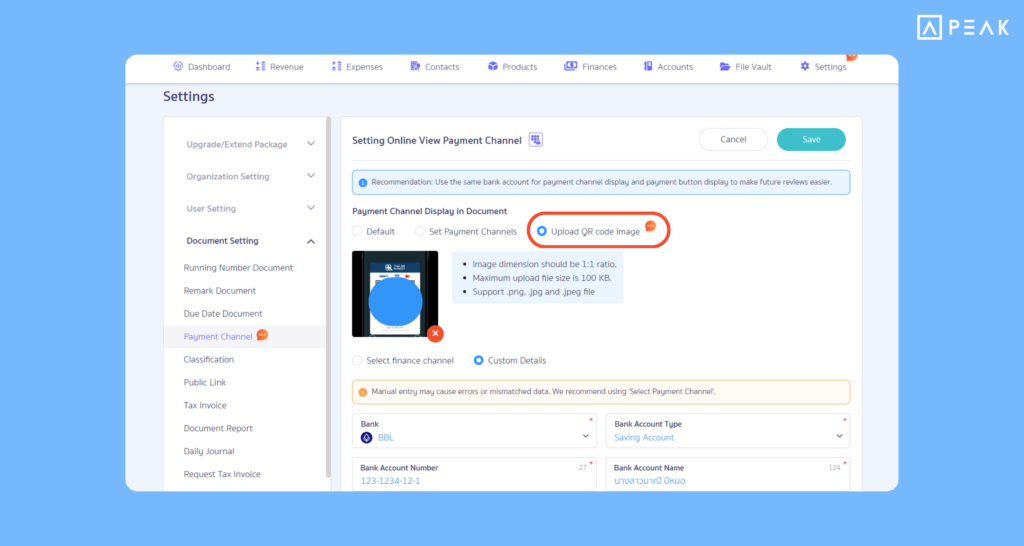
Menu Path: Settings > Document Settings > Payment Channel
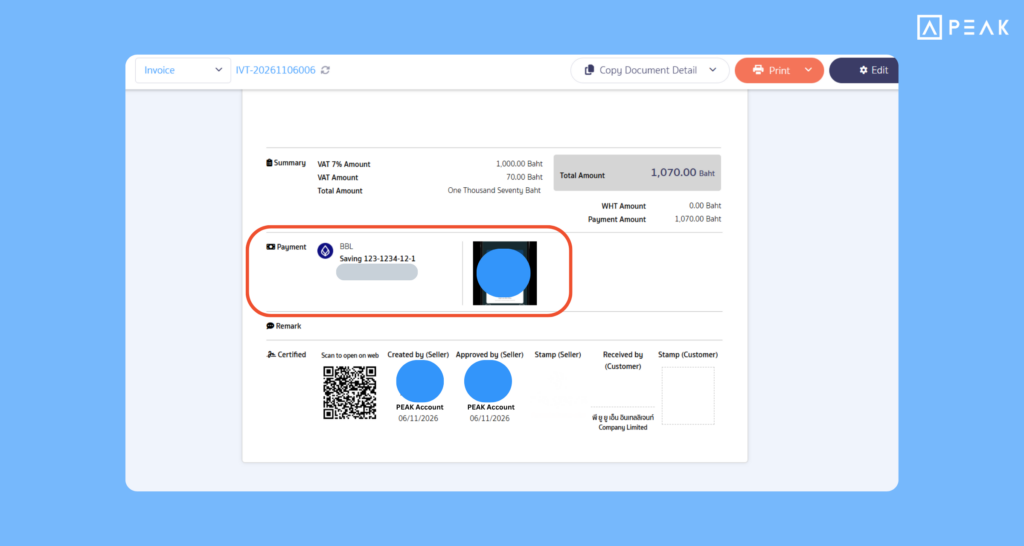
System Updates: A new setting allows users to display payment QR Codes directly on document templates. You can upload and embed QR Code images into the document payment details section (previously only accessible via online view payment buttons). The system also auto-links existing financial accounts or channels to the QR Code, reducing manual entry errors from typing account numbers.
Key Benefits: Makes receiving payments faster and simplifies payment. Customers viewing digital copies or printed documents can instantly scan to pay via mobile banking apps.
3. Print Input Tax Report by Tax Period (PEAK TAX) in One Click
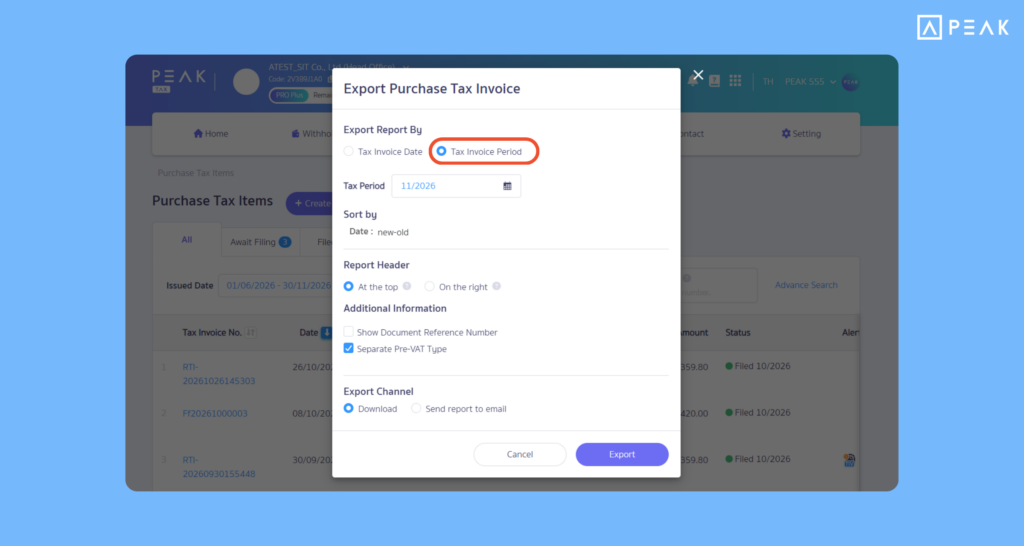
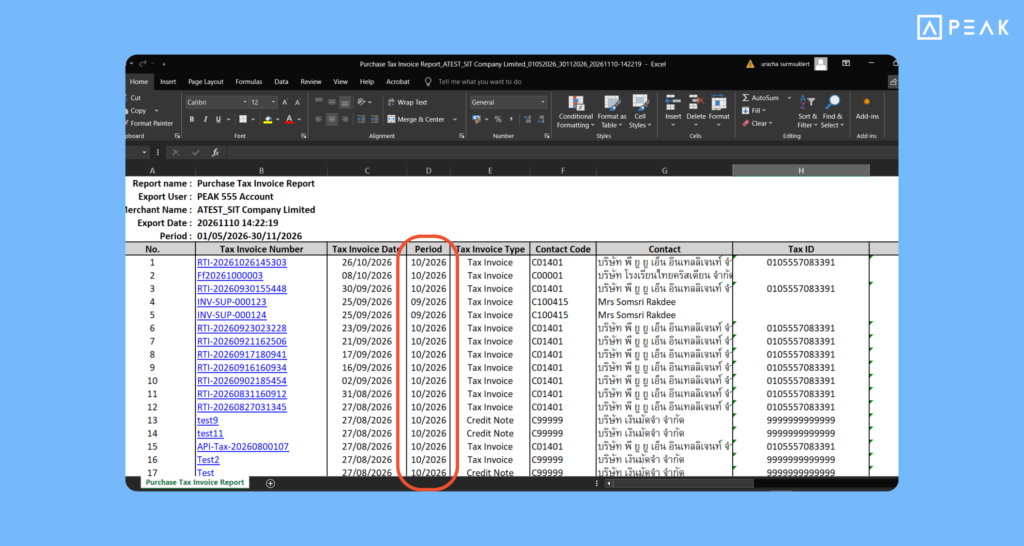
Eligible Package: e-Document and above
Menu Path: PEAK TAX > Value Added Tax (VAT) > Input Tax (Purchase Tax) > Print Report
System Updates: Added a “Specify Tax Period” option in the print dialog. Rather than filtering strictly by date range, users can select the exact tax period. The system automatically pulls matching entries in accordance with statutory input tax rules, tracking eligible late tax invoices up to 6 months prior. Example: Selecting November (Month 11) will automatically retrieve eligible documents dated from May (Month 5) through the end of November assigned to the November filing period, ensuring no delayed tax invoices are missed.
Key Benefits: Allows accountants to seamlessly cross-check input tax reports against the actual PP.30 VAT return for that period, simplifying reconciliation and eliminating discrepancies.
4. Warehouse Display Option for Printed Document Reports
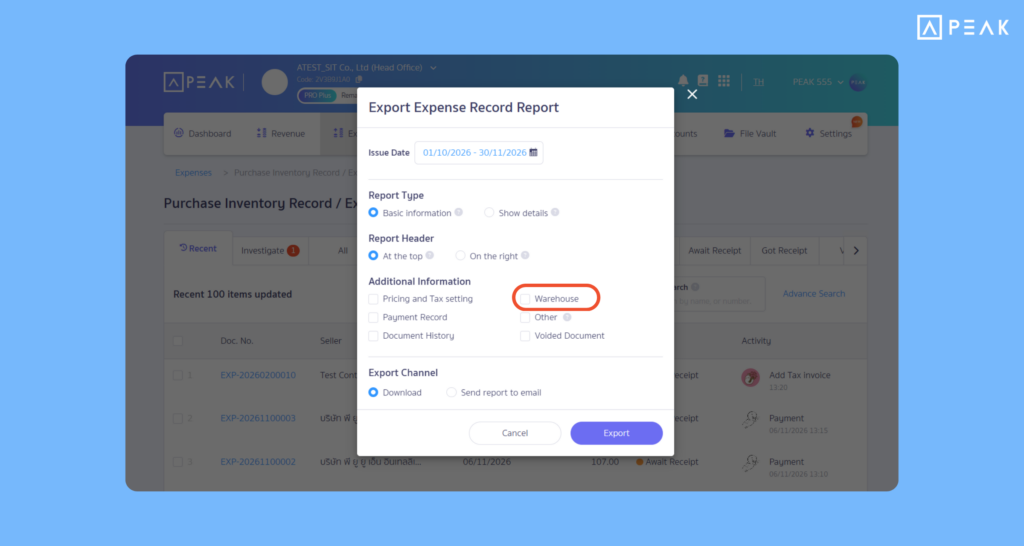
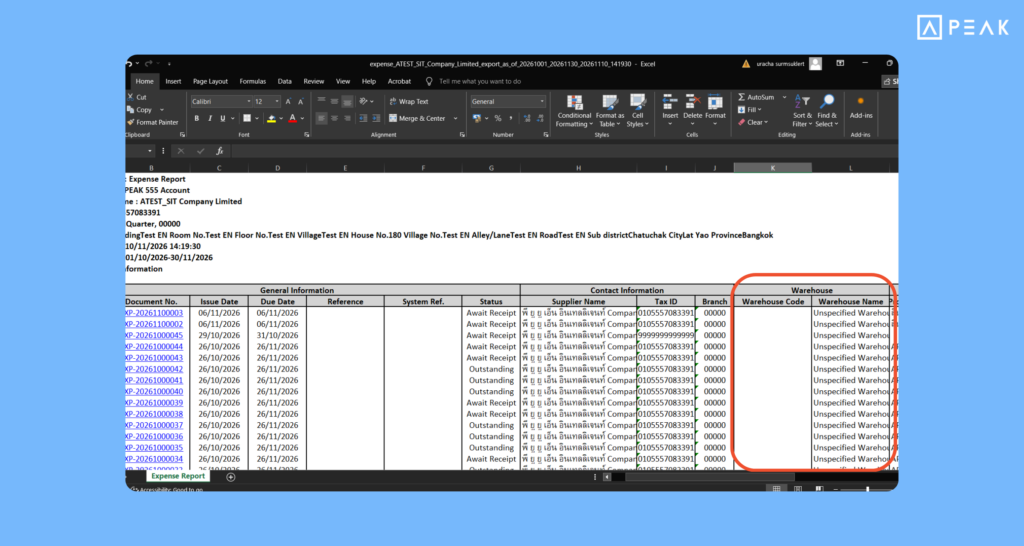
Eligible Package: Basic and above
Menu Path: Income & Expense Menus
System Updates: Added a warehouse filter/display option in the report printing pop-up. Users can choose to include warehouse details on generated reports for inventory-tracked documents.
Key Benefits: Provides greater operational flexibility, allowing teams to customize reporting views according to specific internal tracking needs.
About Author