
PEAK with the new function designed to enhance efficiency.
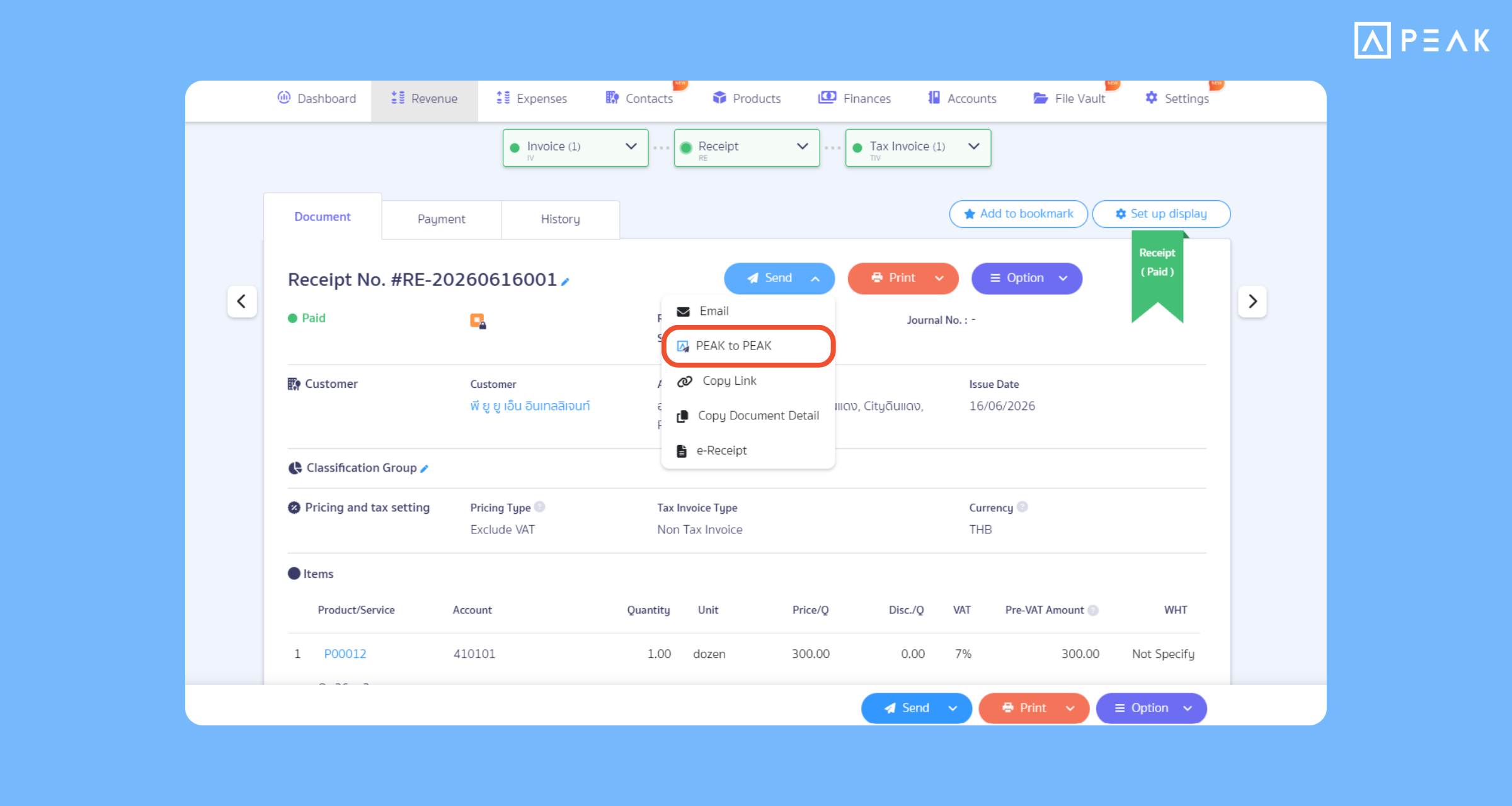
1. Seamless connection with PEAK to PEAK function: Link data and send-receive documents directly as if sent from within the system.
Package: All packages
Suitable for: Businesses whose trade partners already use the PEAK system and want to send data directly to each other through the system without redundant printing and sending via external channels.
System Updates:
- Changed the User Right name from the original “Match Sellers and Contacts” to “Partner and Contact Connection” to cover tasks for both connecting and sending-receiving documents.
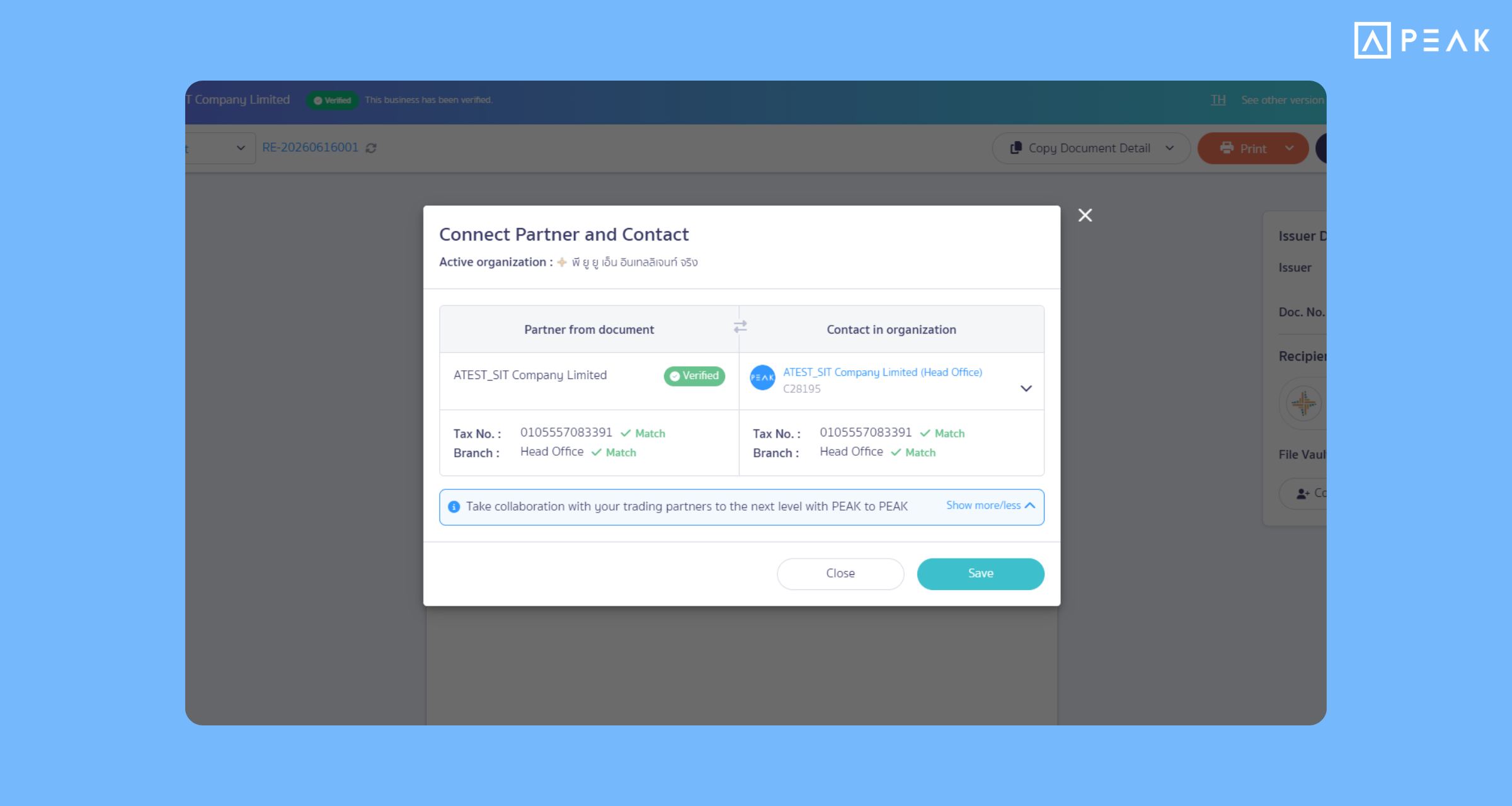
- Added an account connection request system. When a customer or seller clicks to process and specifies a partner who uses PEAK, the system will immediately send a connection request notification to the other side. They can click to accept the connection, which will then change the status to “Connected”. When documents are issued and need to be sent between systems, documents can be sent immediately to make document sending more convenient.
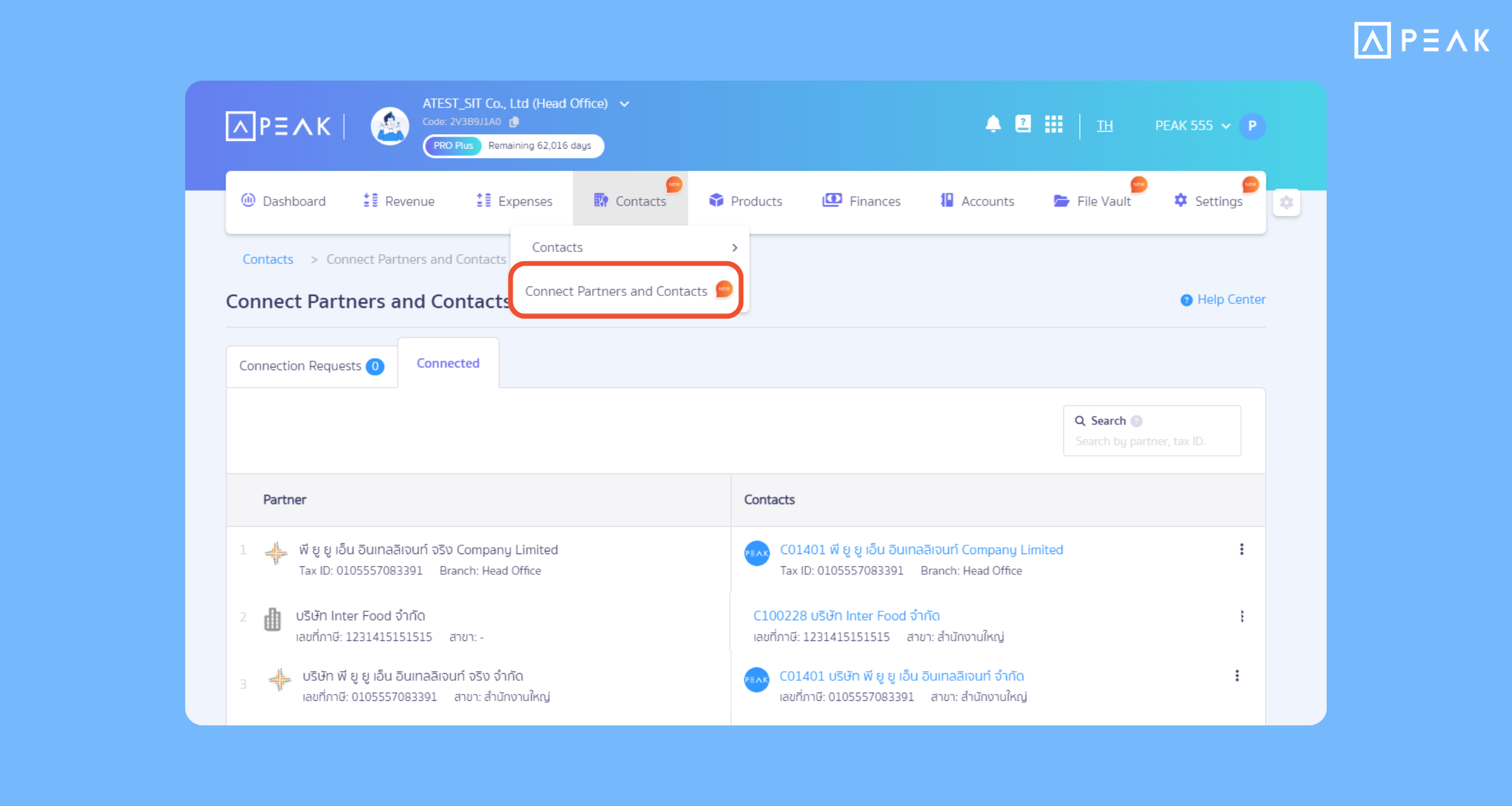
- Added a “Partner and Contact Connection” page under the Contacts menu to display information and connection statuses of trade partners who have already connected their accounting systems or are awaiting acceptance.
- Added an Inbox page under the File Vault menu to collect files and documents submitted directly by external business partners to the PEAK system, enabling users to process and record documents immediately.
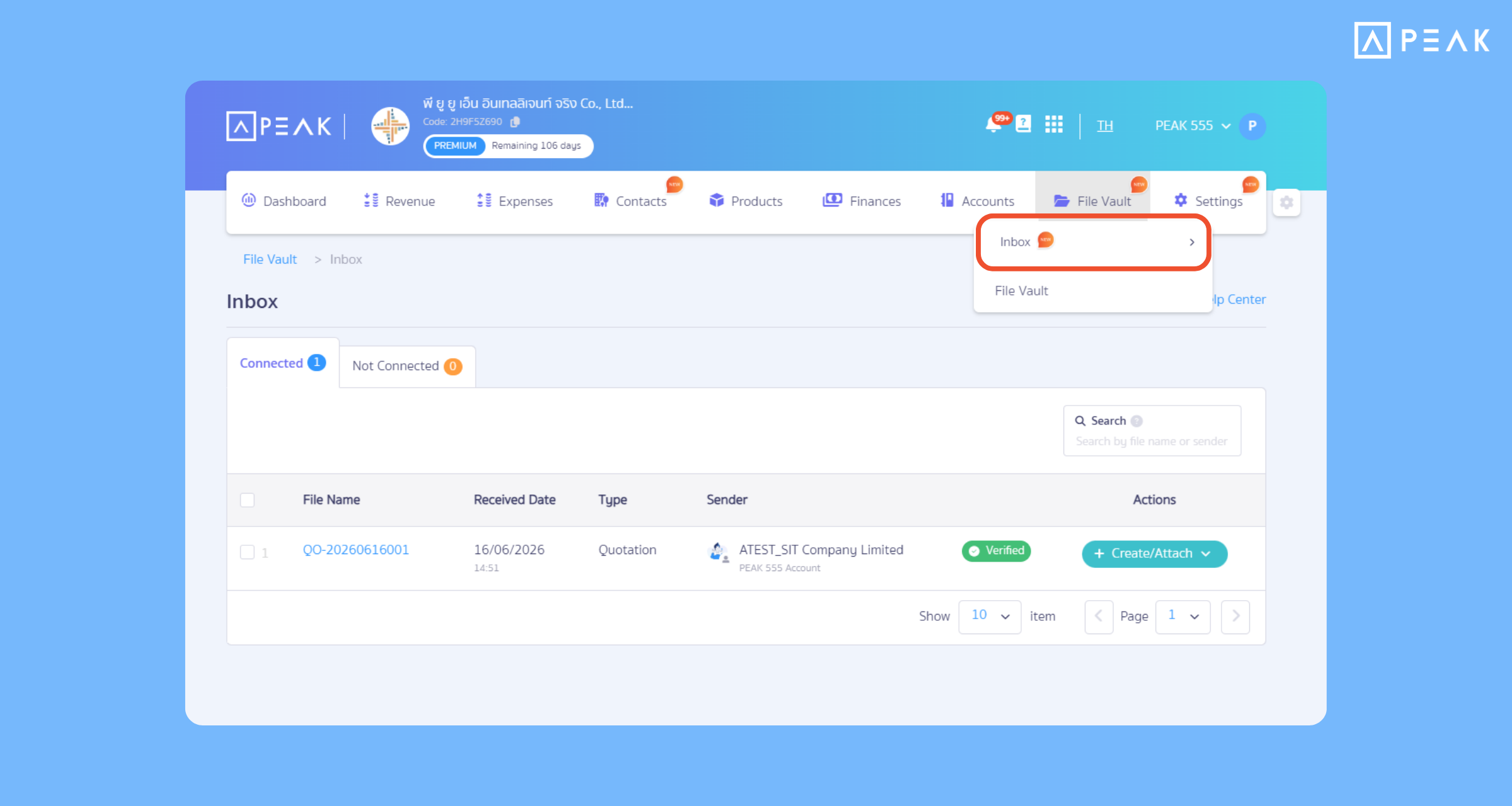
- Added a notification bell icon to alert users when there is a new connection request or when a new document is received from a partner’s PEAK account.
- When the buyer clicks the “Add to File Vault” button and completes recording the accounting entries, the system will automatically lock the document. It will no longer be possible to click to edit or cancel, helping prevent discrepancies in accounting records and figures.
Benefits of Use: Helps manage documents much more conveniently between businesses that use the PEAK program together. There is no need to download and then attach to send via email or other external applications. It also prevents errors and updates document data in real-time.
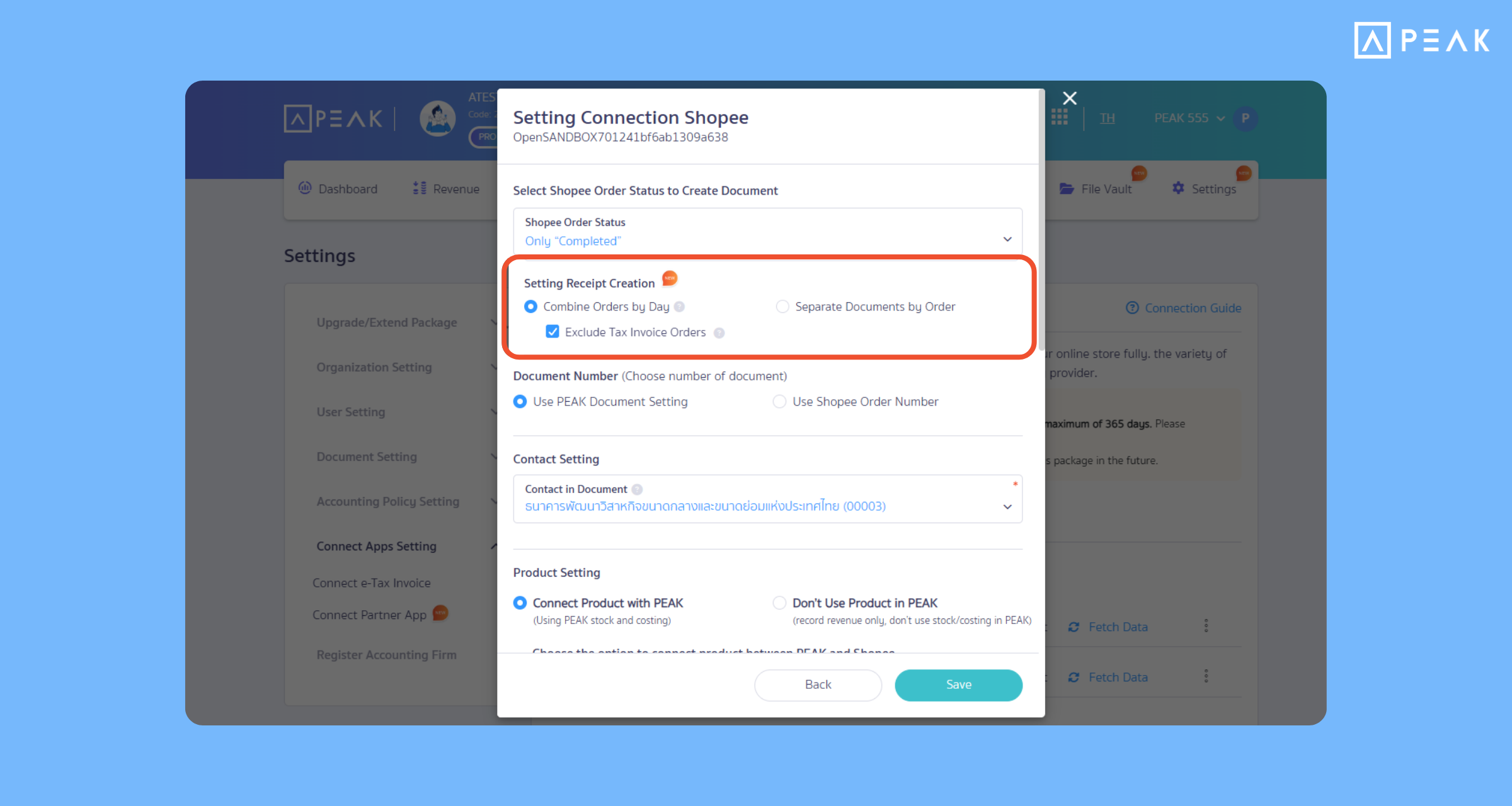
2. Added settings for Shopee API connection: Combine multiple orders to create a single document.
Package: PRO Plus package and above
Suitable for: Businesses that sell products on Shopee and have a large volume of orders per day.
System Updates:
- Added a Shopee connection settings page with an option to “Combine orders on the same day”. The system will collect order numbers with a completed status from the previous day and generate one accounting document per day.
- Automatic order separation system: In case a customer requests a tax invoice, the system will automatically separate that order to create a separate tax invoice document. The remaining general orders will be combined into a single sheet.
- Adjusted discount system: Added a function to choose how to record discounts, capable of calculating average discounts separated by individual products.
Benefits of Use: Helps track historical data and reconcile accounts more easily and quickly.
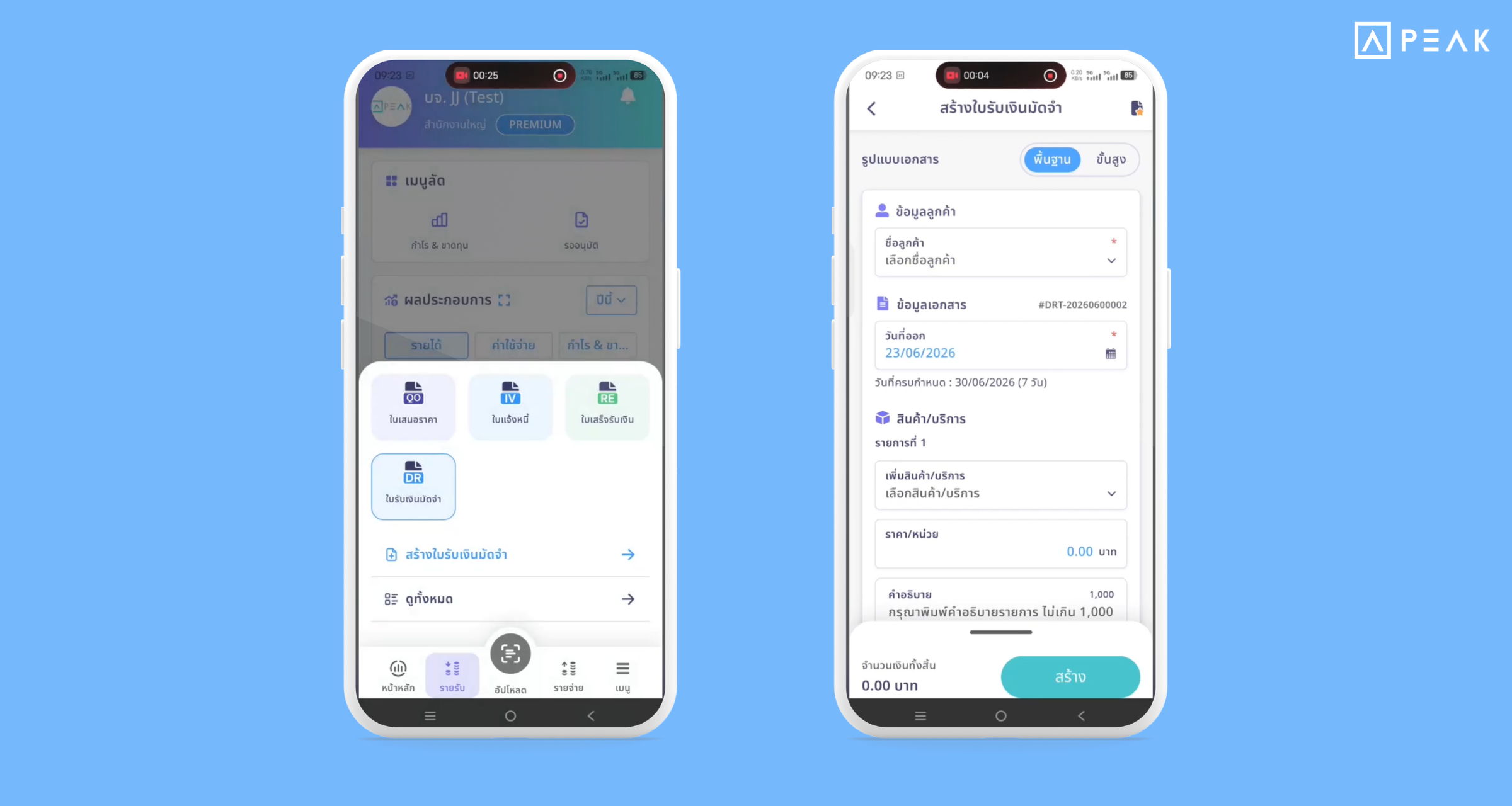
3. Added deposit document management on PEAK Application: Manage documents more conveniently.
Package: e-Document package and above
Suitable for: Users who want to issue documents via PEAK Application.
System Updates: Supports creating deposit receipt/payment documents on PEAK Application, being able to manage documents as follows:
- Choose to pull deposit documents to deduct on the document creation page on mobile immediately. The system will have a window showing the remaining deposit amount that has not yet been used. Supports deposit slips for both the revenue and expense sides.
- System notification: In case the VAT Type of the deposit and the document do not match, the system will show a warning message immediately to prevent errors in clearing account balances.
- Added status and information display tabs in deposit documents to immediately check which documents in the business this deposit sheet has been used to deduct against.
- Supports notifications when a deposit document is created, edited, or sent to an approver, helping you track statuses in real-time.
Benefits of Use: Work more conveniently via mobile phone, reduce errors, and verify data easily. Work anywhere, anytime.
About Author