
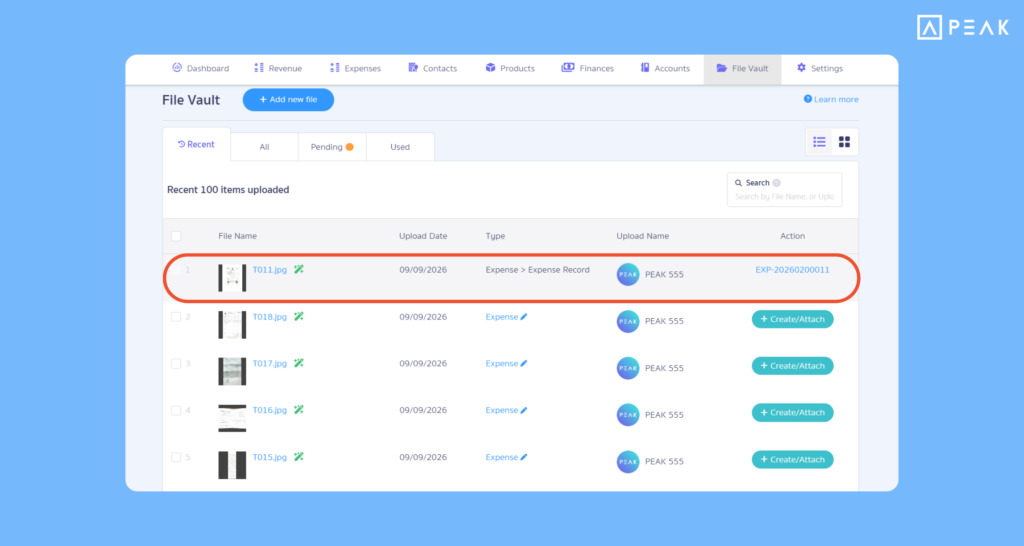
1. Manage document files more easily with File Vault, gathering all attached files into one place.
Package: e-Document package and above
Suitable for: Users who regularly manage document file attachments in the system.
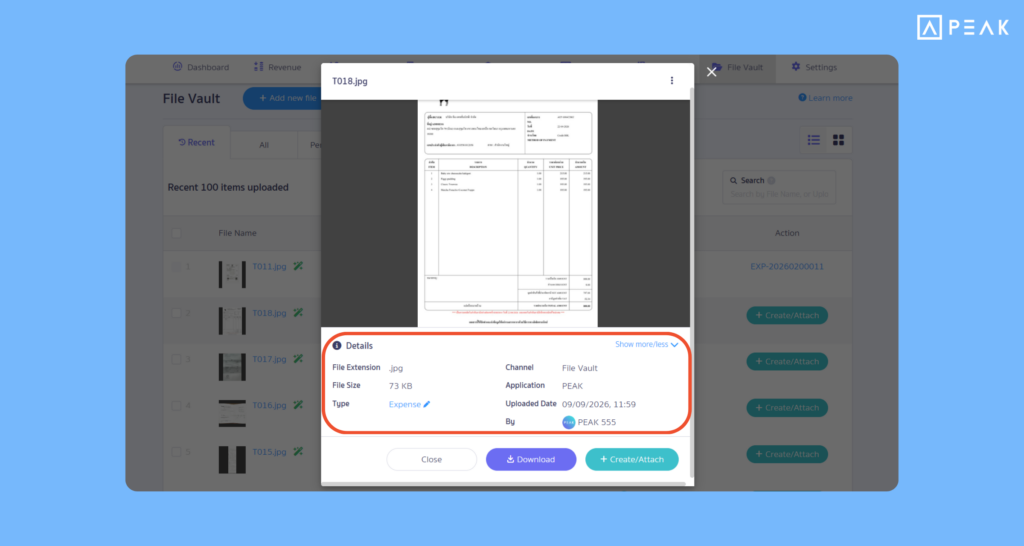
System Updates: The system improved the File Vault menu to gather files attached to documents and display them on a single page, such as attachments from income and expense documents, journals, PEAK Application, etc., along with updating the file preview page to display more detailed information such as file extension, file size, upload channel, attachment timestamp, and the uploader’s name. Furthermore, if duplicate file names are added to the system, the system will automatically rename the file, and users can rename files on the system as desired.
Benefits of Use: Work together smoothly and search for files conveniently and quickly without having to open each document one by one. Check file attachment history and prevent duplicate files in the system into the system, effectively reducing redundancy and preventing missing document files.
2. Elevate document access security with Setting Public Link.
Package: All packages
Suitable for: Users who want to control data privacy and security within the organization.
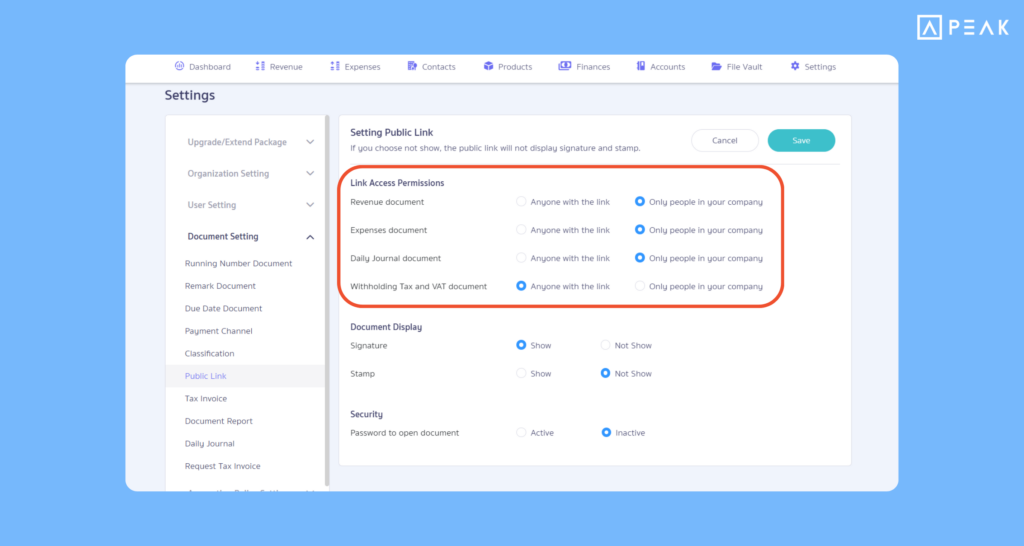
System Updates: Added the “Setting Public Link” settings menu in the document settings page, categorizing documents into 4 main groups:
- Income documents
- Expense documents
- Journal entry documents
- Withholding tax and Value Added Tax (VAT) documents
Users can choose 2 link access options (Online View): “Anyone with the link” or “Only people in your company”.
Benefits of Use: Increases flexibility in adjusting link access settings to align with each business’s security policy. Prevents unauthorized third parties from accessing important document data or tax information, while boosting confidence when safely sharing links to collaborate within the team.
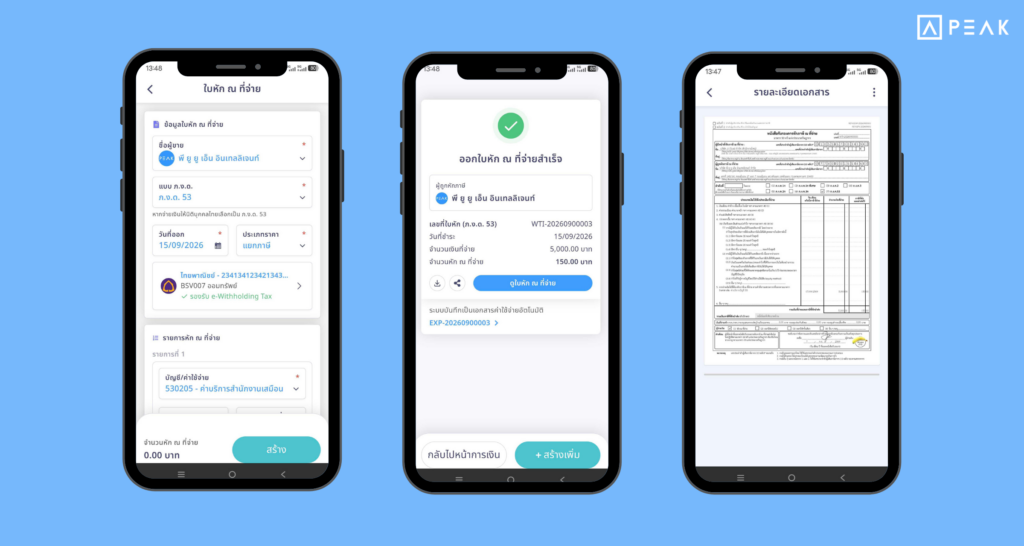
3. Issue withholding tax certificates along with recording expenses easily on PEAK Mobile App.
Package: e-Document package and above
Suitable for: Businesses that employ both Thai and foreign employees.
System Updates: The system added an insured person number field to support filing Social Security for foreign employees. Supports both individual employee data entry and employee data import. The Social Security filing file will be generated immediately upon payroll processing.
Benefits of Use: Reduces time and steps required for manually edit Social Security filing files. Files exported from the system can be uploaded directly to the Social Security system, making Social Security filing faster, more convenient, and more accurate.
About Author