
PEAK with the new function designed to enhance efficiency.
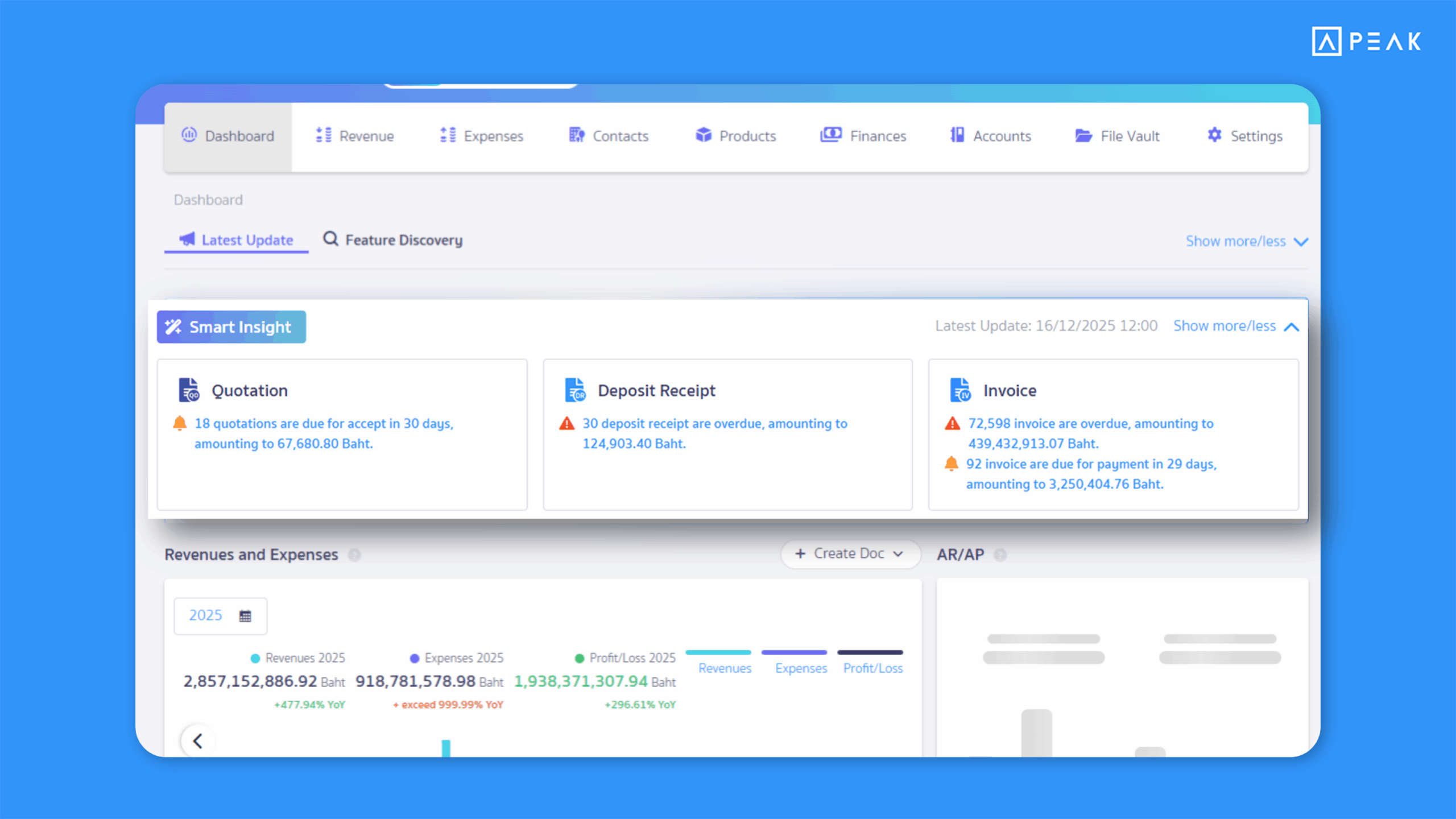
1. SMART Insight – A proactive business assistant that alerts you to documents nearing their due dates, helping you track receivables instantly from the home page.
Suitable for: Users on the Basic package or above who want easier tracking of receivable documents and payments.
Highlight: Smart Insight appears on the home page to notify users of receivable documents that are nearing their due dates or overdue. Selecting an item takes users directly to the relevant document list with the date range automatically applied—making payment tracking faster and easier.
Supported documents:
- Quotations
- Deposit Receipts
- Invoices
- Debit Notes
- Billing Notes
SMART Insight indicators:
- Bell icon🔔: Number of documents due within the configured period, plus total document value
- Exclamation icon❗: Number of overdue documents, plus total document value
Notes:
- SMART Insight will not be displayed if the user does not have permission for receivable documents.
- Display settings can be customized (permission required).
- Users can toggle document status and due date visibility.
- If no documents meet the conditions, SMART Insight will not be shown.
2. “Add to File Vault” feature from the document page (Online View) – Save documents from partners who use PEAK more easily.
Suitable for: All users who work with partners who use PEAK and want easier document storage.
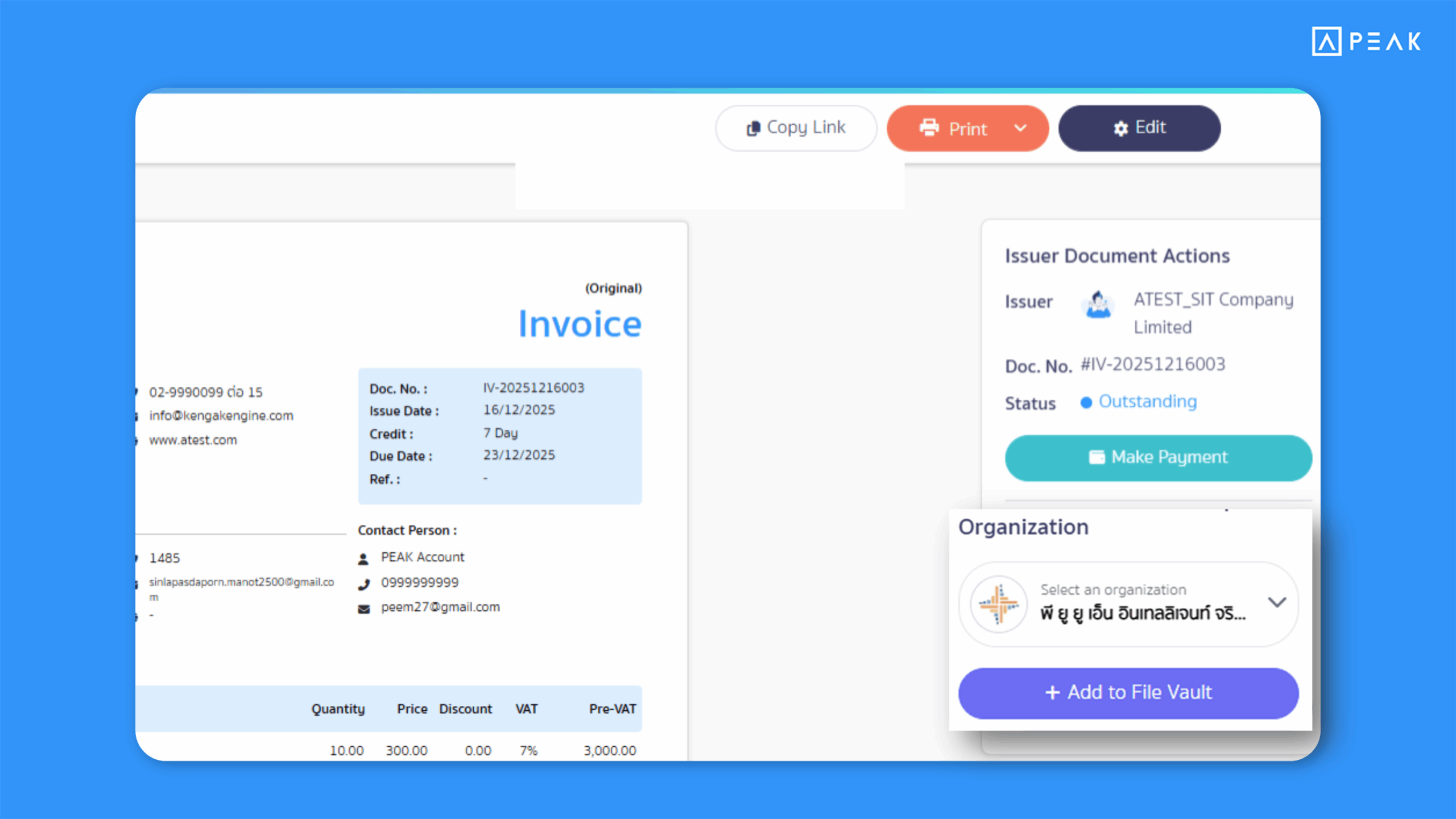
Highlight: Users can save documents received from PEAK-using partners directly into the File Vault via the Online View page.
1. Issuer view:
- The document issuer will see document status and the Make Payment button.
Note:
Document status and Make Payment buttons are available only for businesses using QR Payment and apply to Invoices, Billing Notes, Deposit Receipts, and Debit Notes only.
2. Recipient view:
- A new “Add to File Vault” option appears on the Online View page. Documents received from vendors are automatically saved as File Vault.
Saving behavior:
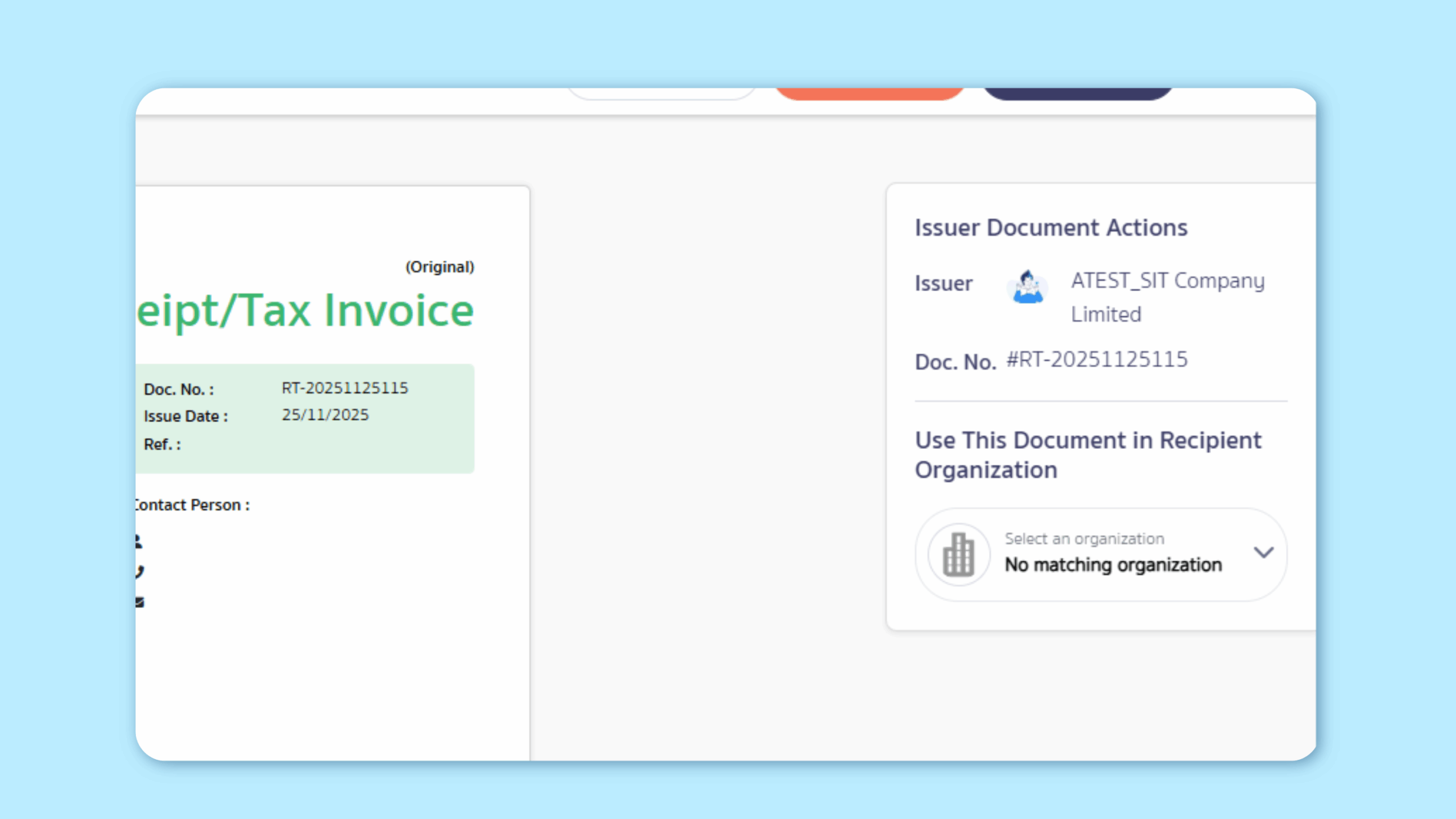
- If the vendor already exists, the system auto-suggests the matching contact based on the company registration number and branch number shown on the document.
- If no matching vendor is found, the system displays “No matching organization.”
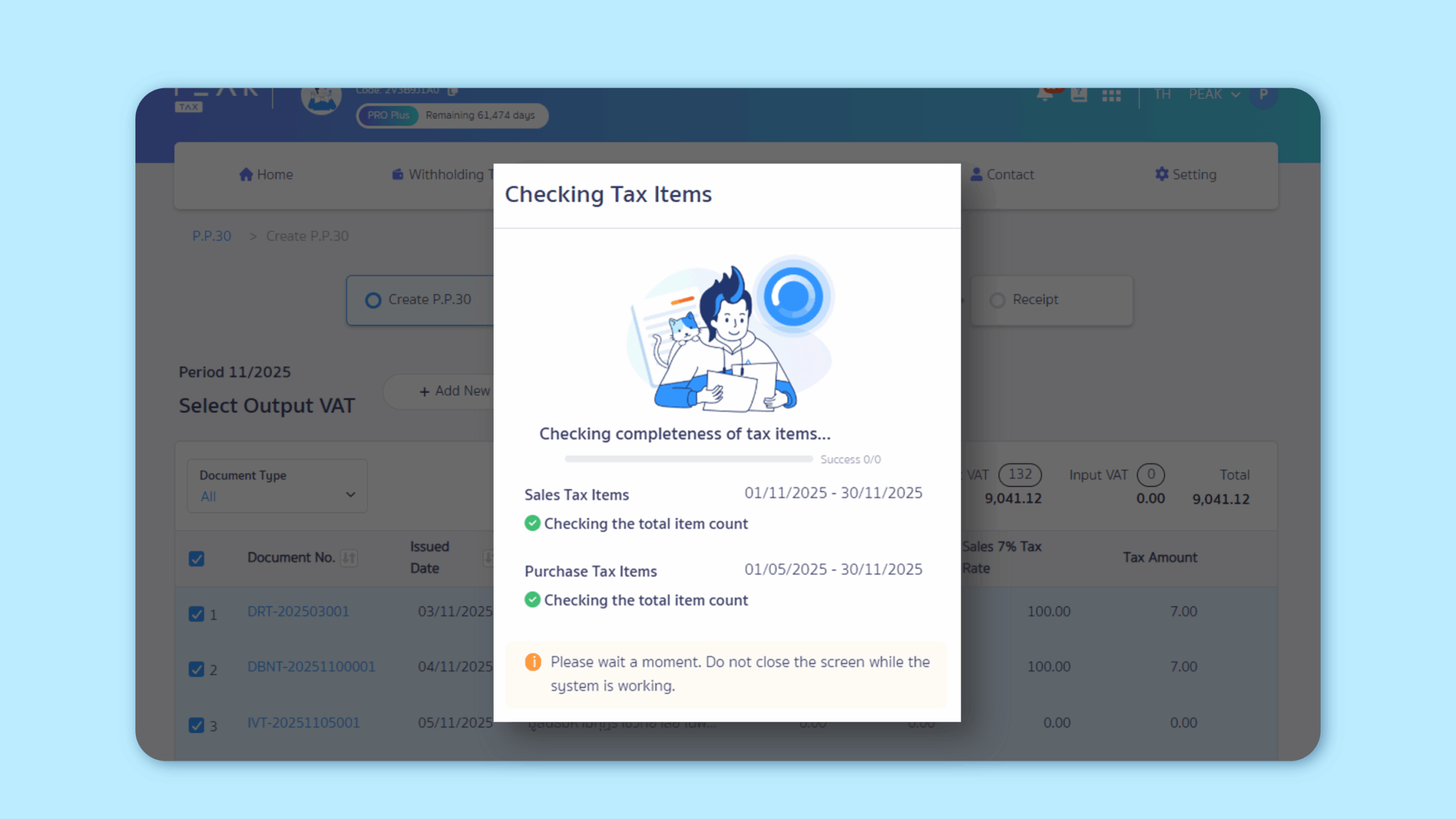
3. Enhanced checks for tax items not pulled into PEAK TAX – Reduces the risk of missing tax items when creating tax forms.
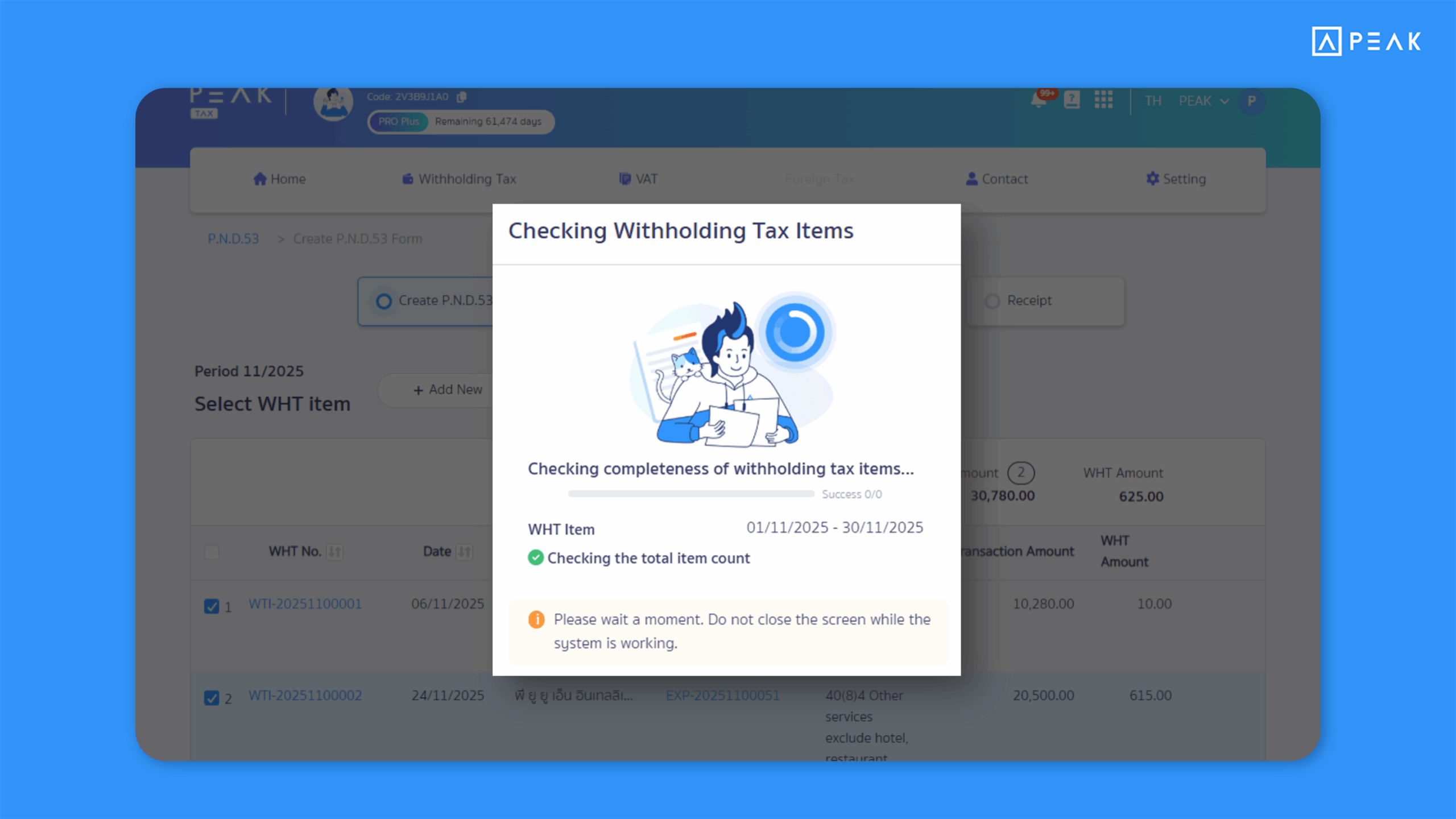
Suitable for: PEAK TAX users who want confidence before submitting tax forms.
Highlight: When creating tax forms (PND 1, 2, 3, 53 and PP.30), the system automatically checks for missing Sales Tax, Purchase Tax, or Withholding Tax items. If any are missing, the system alerts the user and pulls complete data before form creation. Once completed, a notification bell and a result file are provided—reducing errors and increasing confidence.
4. Redesigned selection display for Contacts, Products, Finances, and Chart of Accounts when creating documents – Makes data selection more convenient.
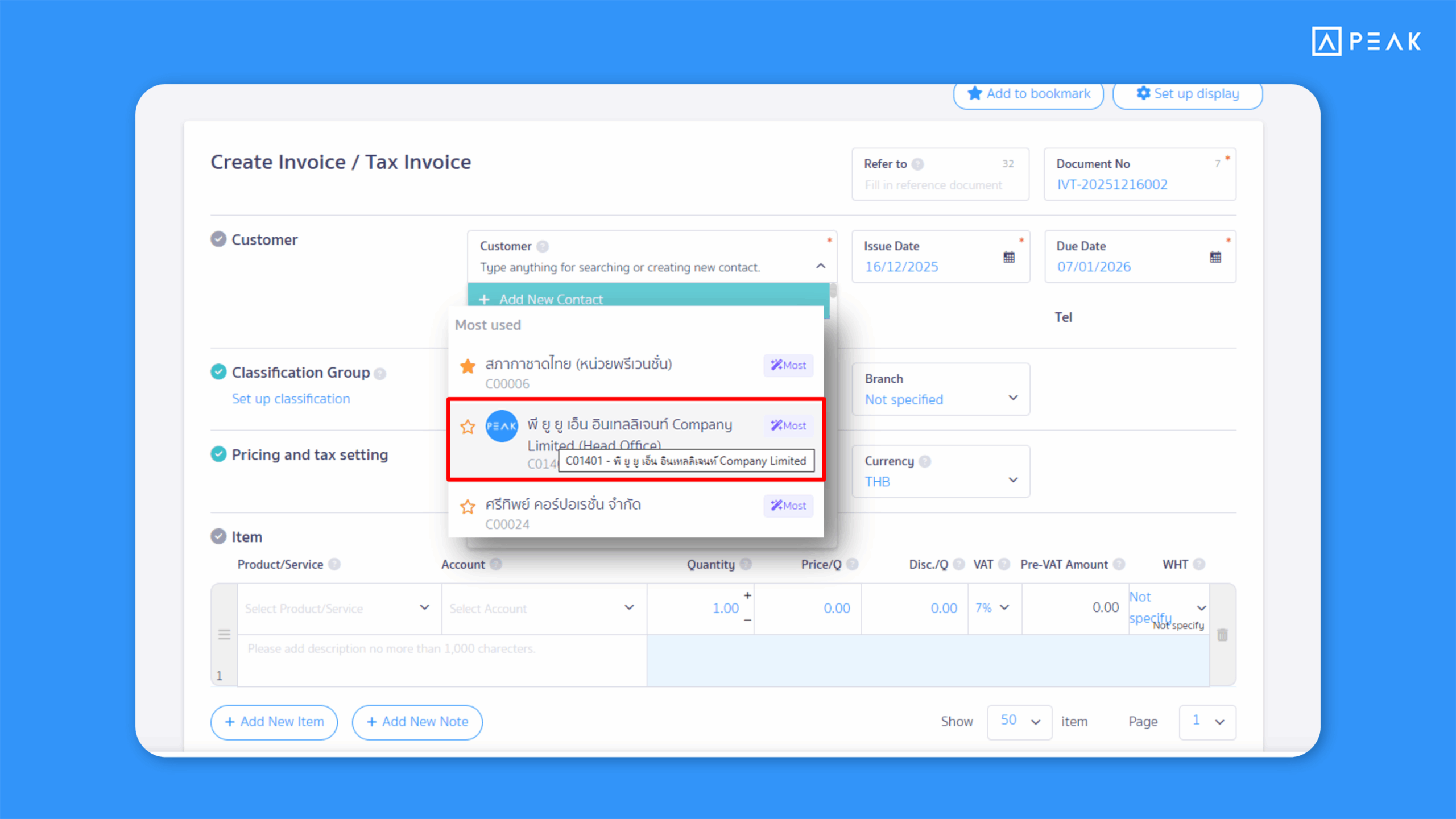
Suitable for: All users who regularly create documents
Highlight: When creating documents, selected data is now grouped by category, with frequently used items shown first—reducing search time and improving workflow.
Notes:
- Long contact names will wrap automatically.
- Hovering over a truncated name shows the full name.
- Only starred and frequently used contacts are displayed (up to 10 items).
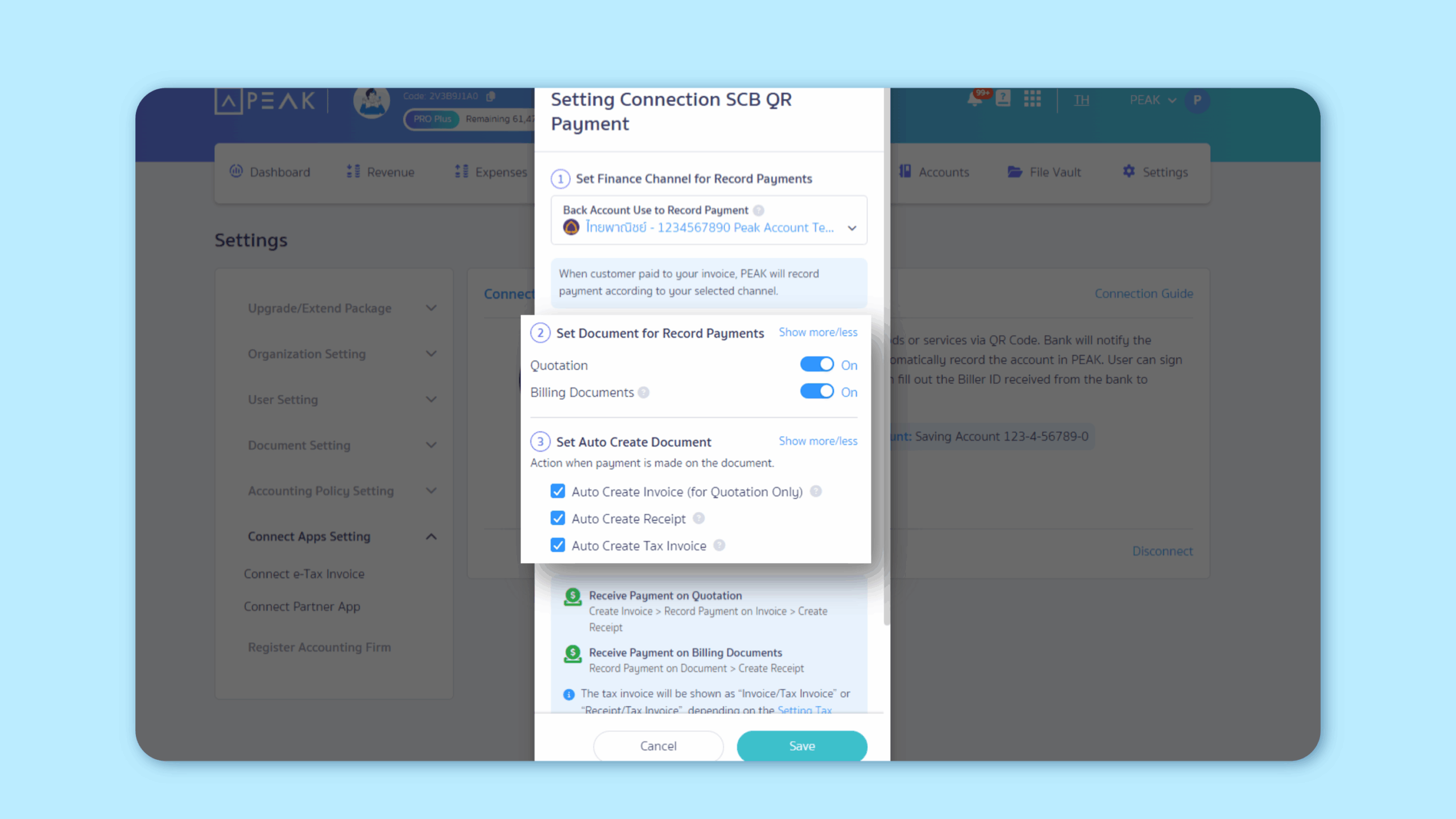
5. Enabled QR Payment for quotations with “Await Approval” status.
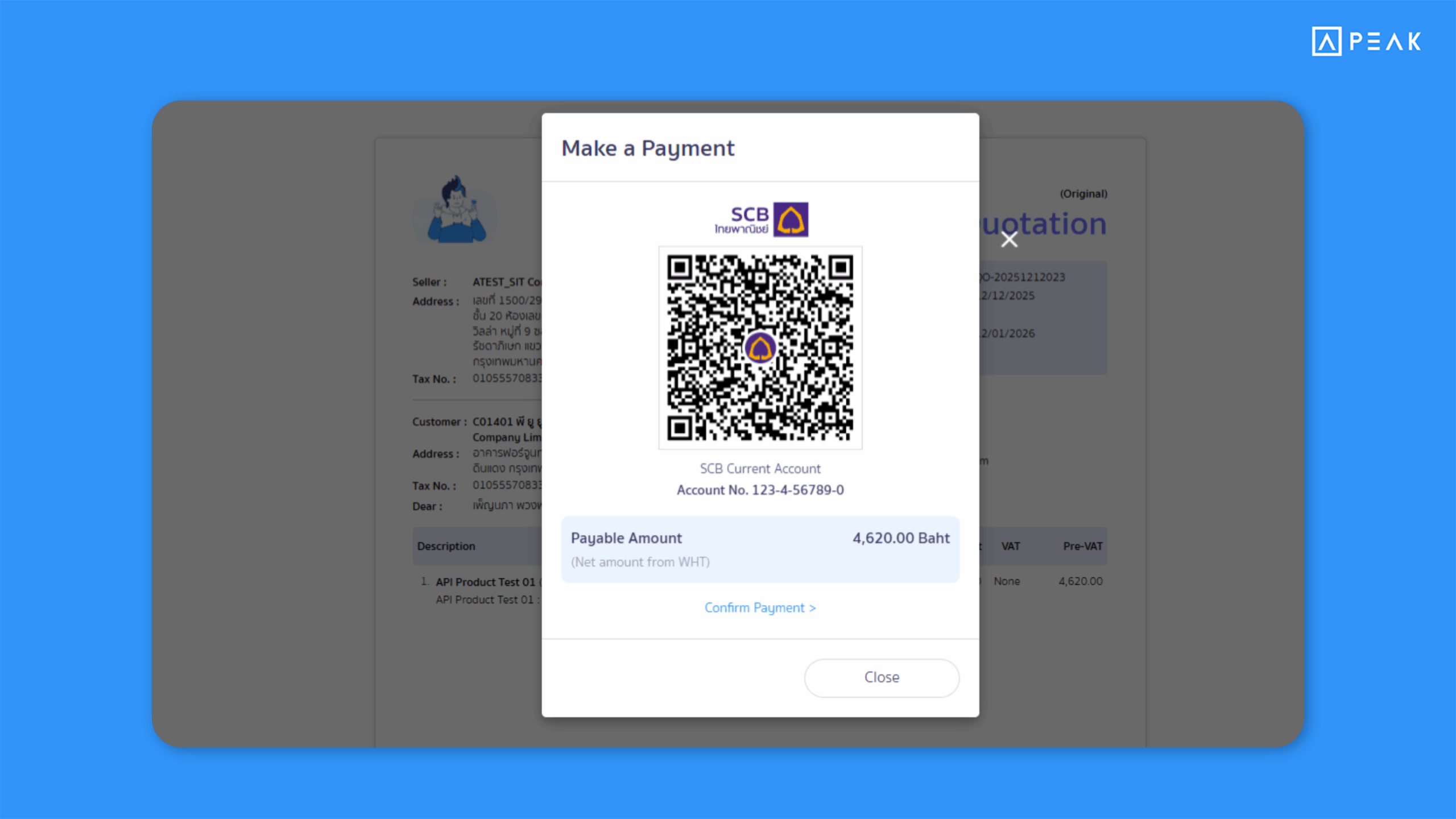
Suitable for: Users connected to QR Payment who want to close deals faster.
Highlight: Quotations in “Await Approval” status now display a Make Payment button. Once payment is made, the system automatically accepts the quotation and issues an invoice or receipt.
Note:
- The document issued after payment depends on system settings.
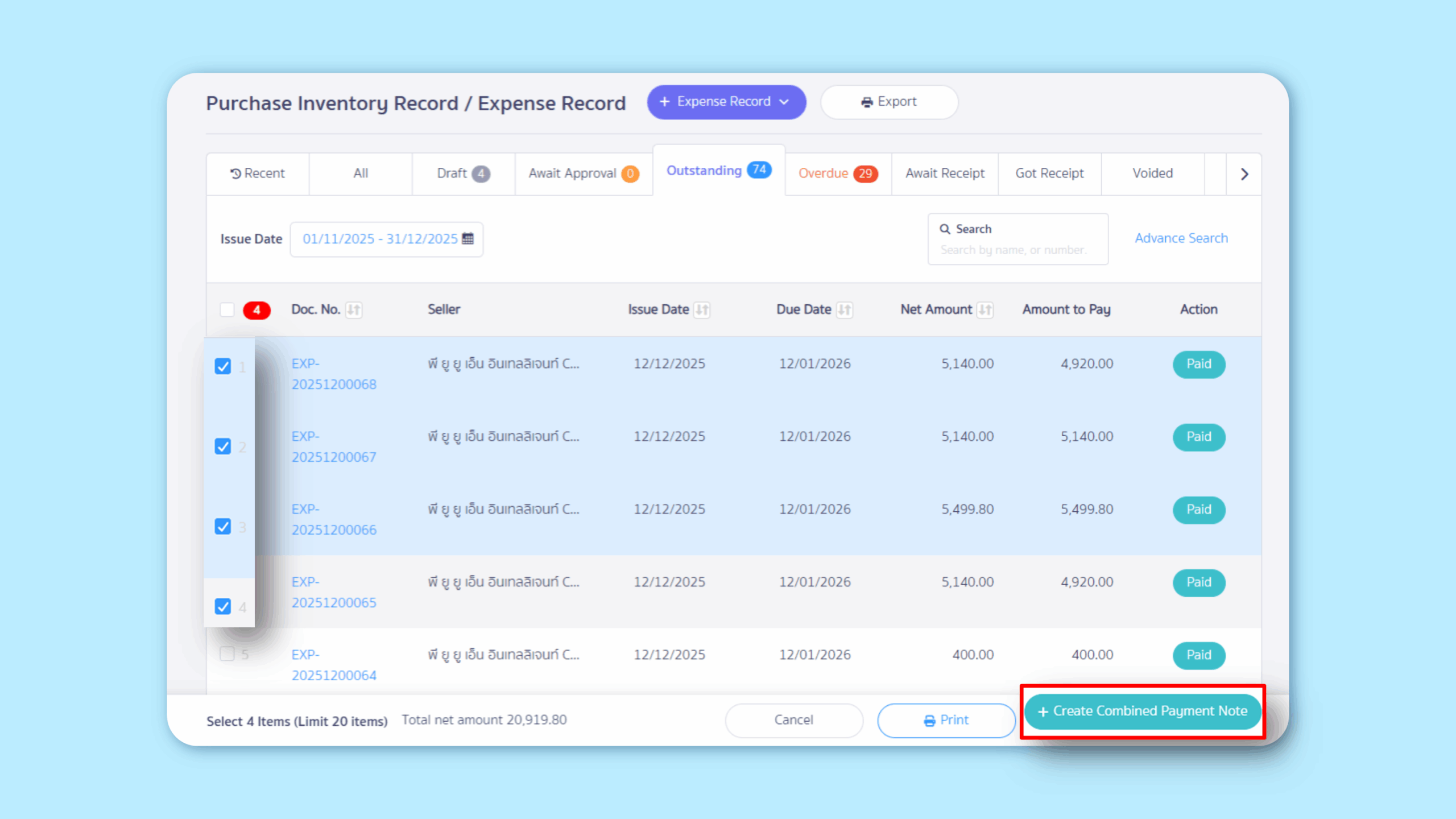
6. Create Billing Notes or Combined Payment Note directly from the document table – Faster and more convenient document creation.
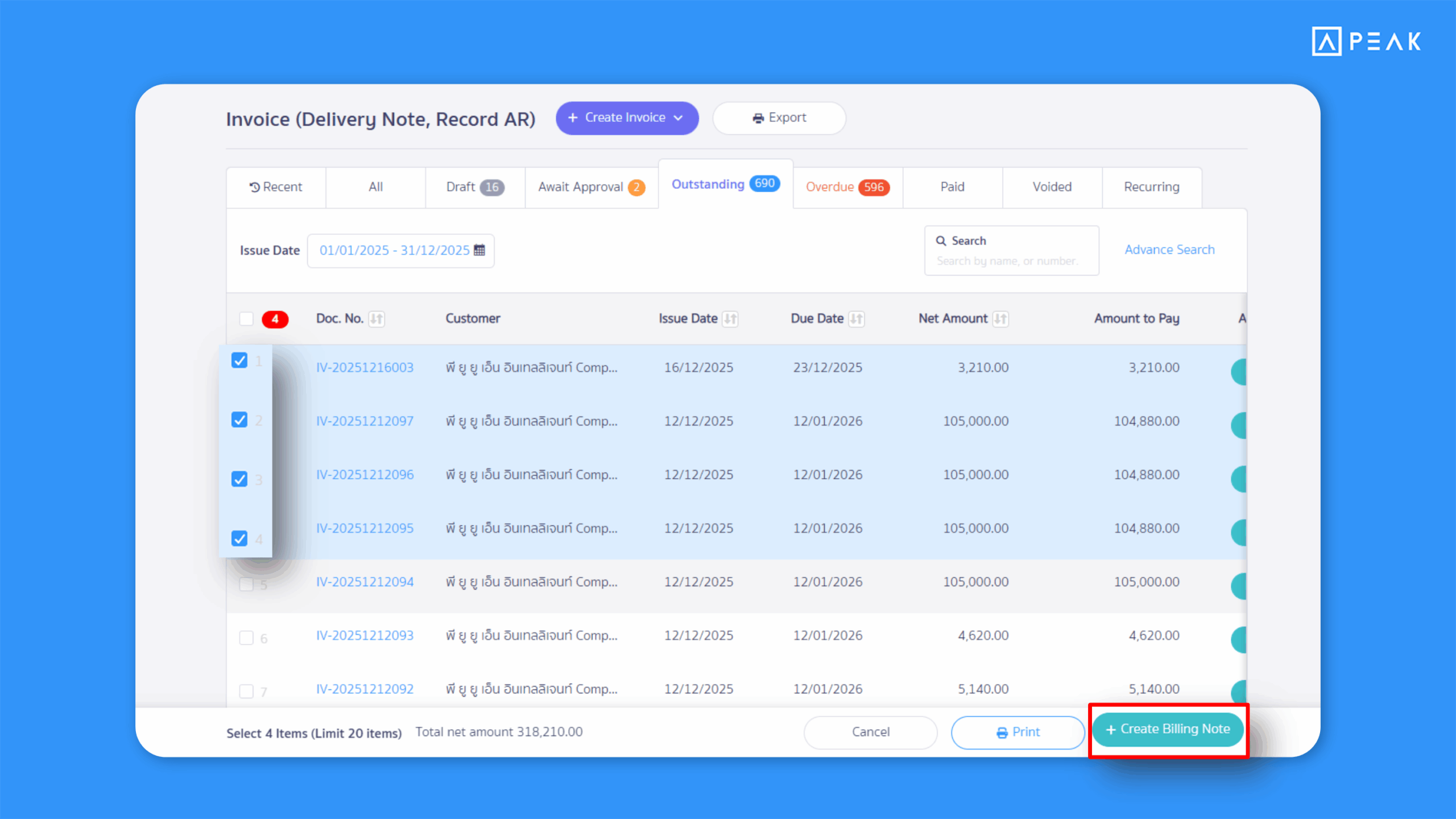
Suitable for: Users who want to issue Billing Notes or Combined Payment Note quickly.
Highlight: Users can select multiple documents from the table to instantly create a Billing Notes or Combined Payment Note. The system verifies that all documents belong to the same contact before creation—reducing repetitive work.
Note:
- Up to 20 documents can be selected at one time.
7. Added an option to send SCB transfer proof (Text file) via email when using Bulk Payment Transfers.
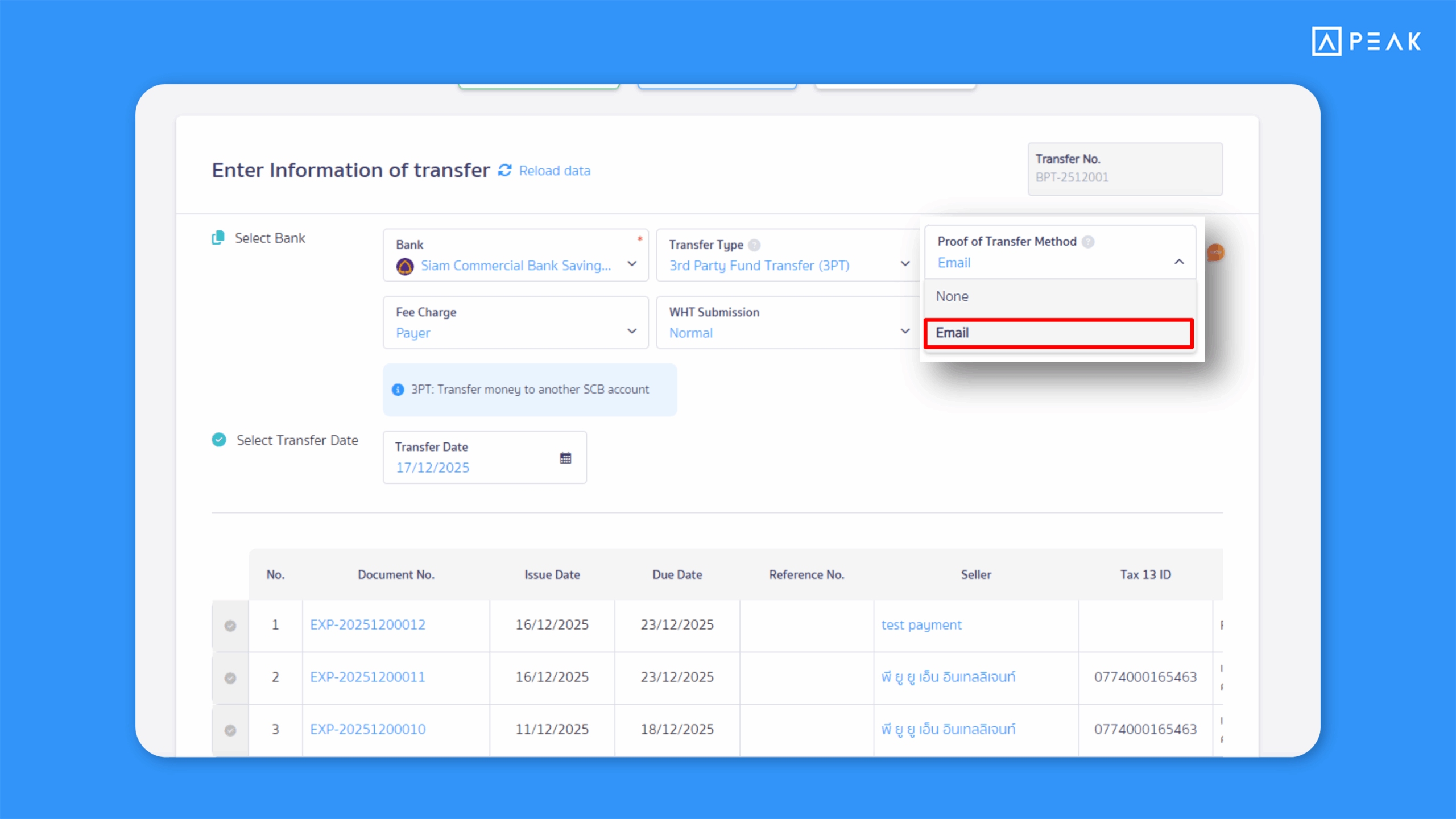
Suitable for: Premium package users making multiple transfers via Siam Commercial Bank (SCB).
Highlight: When creating an SCB Text file via Bulk Payment Transfers, users can choose whether to send transfer proof via email. If enabled, the bank sends a notification to the email address associated with each contact—making it faster to share payment proof with vendors.
Note:
- Each transfer must have a valid contact email address if email delivery is enabled.
8. Added Invoice Receipt (IR) selection for creating Bulk Payment Transfers.
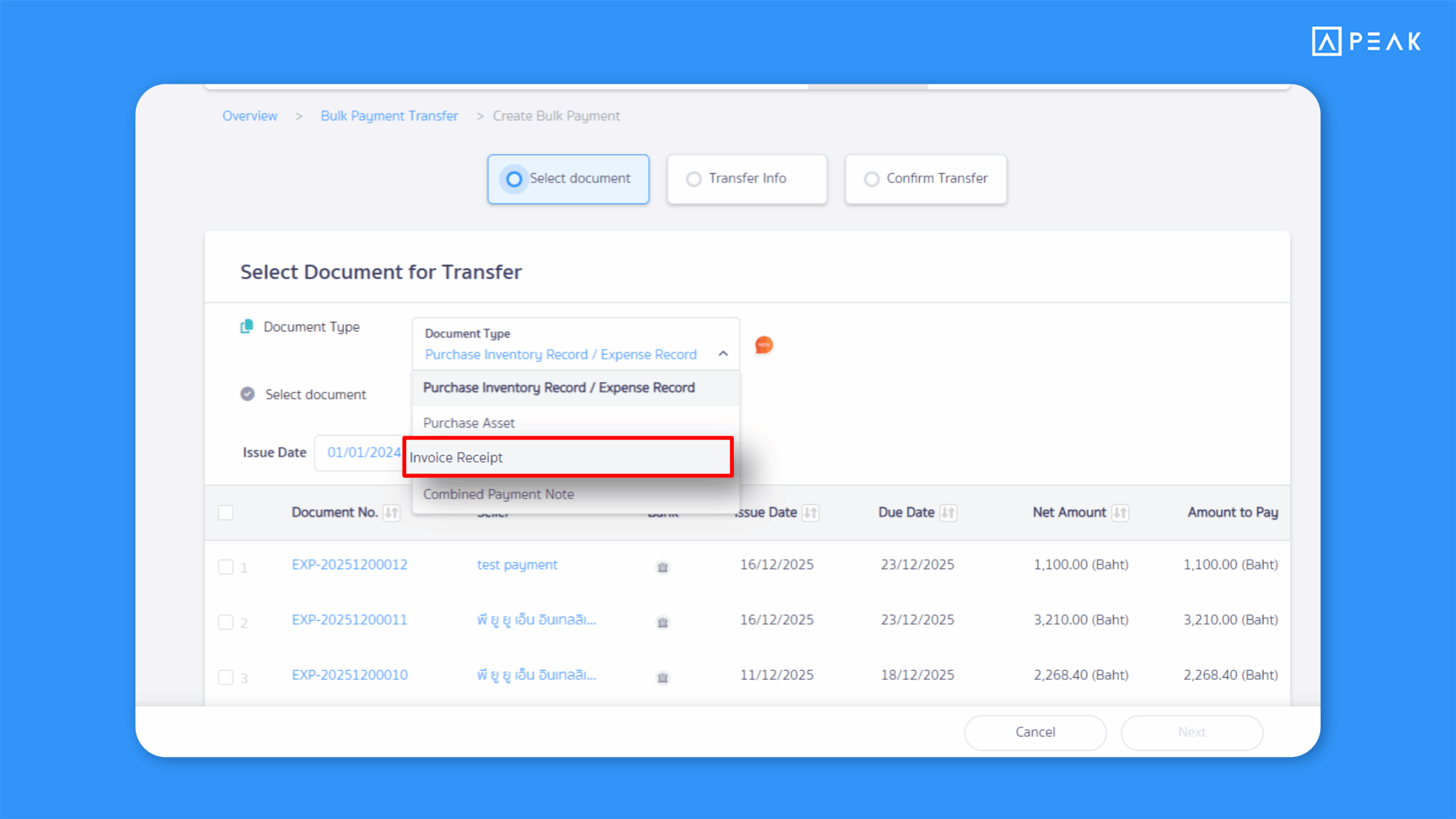
Suitable for: Premium package users who use Invoice Receipt (IR) documents.
Highlight: Users can now select Invoice Receipt (IR) documents when creating Bulk Payment Transfers, making expense recording and bulk transfers more convenient.
9. New email notifications for automatic package renewal payments – Get notified in advance before your card is charged.
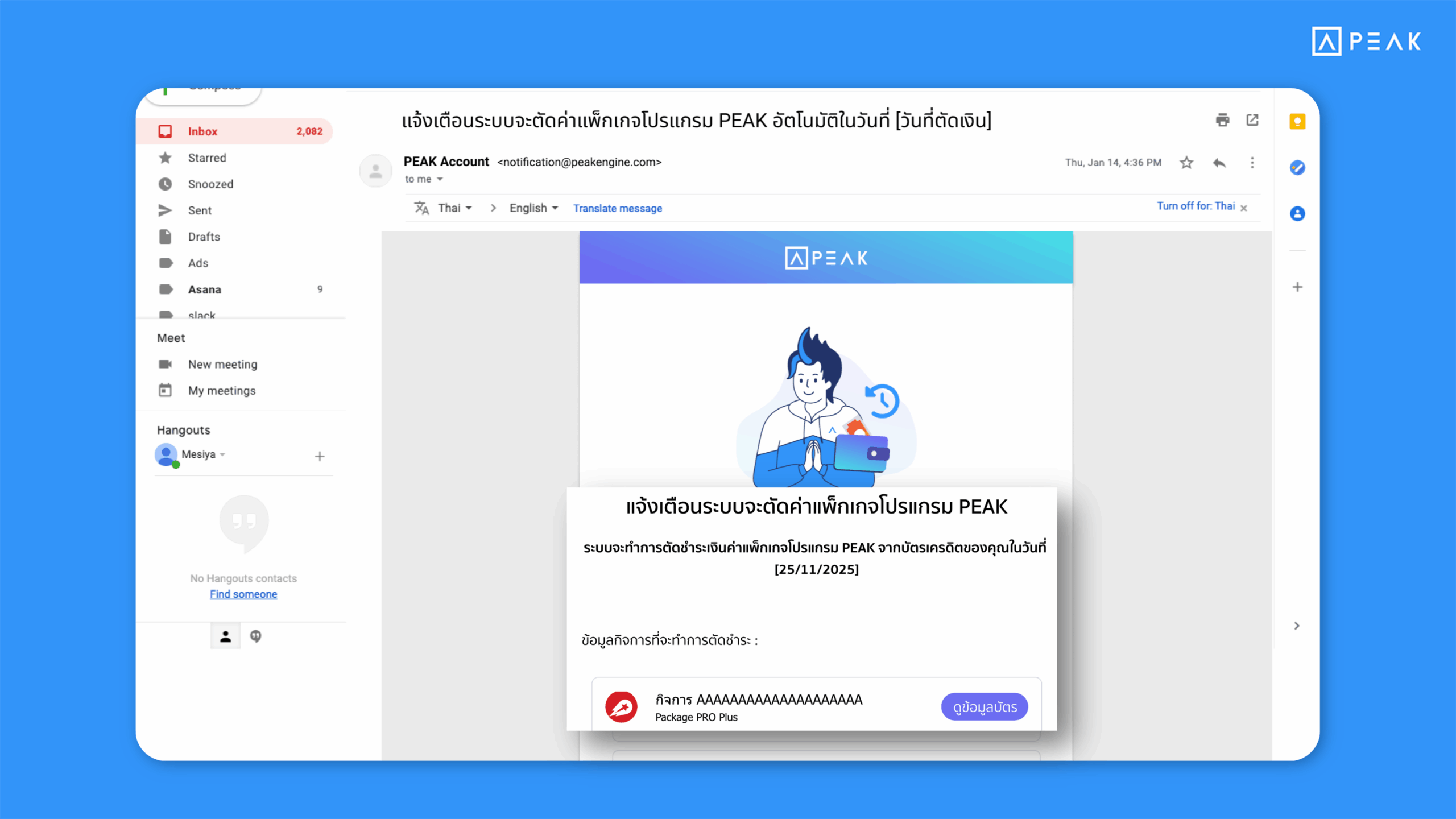
Suitable for: All users who enable automatic credit card payments for package renewal.
Highlight: If automatic package renewal is enabled, the system will send a pre-notification email 7 days before the credit card is charged, helping users stay informed in advance and reducing issues such as failed payments or confusion about billing.
About Author