

PEAK with the new function designed to enhance efficiency.
1. Added a “Copy Link” button directly on the document page to help users share documents with partners more quickly

Suitable for: Users on all plans who share documents via link
Highlight: A new “Copy Link” option has been added to the Send Document button on the document information page. Users can now copy and share the document link instantly without opening the online View page. This reduces steps and makes document sharing faster and more convenient.
2. Added “Forgot your PIN Code” option for self-service PIN reset via ThaiD verification.

Suitable for: Users who have enabled a PIN Code but forgot their PIN
Highlight: Users can now select “Forgot PIN Code” to reset their PIN themselves through identity verification using ThaiD. Verification is completed by scanning a QR Code. Once identity verification is successful, users will be redirected to set a new PIN Code. This simplifies the process and makes resetting a forgotten PIN much more convenient.
Note:
- If identity verification cannot be completed, users can select “Contact Support.”

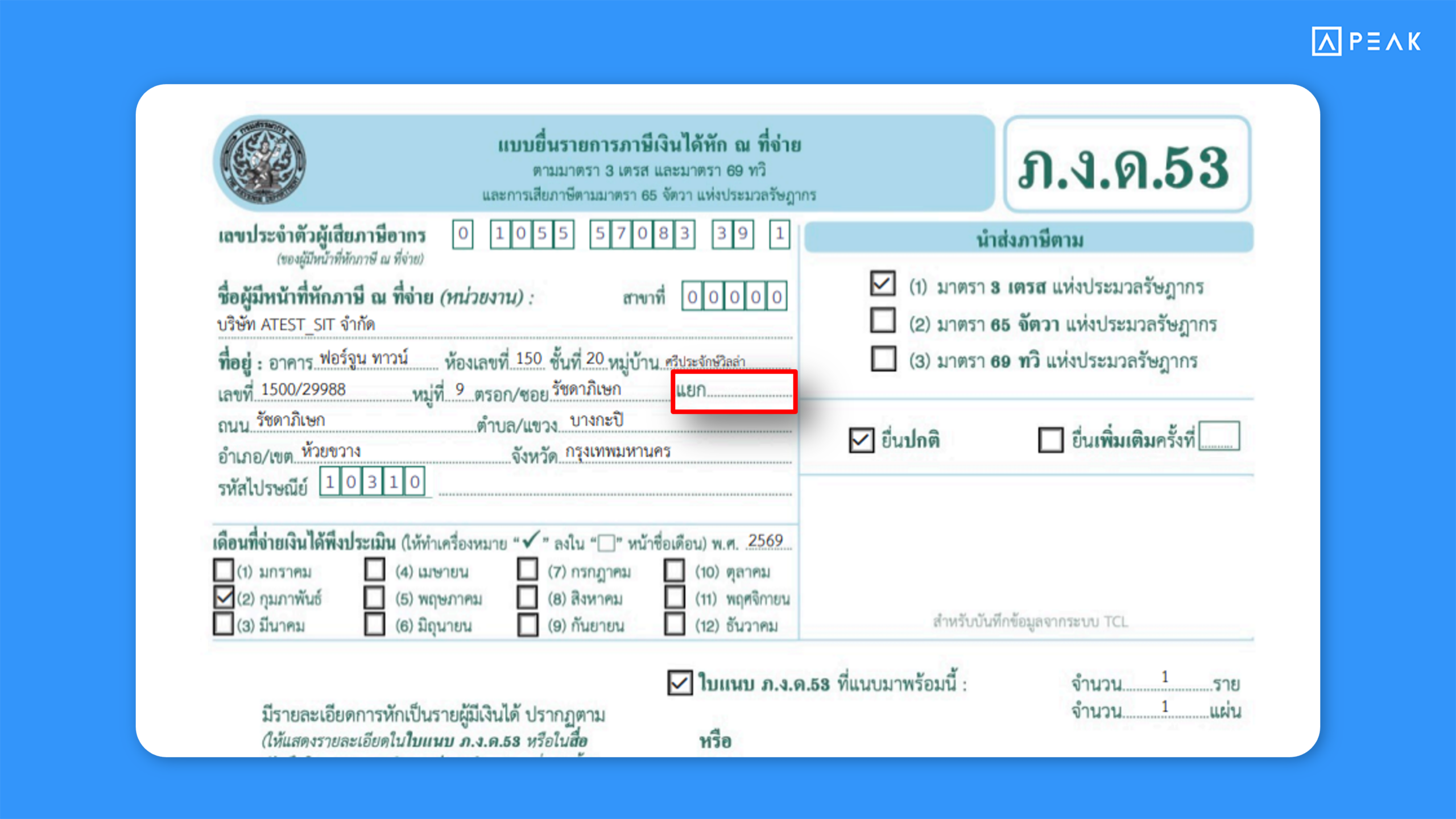
3. Added “Lane”(Yaek) field display in P.N.D. forms on PEAK TAX.
Suitable for: PEAK TAX users
Highlight: The P.N.D. TAX form display has been updated to include the “Lane” (Yaek) field within the address section, aligning with the official tax document format. This ensures more complete address information and makes it easier to review details before submitting tax forms.
Note:
- This change applies only to documents created on or after November 3, 2026.
- For documents created before the update, users must refresh the data from the document page (Re-data) to apply the new format.

About Author