
PEAK with the new function designed to enhance efficiency.
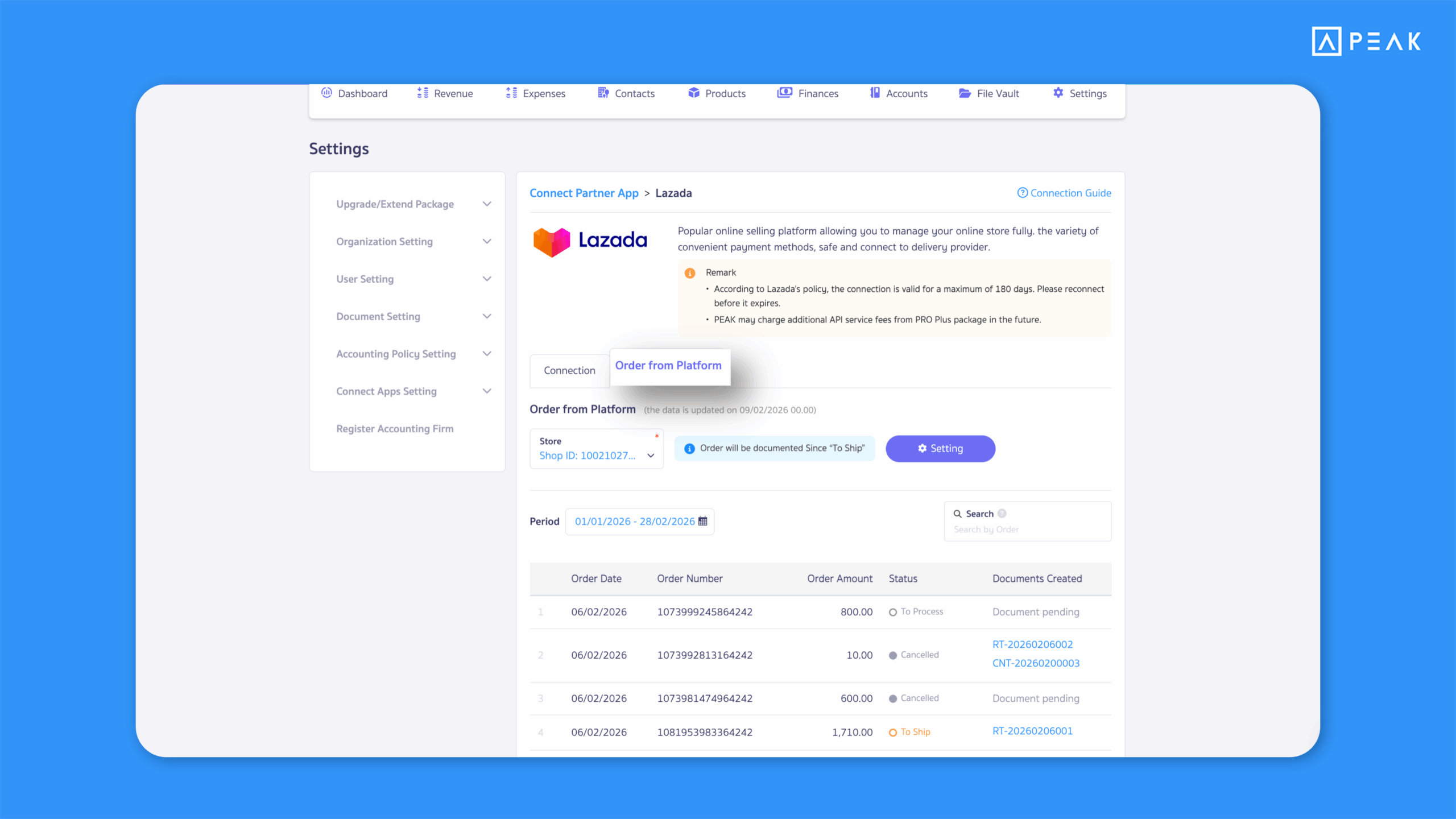
1. Added an Orders from Platform tab on the Lazada API connection page, making it easier to track document status in one place.
Suitable for: PRO Plus package and above users who connect to Lazada via API
Highlight: A new tab now displays Lazada order data directly on the API connection page, allowing users to instantly see which orders have been used to create documents in PEAK—helping monitor document status and API activity in one view.
Notes:
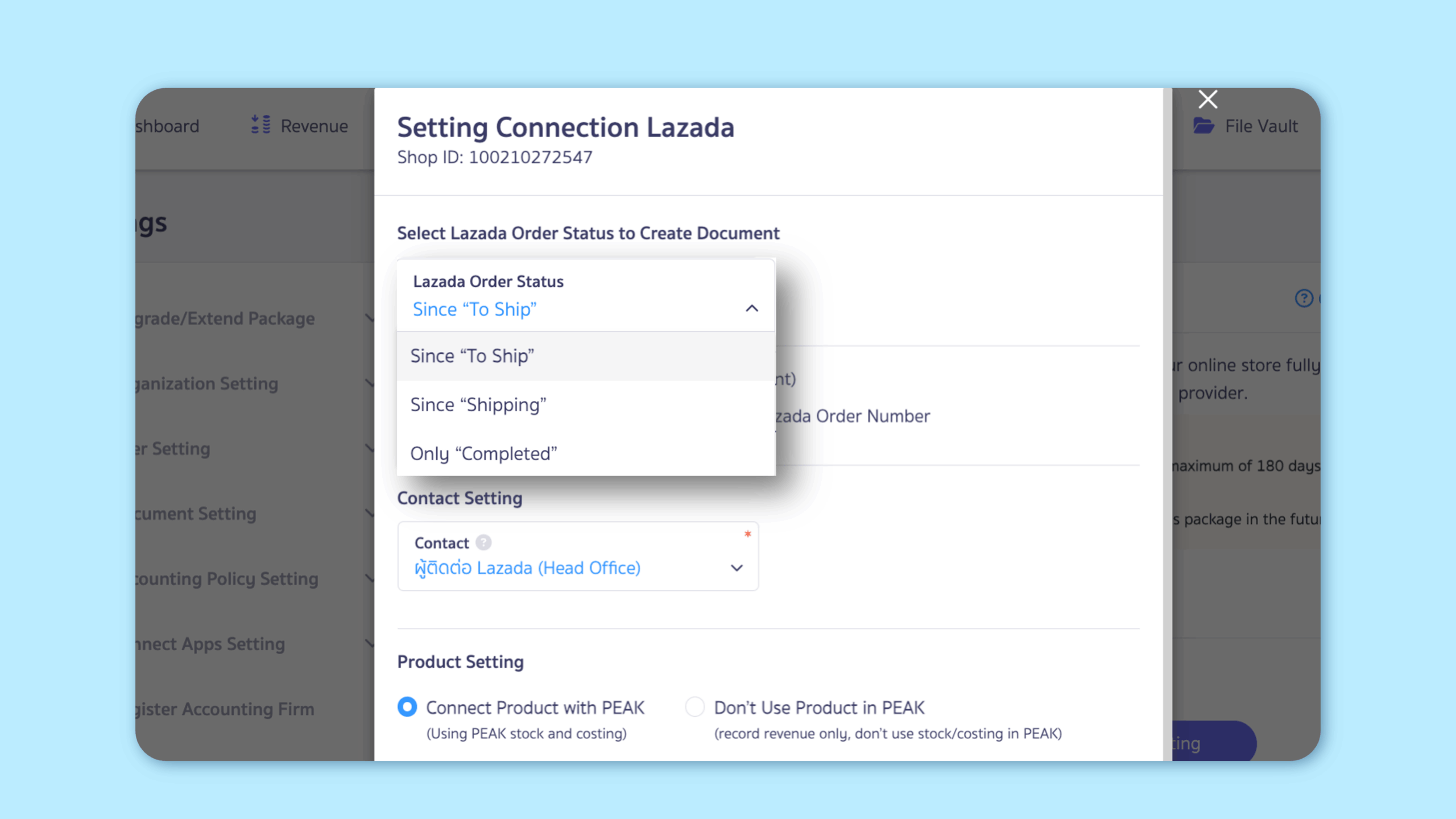
- Displayed data depends on settings under “Lazada Order Status for Create Document”
- Orders are sorted from newest to oldest (based on system recognition)
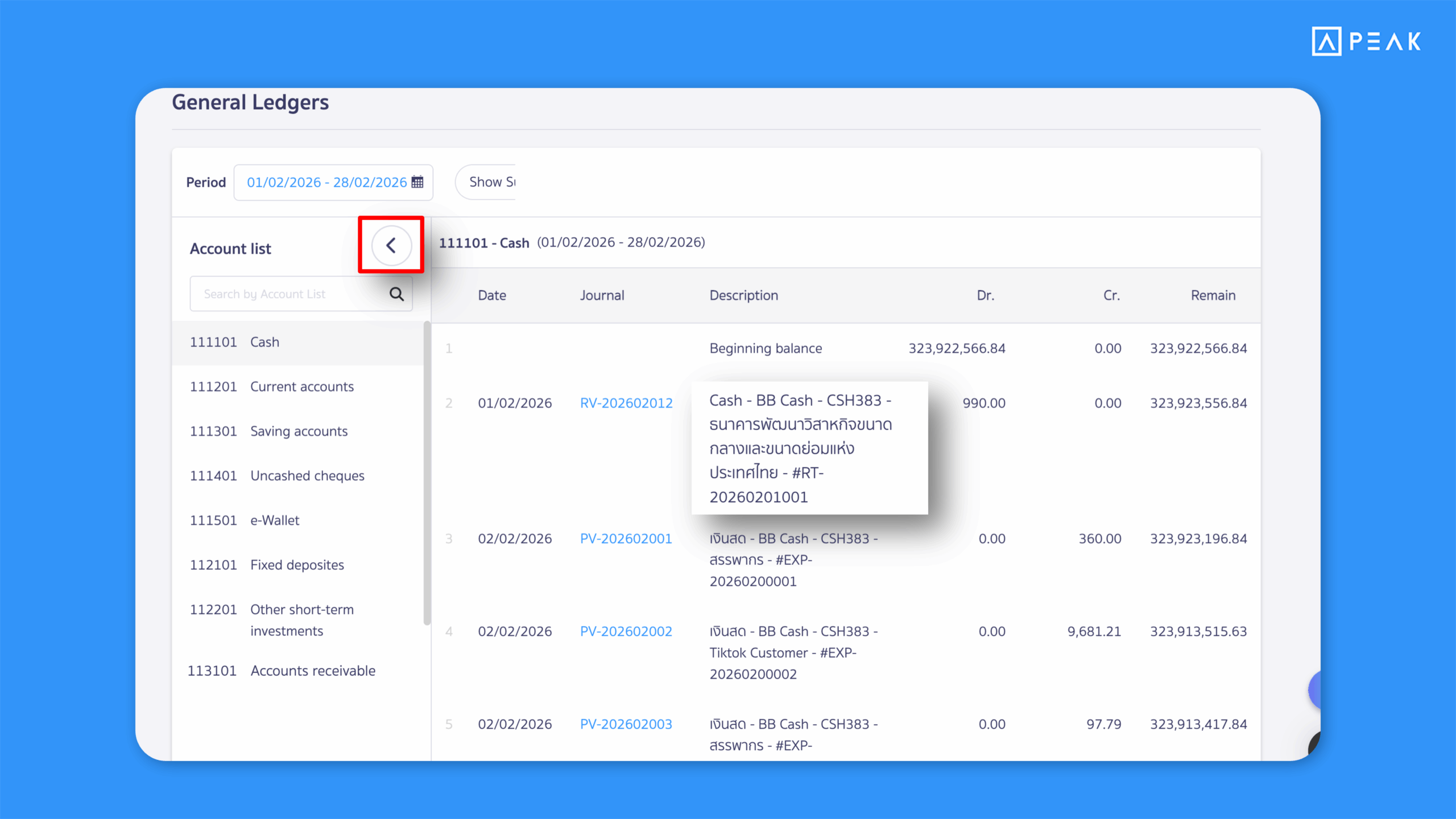
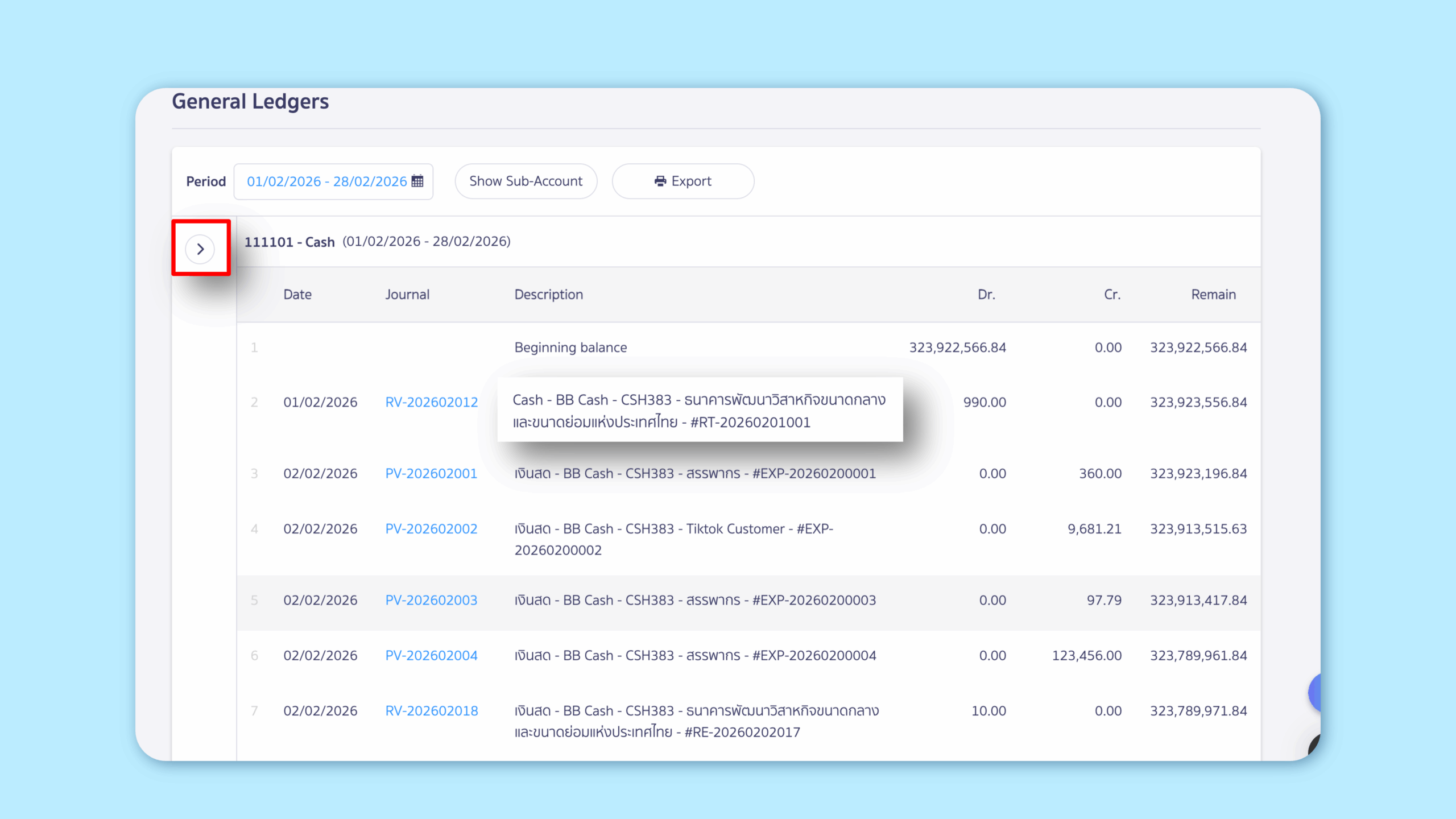
2. Improved the General Ledger display to show full item descriptions for easier review.
Suitable for: Users who frequently access the General Ledger menu
Highlight: The ledger now shows full descriptions immediately without hovering. A collapse/expand option has also been added, making entries easier to read and speeding up data checks.
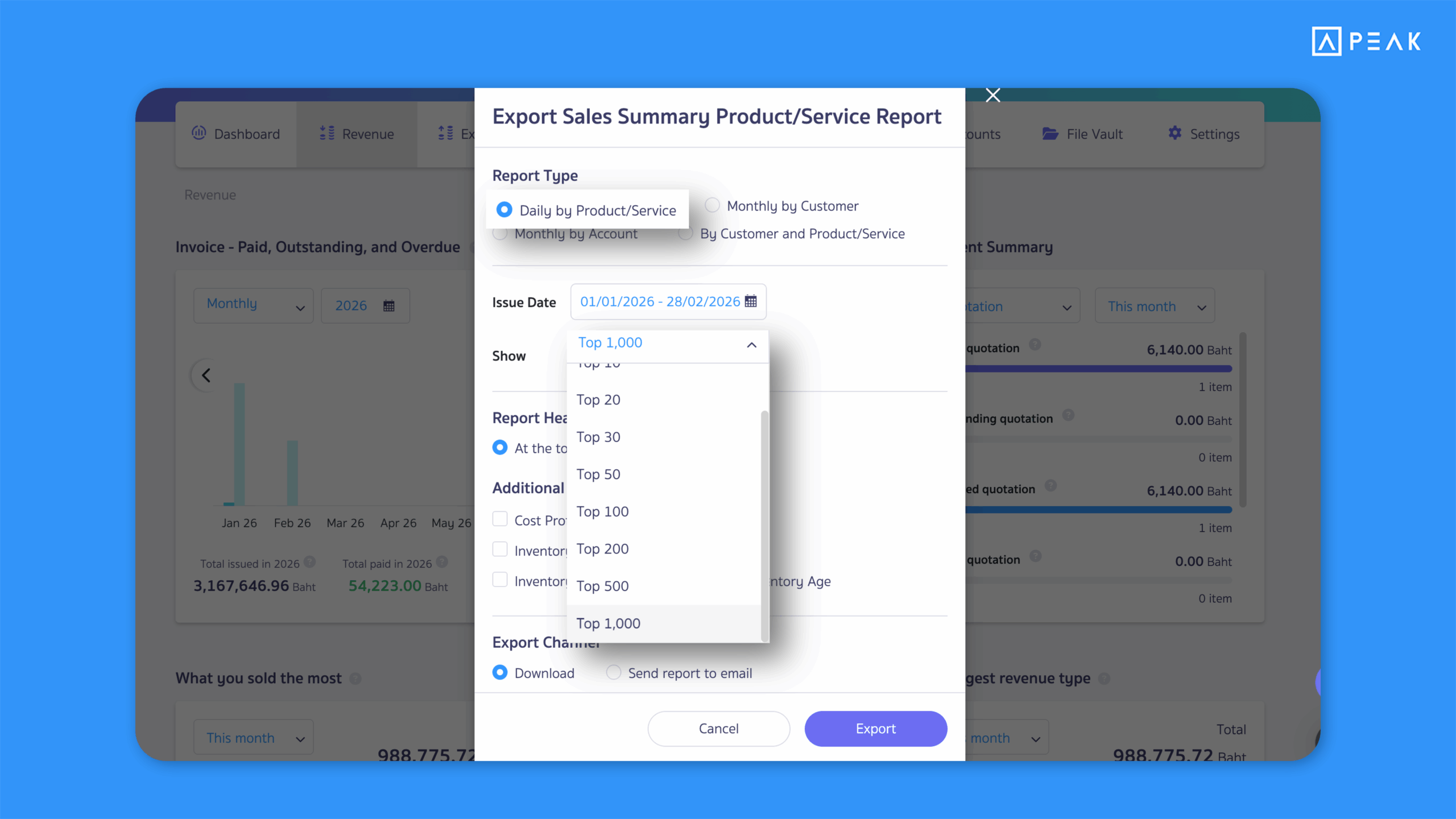
3. Enhanced Sales Summary Product/Service Report to support up to 1,000 entries for deeper analysis.
Suitable for: BASIC package and above users who need more detailed sales reports
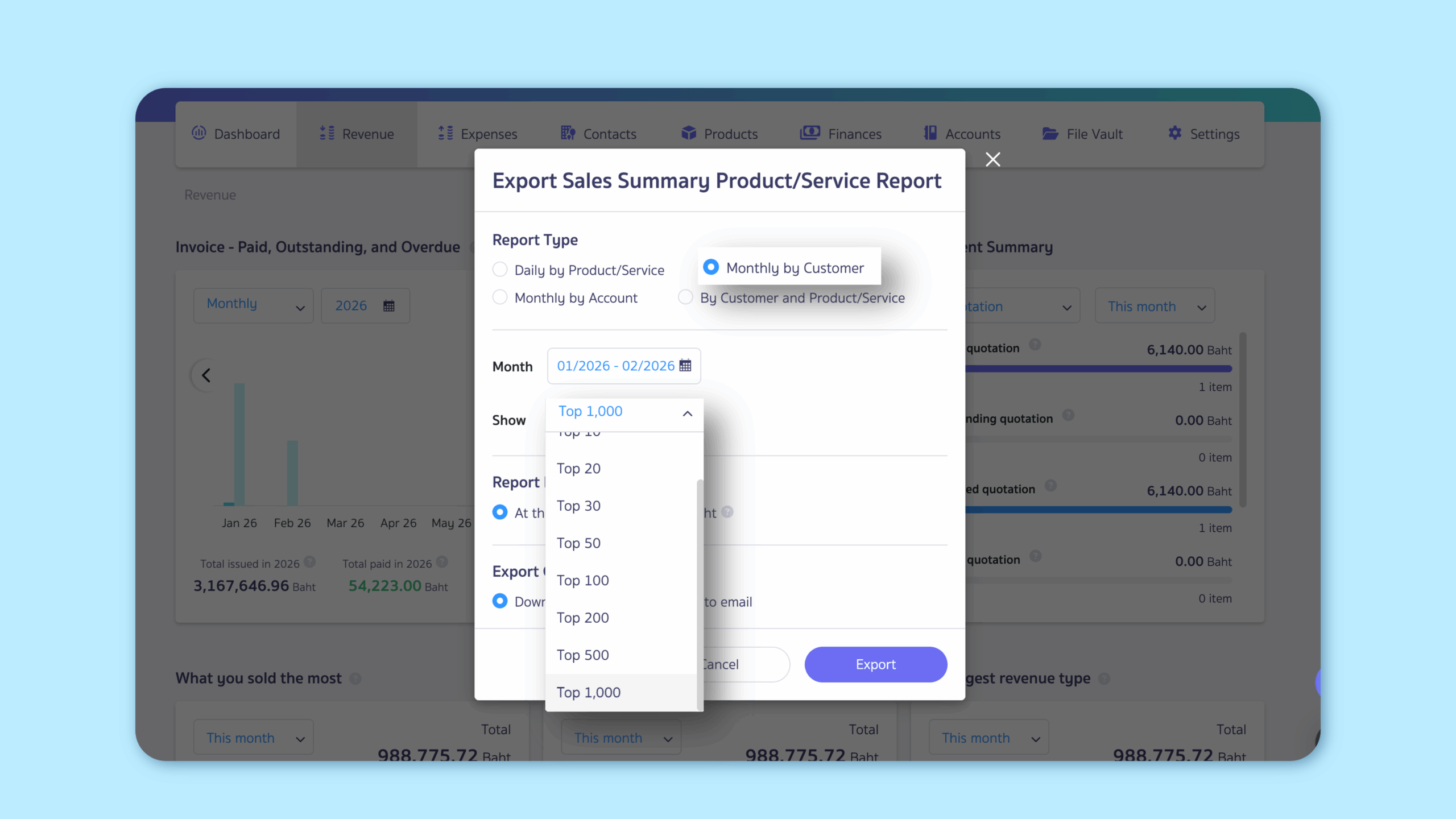
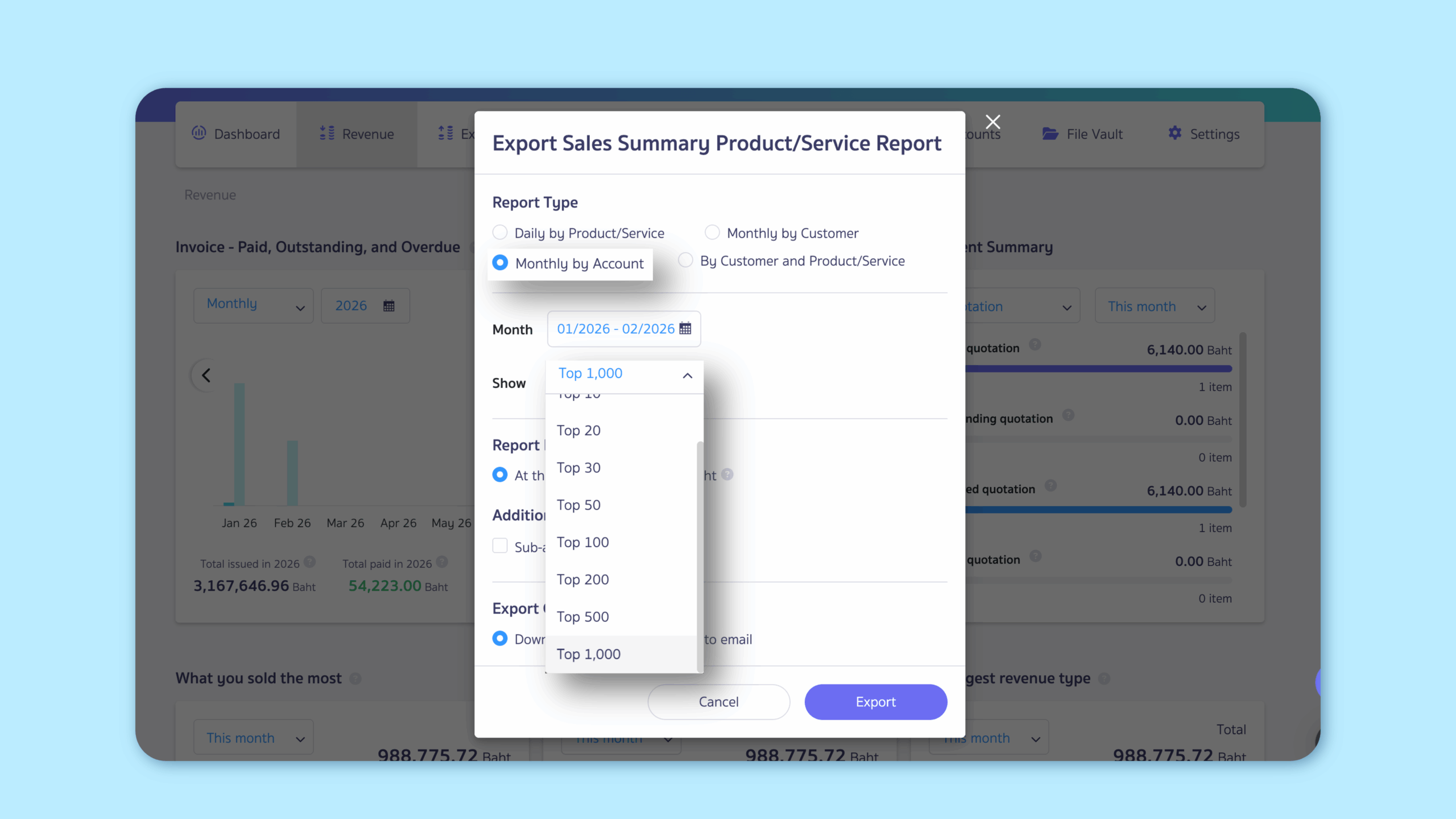
Highlight: The Export Sales Summary Product/Service Report modal has been redesigned with display options of 100, 200, 500, or up to 1,000 entries for:
- Daily by Product/Service
- Monthly by Customer
- Monthly by Account
This allows more comprehensive sales insights and analysis.
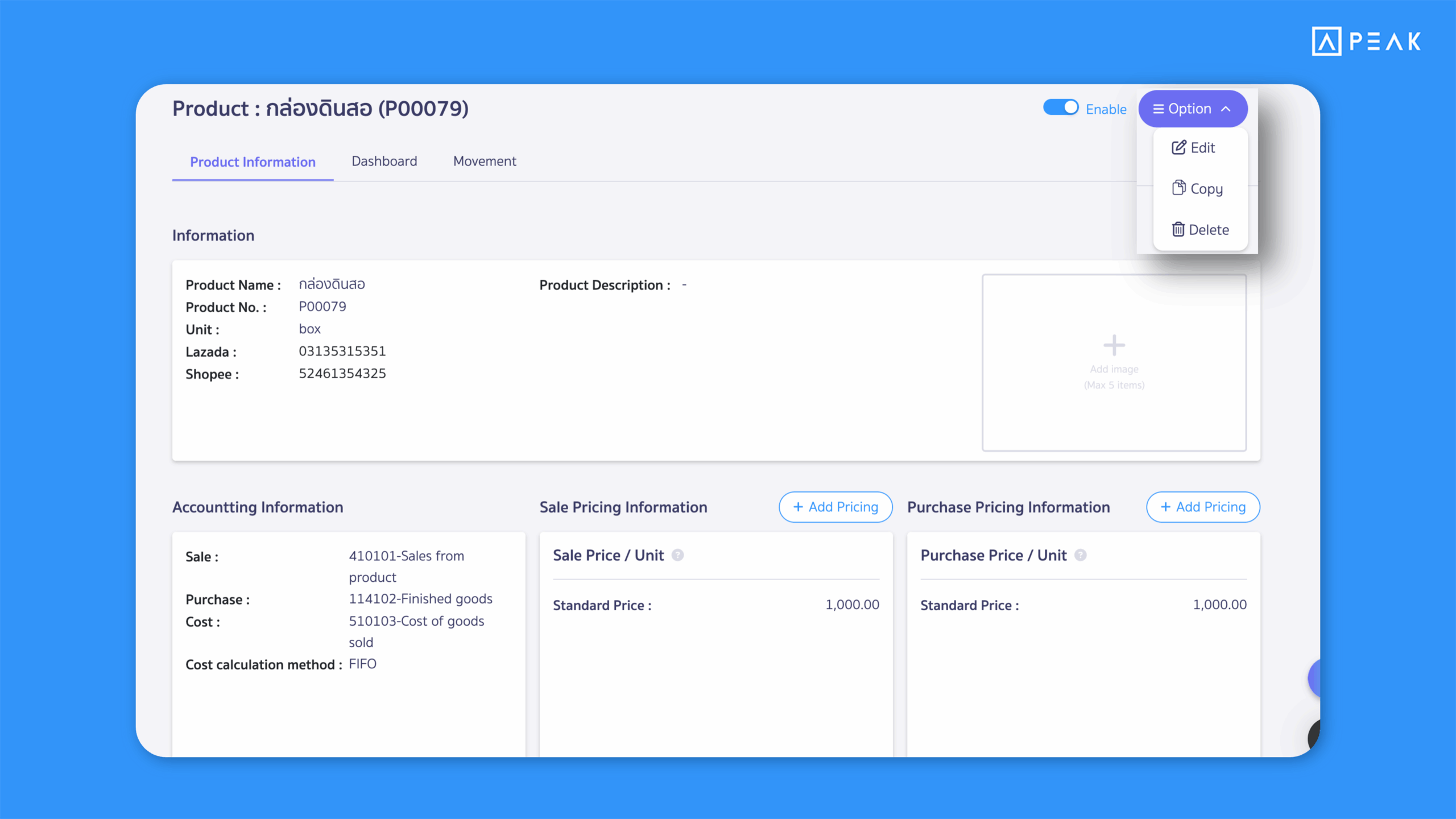
4. Added a Copy button in Products/Services and Contacts to duplicate data instantly.
Suitable for: Users who frequently create similar items or contacts
Highlight: A Copy button is now available on product and contact detail pages, allowing users to duplicate existing information to create new records faster while reducing manual entry errors.
Products/Services
- Copied: Product Name, Product Description, Unit, Standard Price, VAT rate, Chart of Accounts, Cost Calculation
- Not copied: Product Number, Product Image, SKU Platform, Barcode, Custom Prices, Product Beginning
Contacts
- Copied: All fields from the Add Contact page except Contact Code and Contact Person details
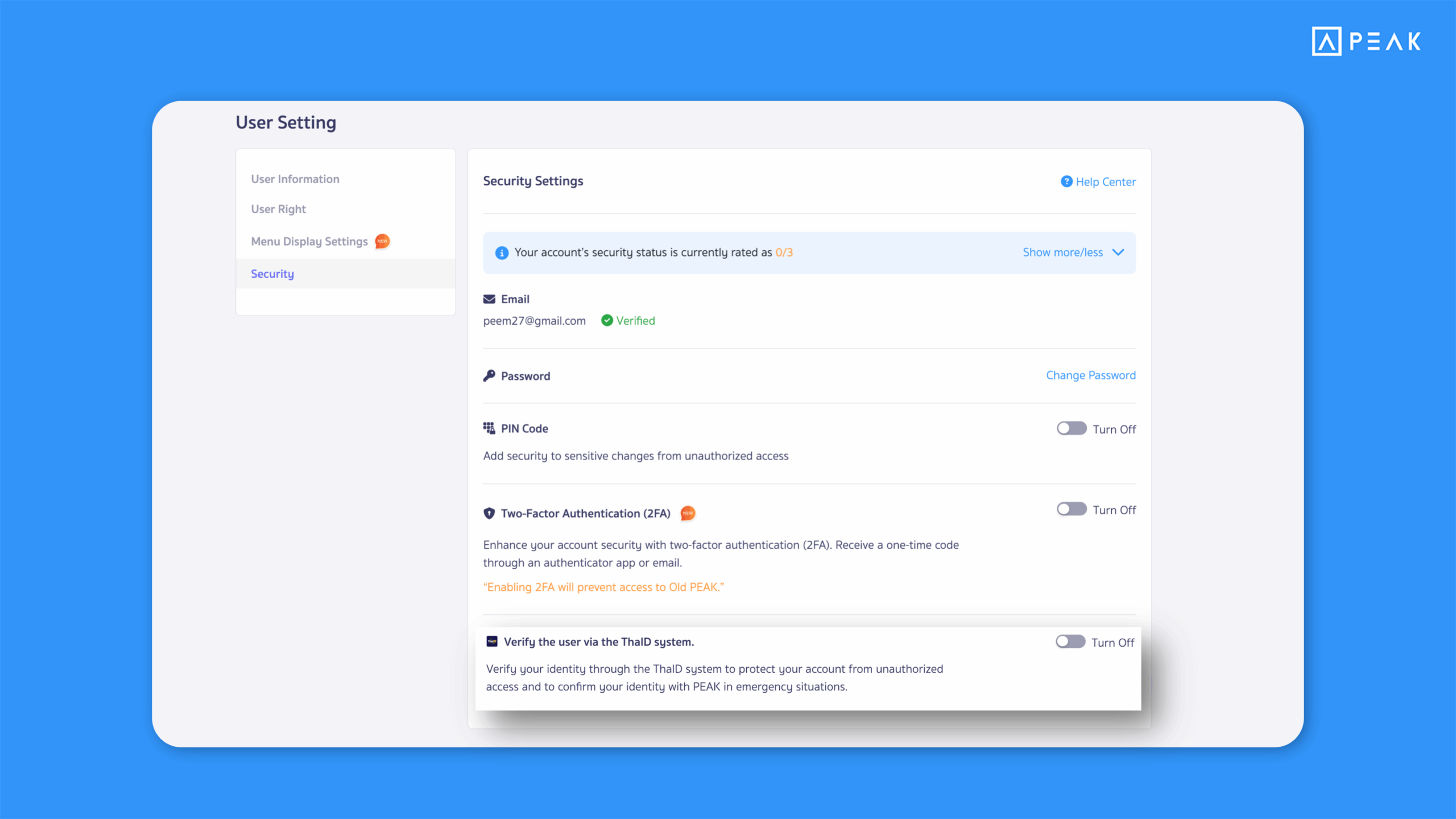
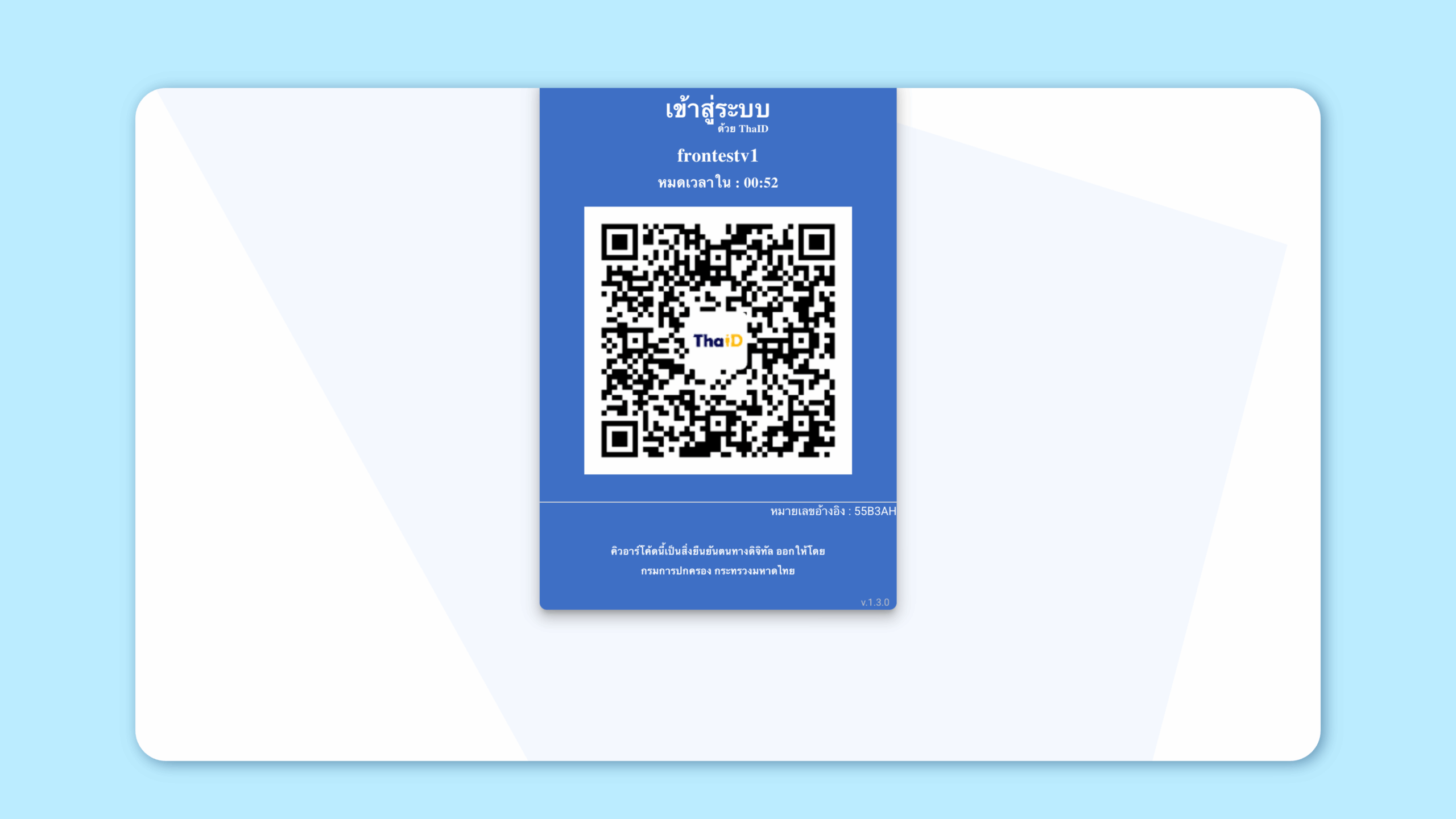
5. Added ThaID authentication for secure identity verification.
Suitable for: Users who want stronger security
Highlight: ThaID authentication can now be enabled in User Information or Security settings. Users scan a QR code via the ThaID app when enabling or disabling authentication, increasing account protection and reducing security risks.
Notes:
- If multiple users share one email, only one person can verify via ThaID
- If another user scans the QR code, access will be denied
- If a PIN is enabled, it must be entered whenever enabling or disabling ThaID

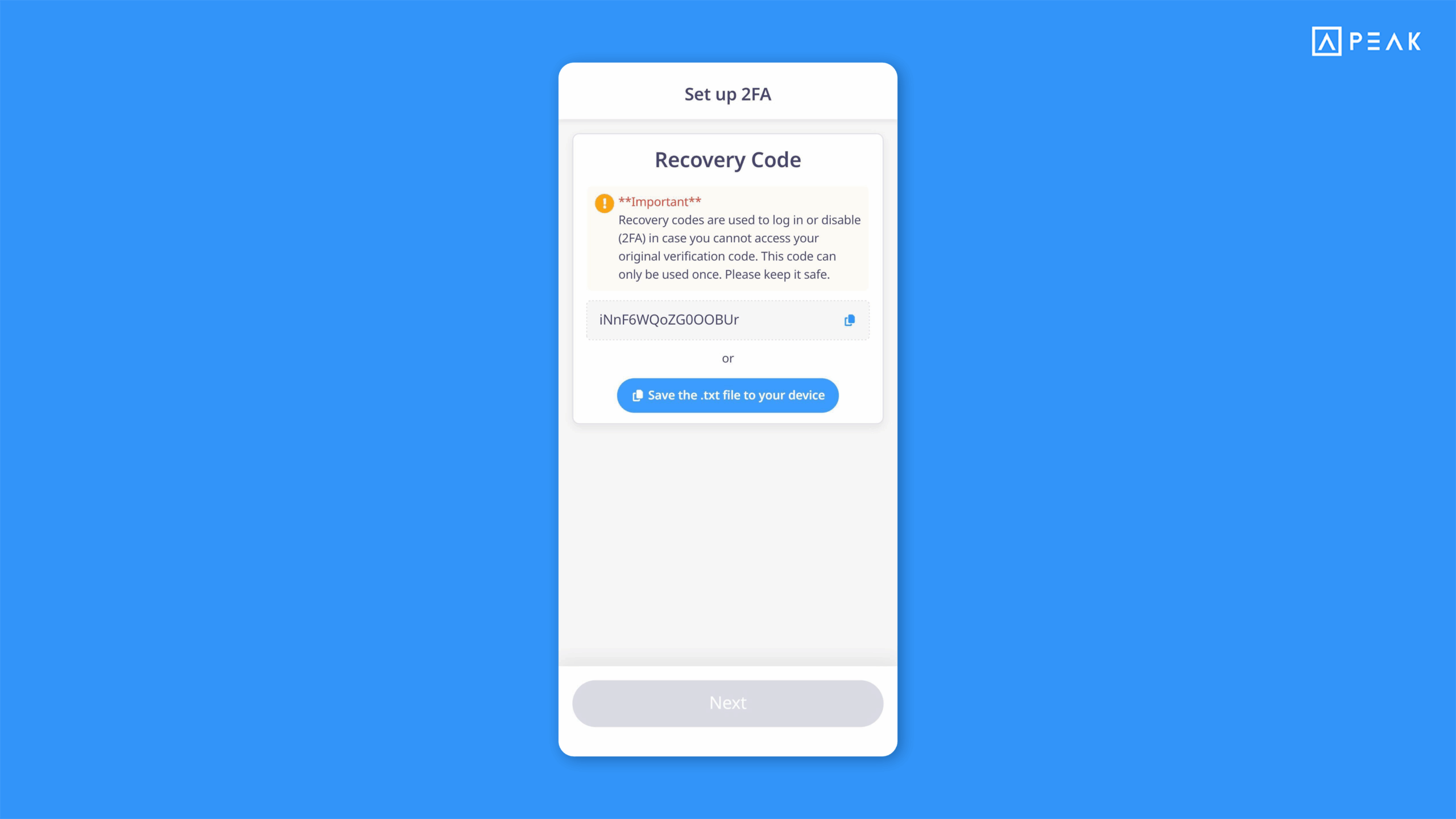
6. Added Recovery Codes for Two-Factor Authentication (2FA) on the PEAK Mobile App.
Suitable for: Users who enabled 2FA via PEAK Mobile App
Highlight: During 2FA setup, the system now provides Recovery Codes that can be used to log in or disable 2FA if the 6-digit code cannot be received—ensuring uninterrupted access.
7. Added default contacts when creating a new company to reduce setup time.
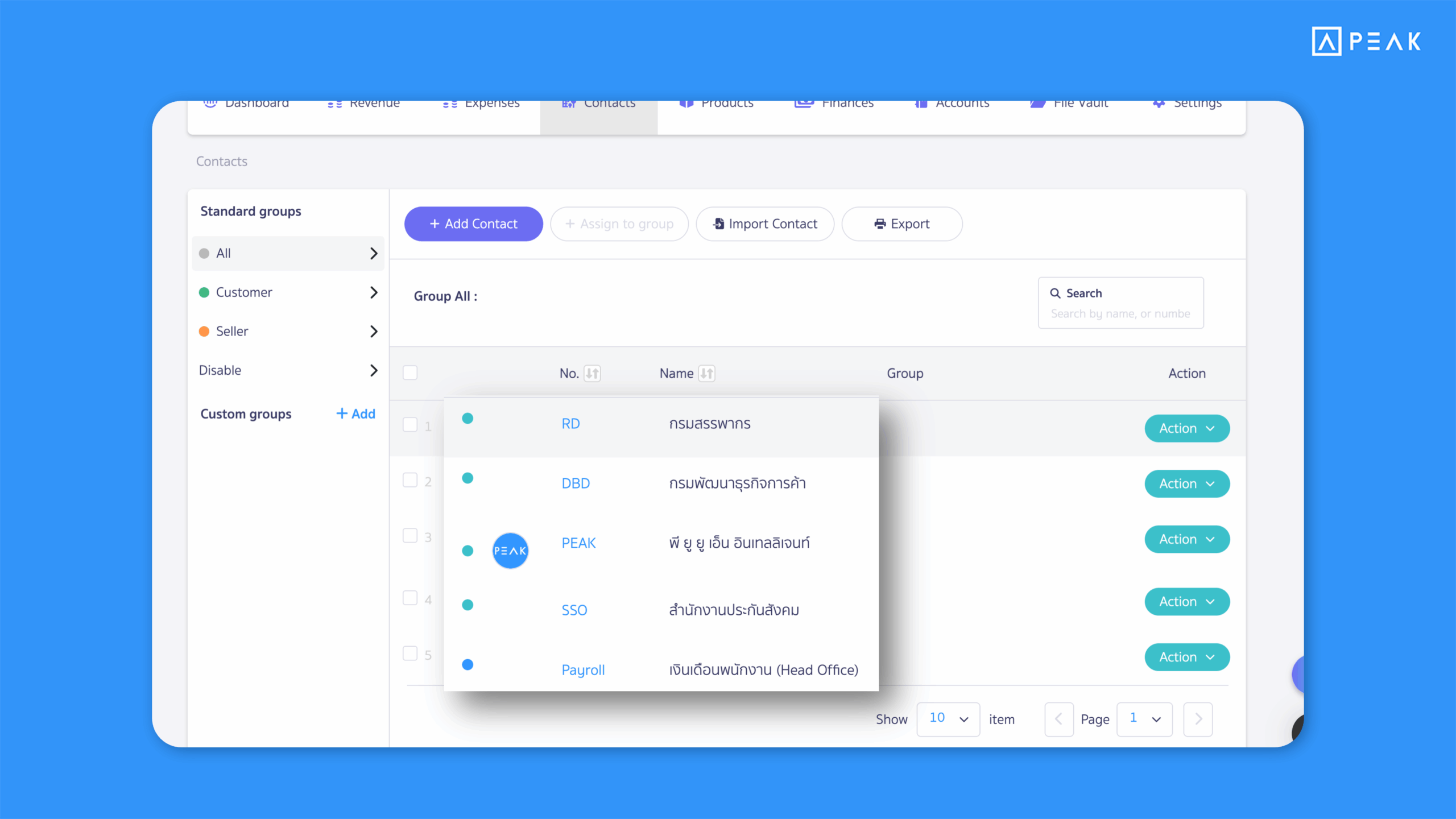
Suitable for: New company users who want to start quickly
Highlight: The system automatically creates five essential default contacts commonly required by businesses, reducing initial setup steps and allowing immediate use.
Default contacts created:
- บริษัท พี ยู ยู เอ็น อินเทลลิเจนท์ จำกัด
- กรมพัฒนาธุรกิจการค้า
- กรมสรรพากร
- สำนักงานประกันสังคม
- เงินเดือนพนักงาน
Notes:
- These contacts can be edited or used as needed
- Default contacts also apply to PEAK TAX and PEAK Payroll settings, where they are automatically assigned when activated
About Author