
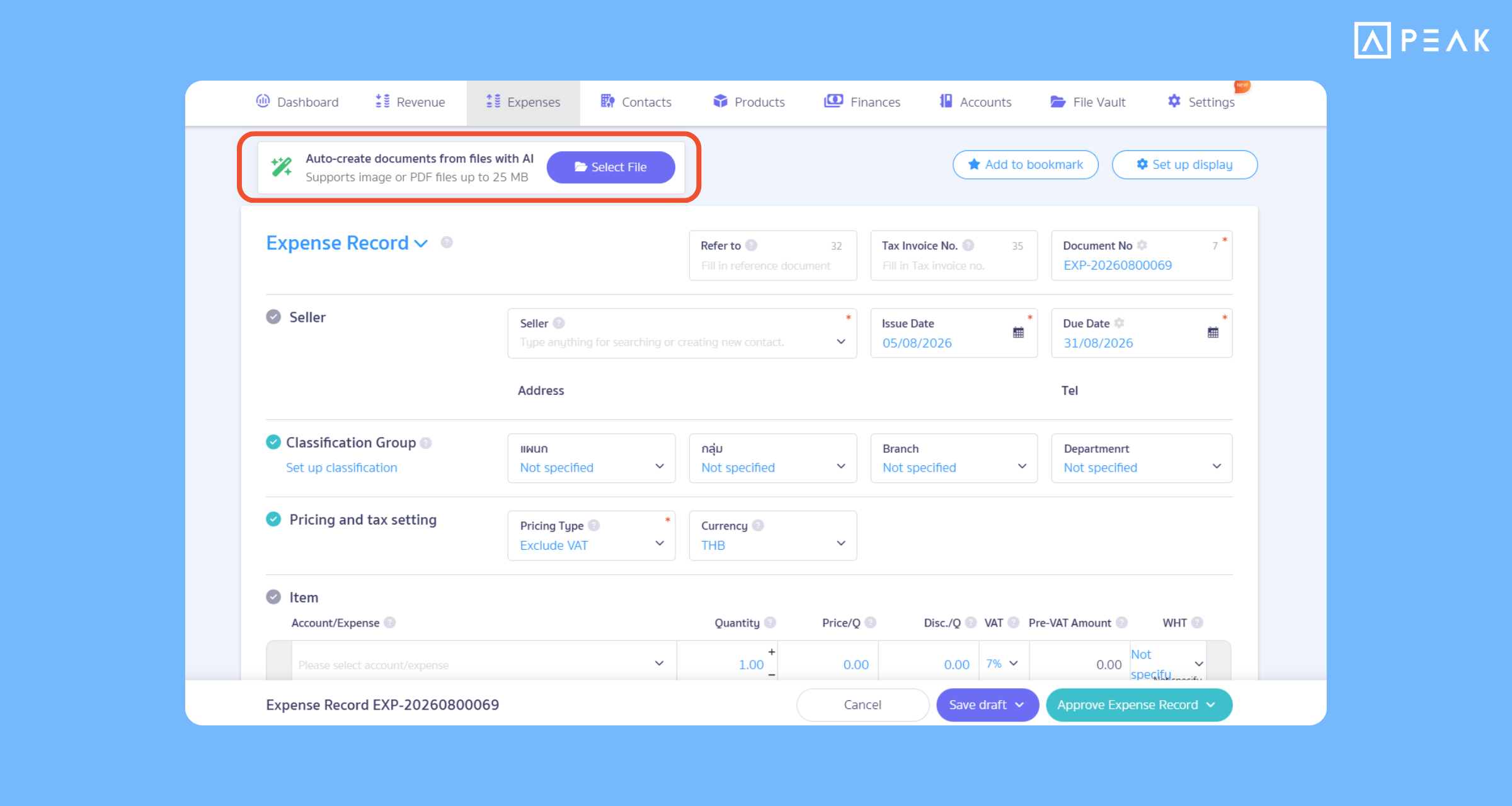
1. Attach input tax files via SMART Key, and scan them directly into purchase tax invoices.
Package: e-Document package and above
Suitable for: Business owners and accounting teams who want to record and scan them directly into purchase tax invoices conveniently and quickly.
System Updates: Added the “Purchase Tax Invoice” option to the file attachment page of the File Vault. Integrated with SMART Key to automatically scan and read tax invoice numbers, where the system will screen and show only documents pending purchase tax invoice registration for precise linking.
Benefits of Use: Helps register existing purchase tax invoices more conveniently and quickly, reduces errors from manual data entry, and saves time searching for documents.
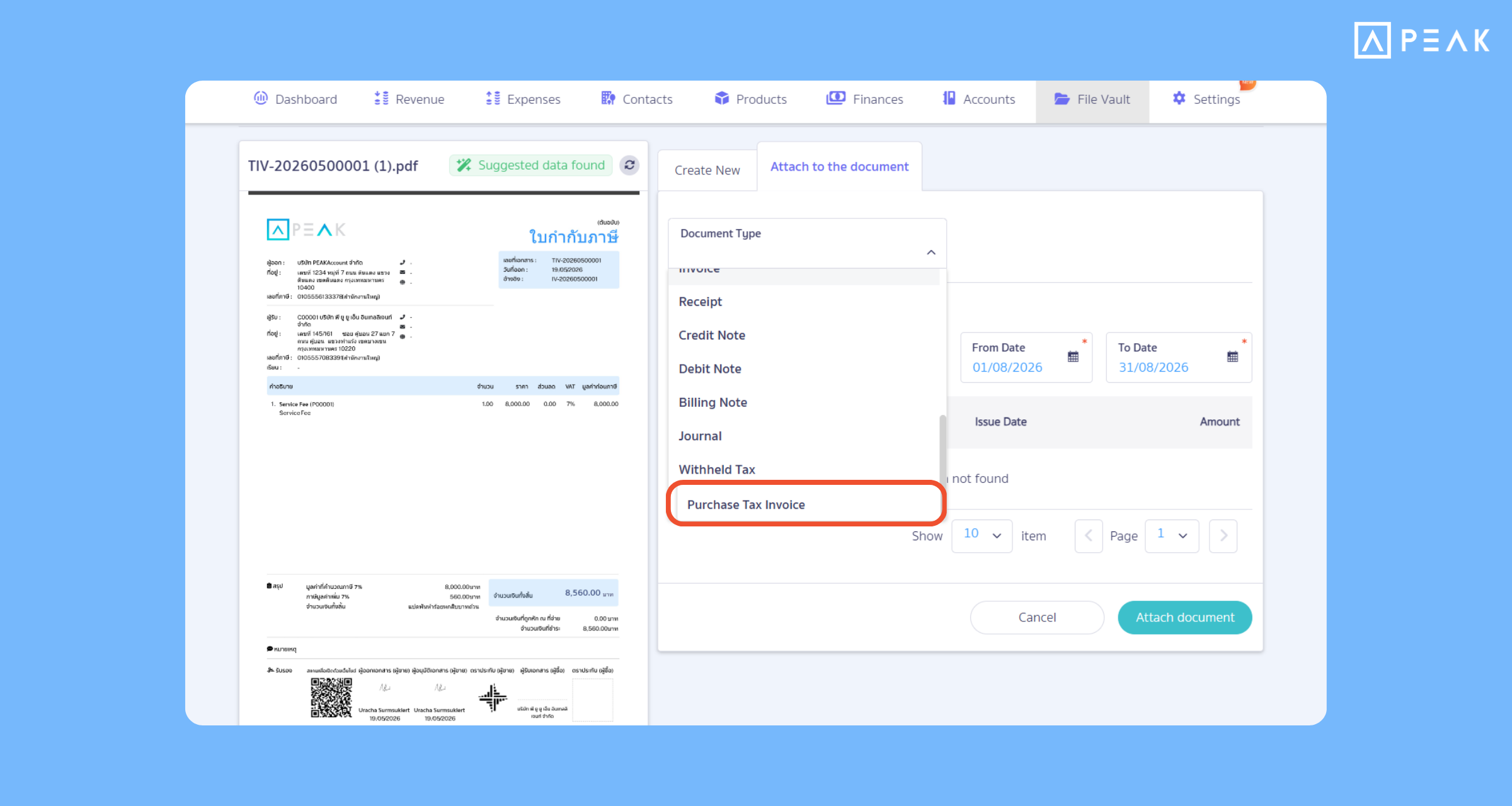
2. Automatically scan receipts with AI via the purchase/expense creation page, recording documents faster.
Package: e-Document package and above
Suitable for: Entrepreneurs and accountants who want to save time recording expenses.
System Updates: Added a file selection page to the expense and product purchase recording page. Simply upload or or drag and drop document files, and SMART Key will read data, scan numbers, line items, and contacts automatically, filling in various fields immediately without needing to type manually.
Benefits of Use:
- Record documents many times faster: Reduces manual data entry by letting the AI system extract data from receipts or invoices immediately.
- Easy to use, non-complex: Verify accuracy and select “Apply” to review, or click “Approve” the document immediately in just a few clicks.
- Unlimited usage: Process an unlimited number of files, allowing you to manage expense documents smoothly without interruption.
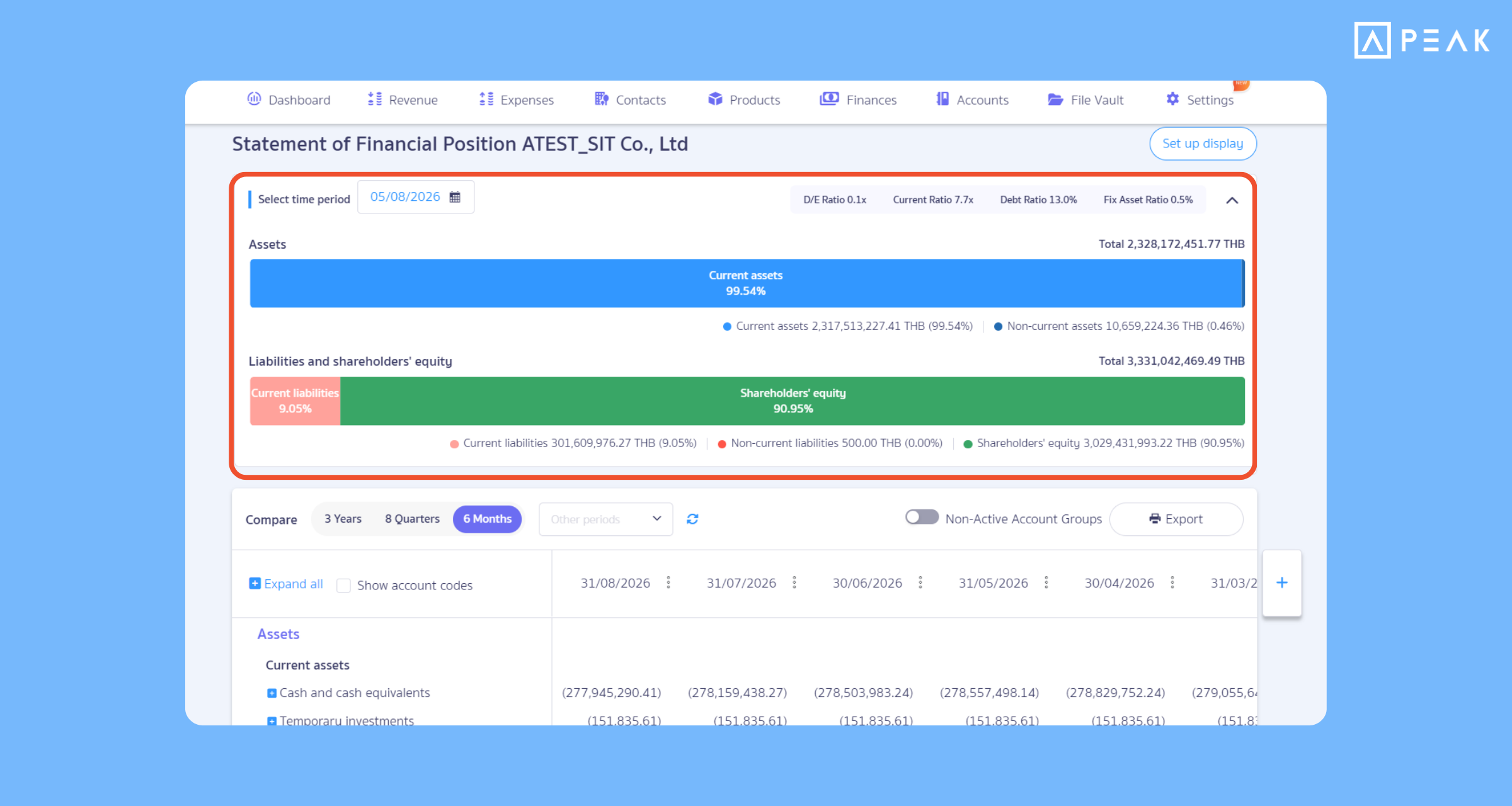
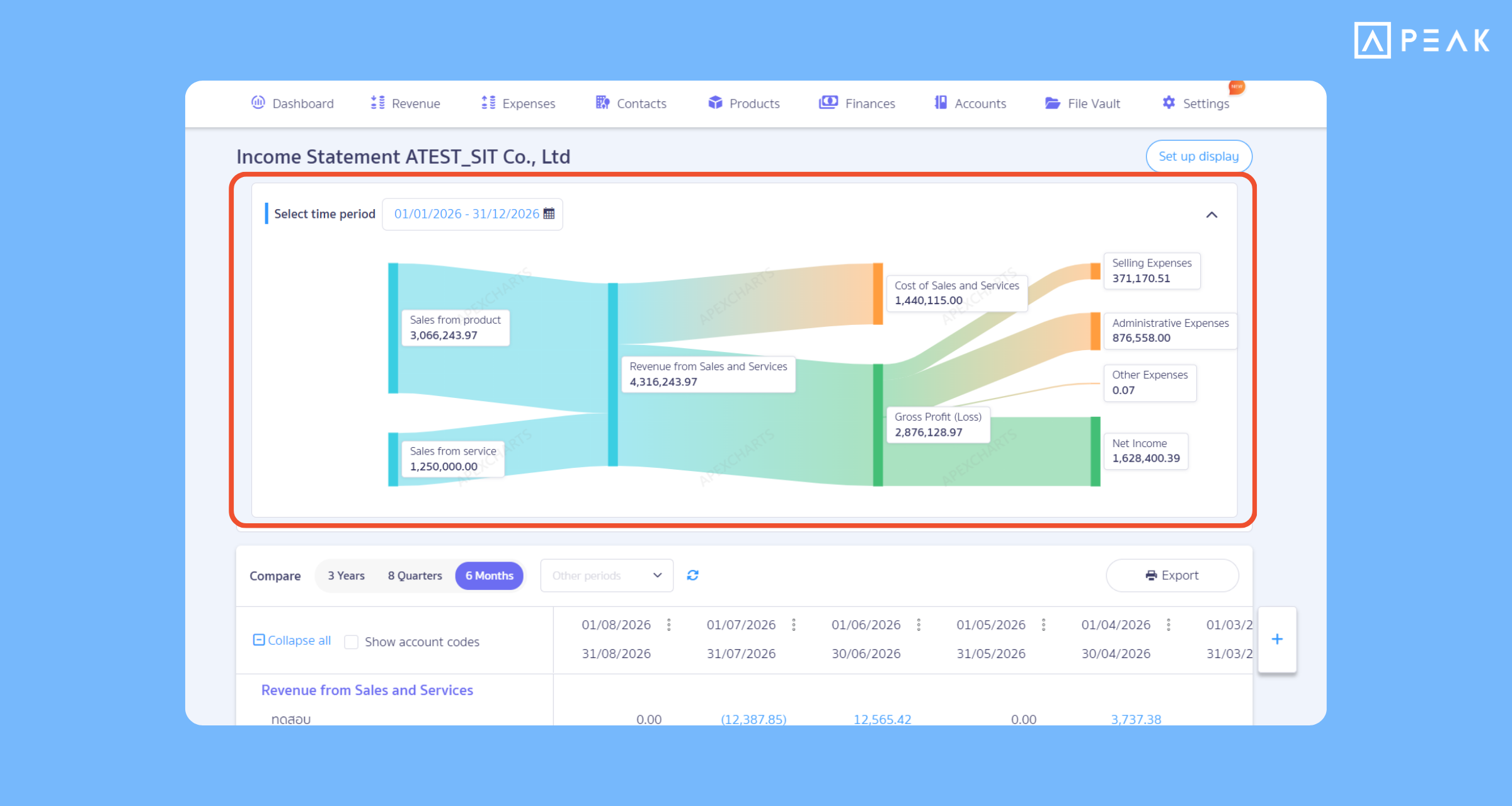
3. Added visualized financial statement displays (Visualize), making financial statements easier to read, understand, and see the business overview instantly.
Package: Basic package and above
Suitable for: Business owners and accountants who want to analyze financial data quickly.
System Updates: Added diagram/chart visualizations to both the Statement of Financial Position and Income Statement, transforming complex financial data into clear, easy-to-understand charts that display assets, liabilities, equity, as well as revenue structures, costs, and net profit.
Benefits of Use: Transforms long numerical data tables into easy-to-read chart diagrams, helping you see financial proportions and trends instantly, and helping business owners use data to plan and make precise decisions.
About Author