
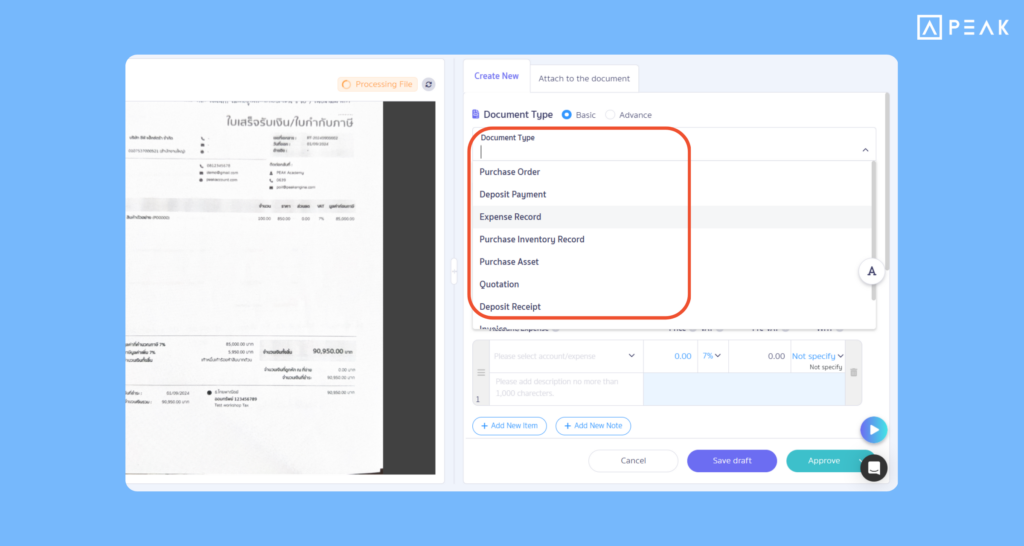
1. Updated File Vault menu, view document files more clearly, create revenue-expense documents immediately.
Package: e-Document package and above
Suitable for: Users who want to manage scanned documents or images in the PEAK program.
System Updates:
- The system redesigned the display screen, allowing users to view document images in full-screen mode, making details, numbers, and text much clearer.
- Supports creating a wider coverage of documents for both the revenue side (Quotations, Invoices, Receipts, Deposit Receipts) and the expense side (Asset Purchase Slips, Deposit Payment Slips).
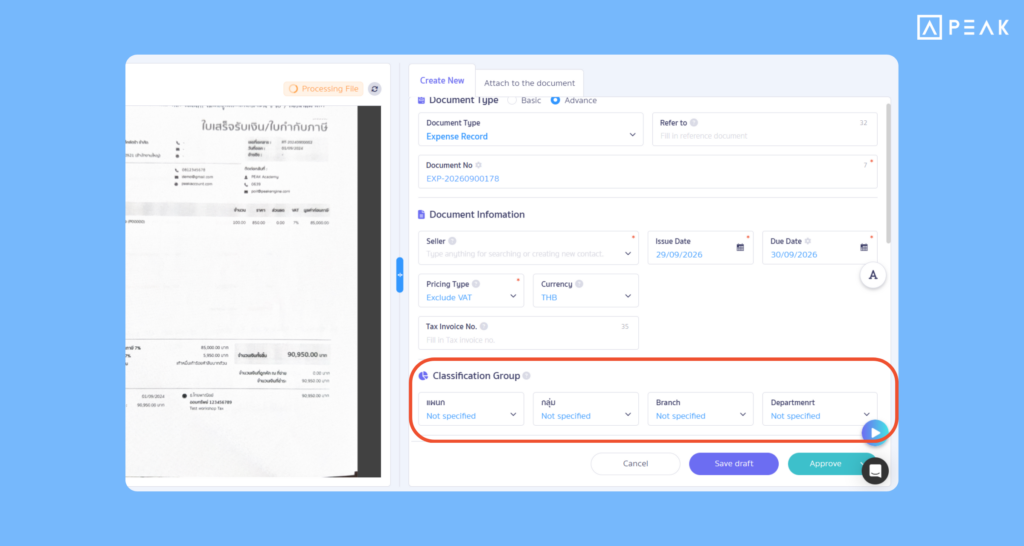
- Added a “Classification Group” selector field in advanced document creation mode, helping categorize or specify projects/branches immediately.
- SMART Key reads data automatically, helping pull document details to fill into fields automatically, reducing data entry time.
Benefits of Use: Work more conveniently and quickly, review original files along with filling in data all on a single page, reducing errors in document recording.
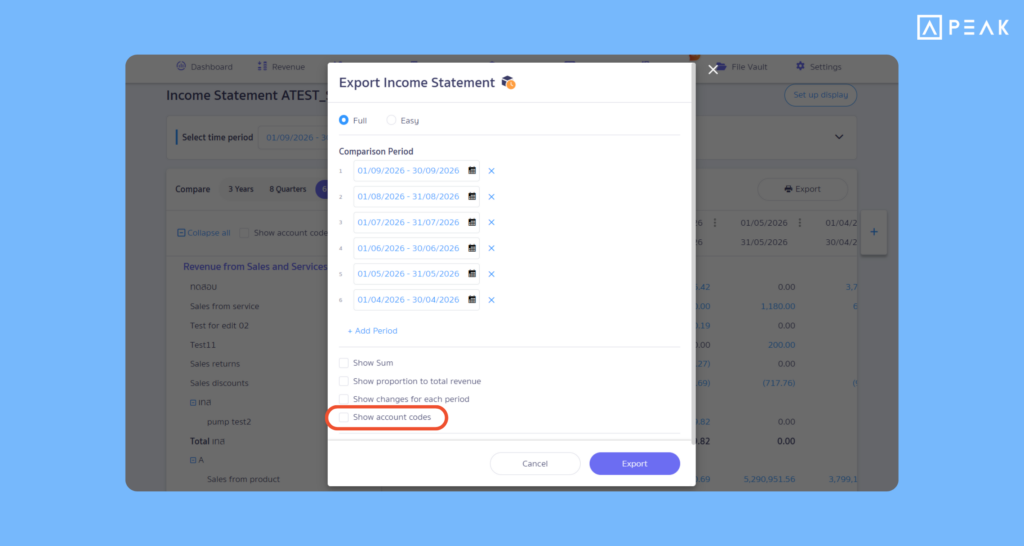
2. Added option to display chart of accounts numbers when printing financial statement reports, checking data more conveniently.
Package: Basic package and above
Suitable for: Accountants who want to use financial statement report data further or accurately check details alongside the chart of accounts.
System Updates:
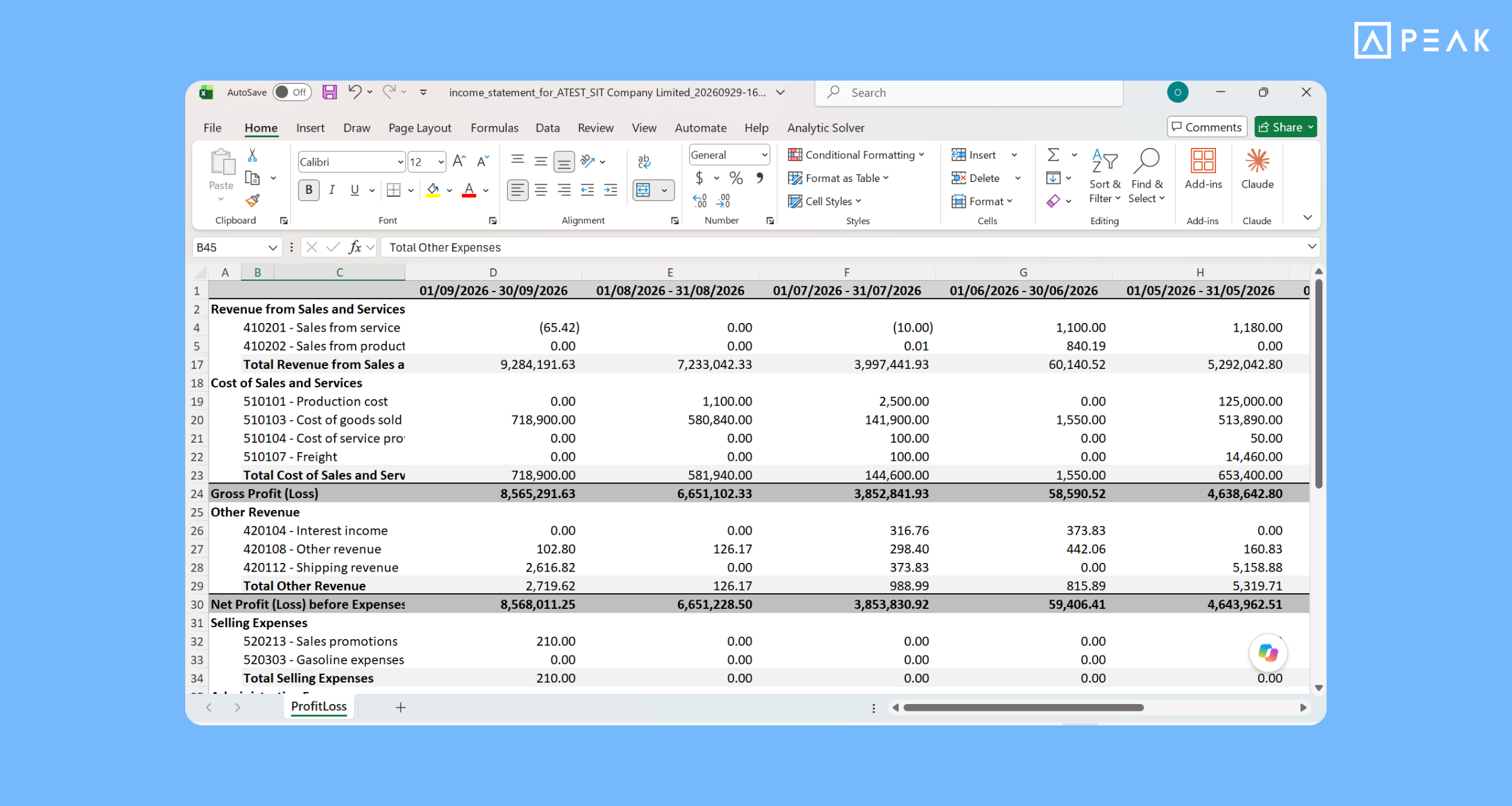
- The system added a “Display Account Numbers” option for generating full financial statement reports for including the Income Statement and Statement of Financial Position.
- Automatic settings memory: If the option to display account numbers is enabled, the system will automatically check the display account numbers box in the print report window.
- When printing reports or downloading as Excel files, the system will display account numbers alongside account names clearly in columns.
Benefits of Use: Helps users view account structures and account numbers alongside financial statement items at a glance, making it easier to check data quickly and conveniently. It also makes Excel files easier to analyze and use for further work, without wasting time searching for account numbers later.
3. Added show details button in Income Statement Dashboard, viewing comparative data more conveniently.
Package: Basic package and above
Suitable for: Users who want an in-depth analysis of business revenue and expense structures in an easy-to-understand visualizations.
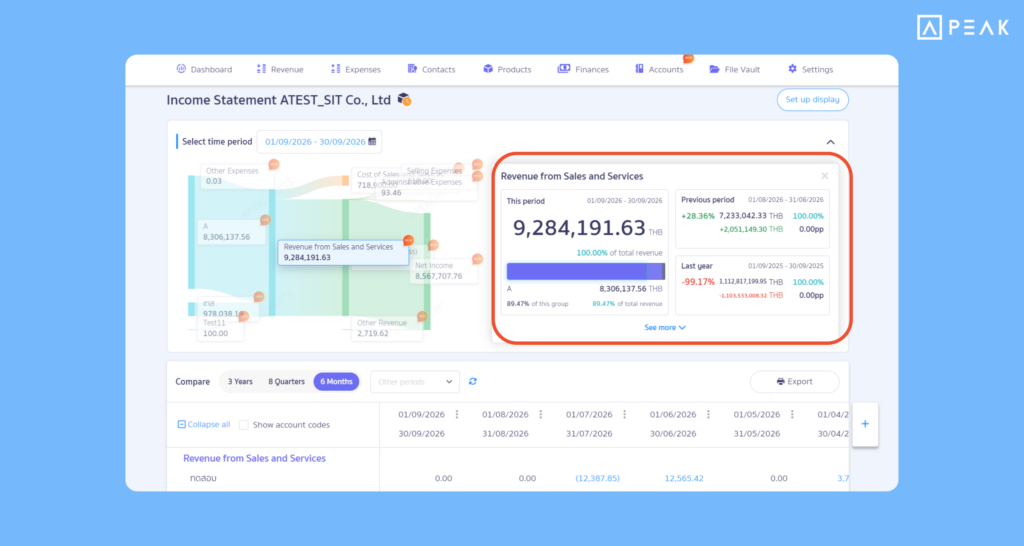
System Updates: The system added a Drill down button allowing users to click to open and view numerical details compared to previous periods or previous years immediately. The system also analyzes and displays revenue growth and expense proportions relative to total revenue, helping users identify financial trends more clearly. Furthermore, the Dashboard automatically sorts items from highest to lowest value, helping users see key financial statement points quickly. Default settings have also been adjusted to display the “Current Month” period so users opening the page can check the latest financial statement period immediately without wasting time setting new periods.
Benefits of Use: Helps view the overview and drill down into financial statements all in one place, understanding the sources of revenue and expenses more easily, planning finances and making business decisions more precisely.
About Author