
PEAK with the new function designed to enhance efficiency.
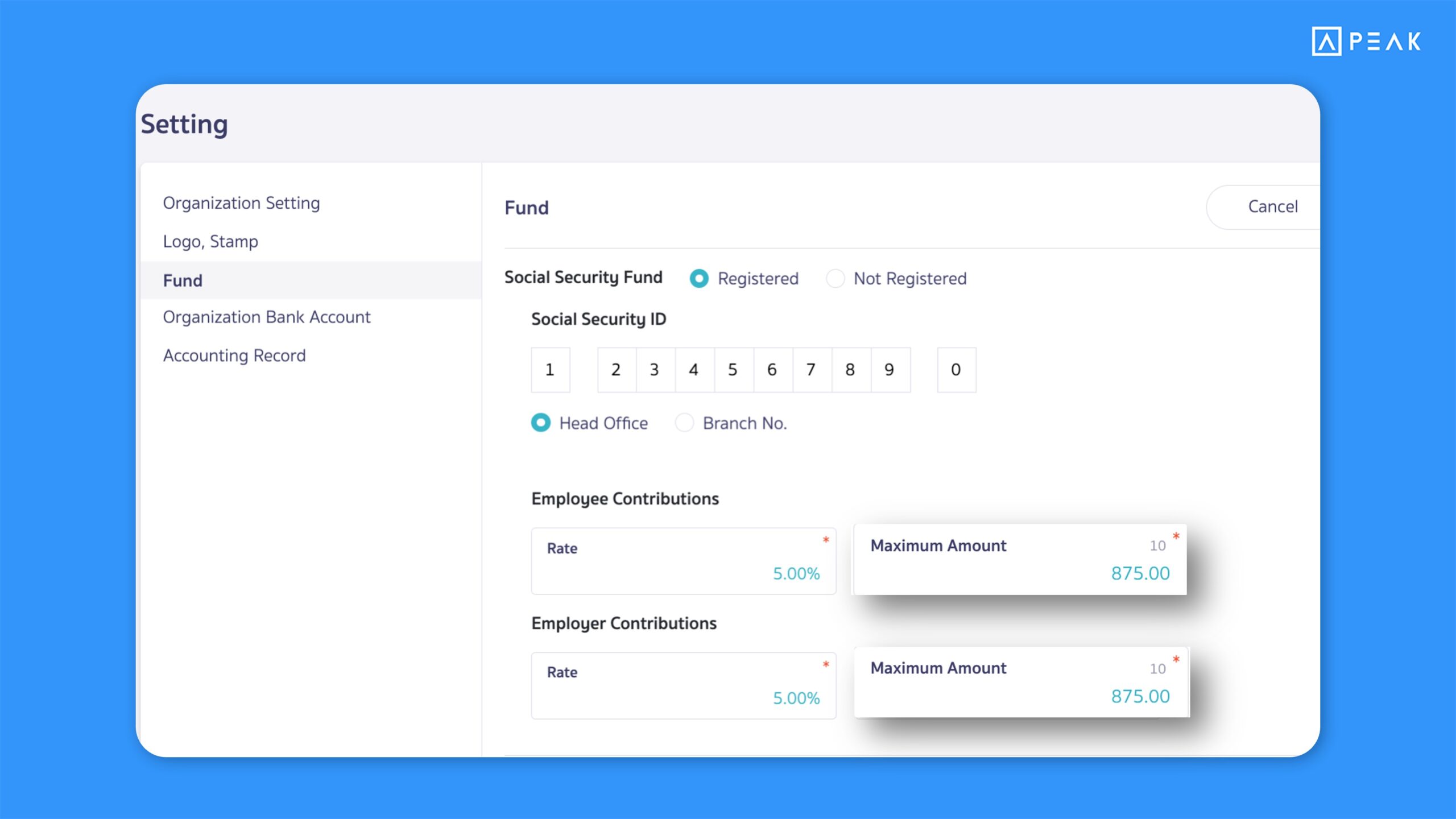
1. Updated default values and maximum ceiling for Social Security Fund to support calculations in accordance with the 2026 announcement.
Suitable for: PEAK Payroll users
Highlight: The system automatically updates the default values and maximum ceiling for employee/employer contributions to 875 THB, in line with the new 2026 social security ceiling. This ensures payroll calculations comply with the latest regulations without manual setup.
Note:
- Businesses using PEAK Payroll before 14 January 2026 must manually update the Social Security Fund rates.
- Guide: How to update social security fund calculation settings
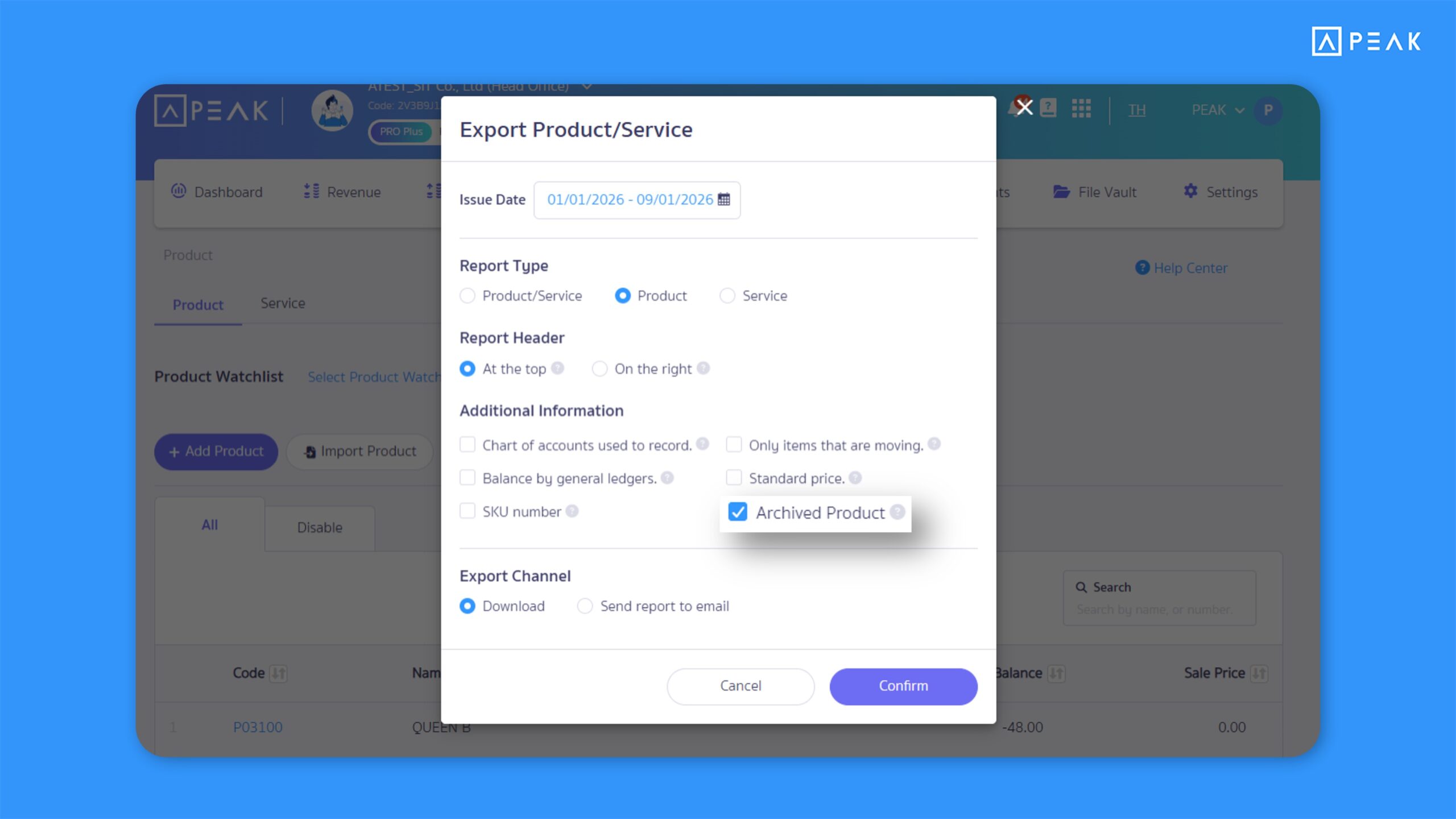
2. Added an option to show or hide archived products/services on the report export page, allowing more accurate product reports.
Suitable for: Users who need accurate product/service reports
Highlight: The system now sets “exclude archived products/services” as the default option when generating reports. This makes reports clearer and more focused on actively used items.
Note:
- If you want to include archived products/services in the report, simply check the checkbox in the options to display them.
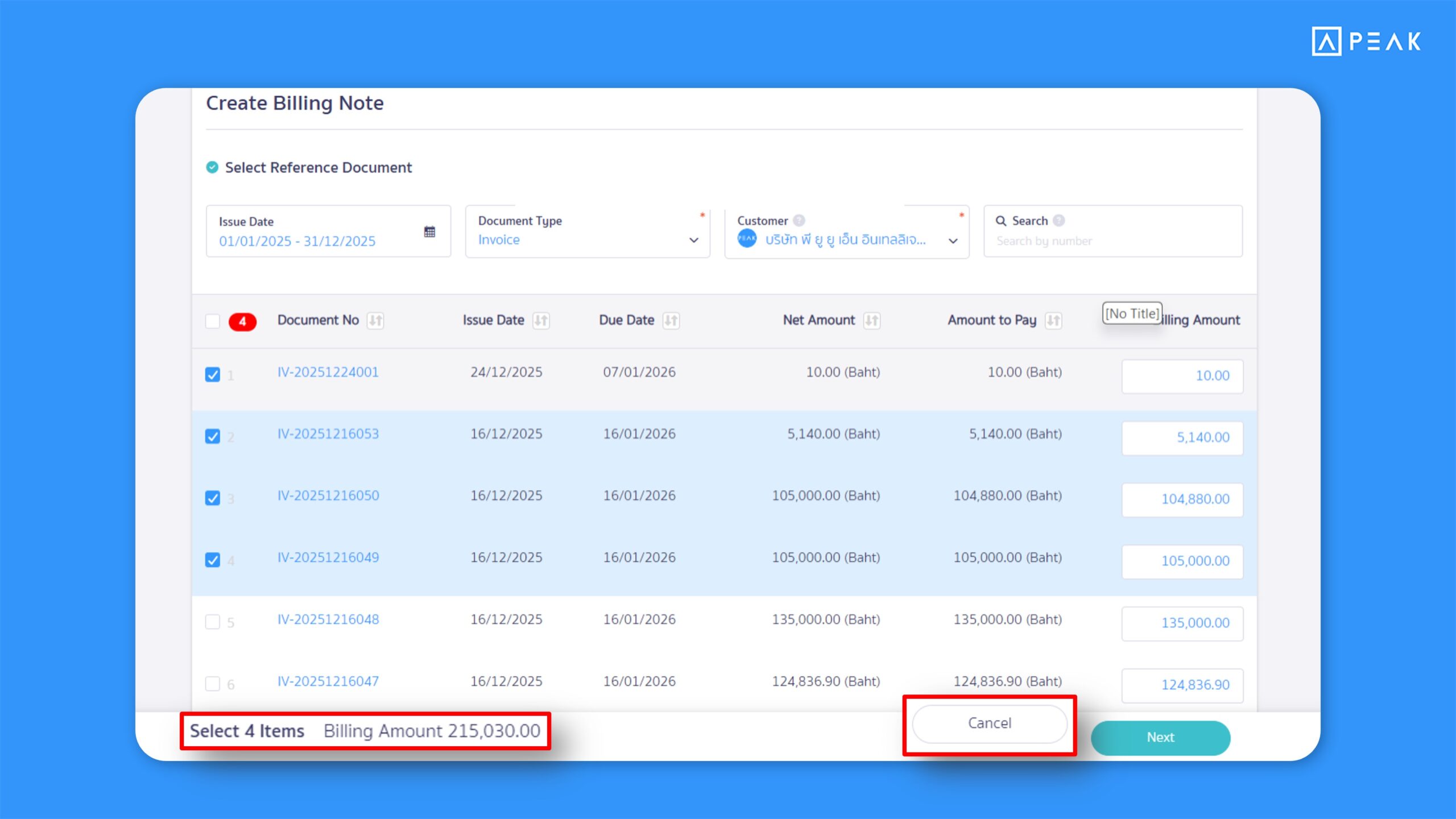
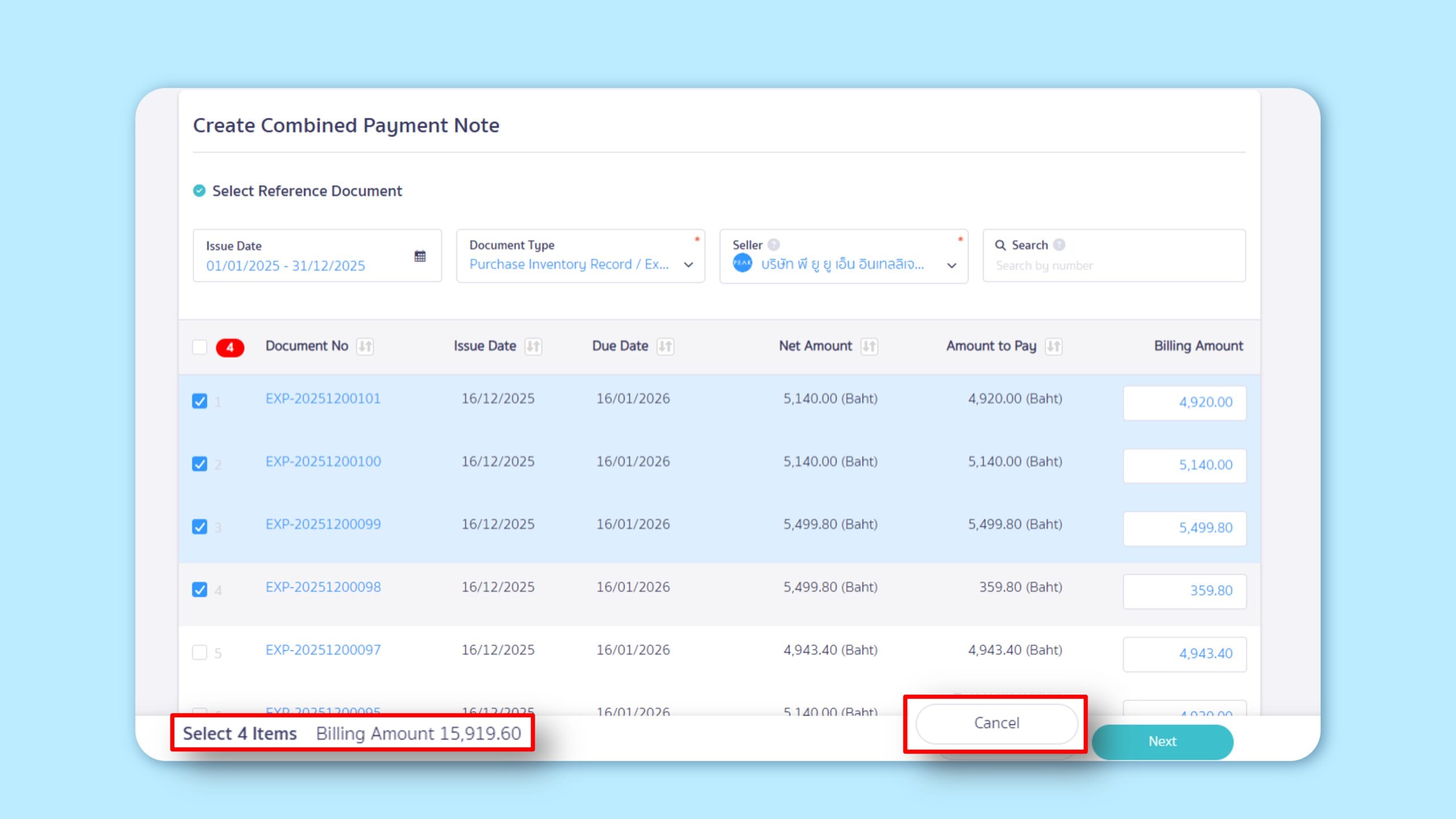
3. Improved display when selecting billing notes or payment summaries by showing the number of documents and the total amount, making it easier to review document values.
Suitable for: Users who need to verify the total amount and number of documents before creating Billing Notes or Combined Payment Note
Highlight: The system displays the total value of all selected documents on the pre-creation screen for Billing Notes or Combined Payment Note, and continuously shows the total in the bottom tab while selecting documents. This makes it easier and more reliable to verify totals before creating documents.
Note:
- This display update applies to the following document types:
- Goods Receipt (for Premium package)
- Invoice Receipt (for Premium package)
- Tax Invoice
- Credit Note
- Debit Note
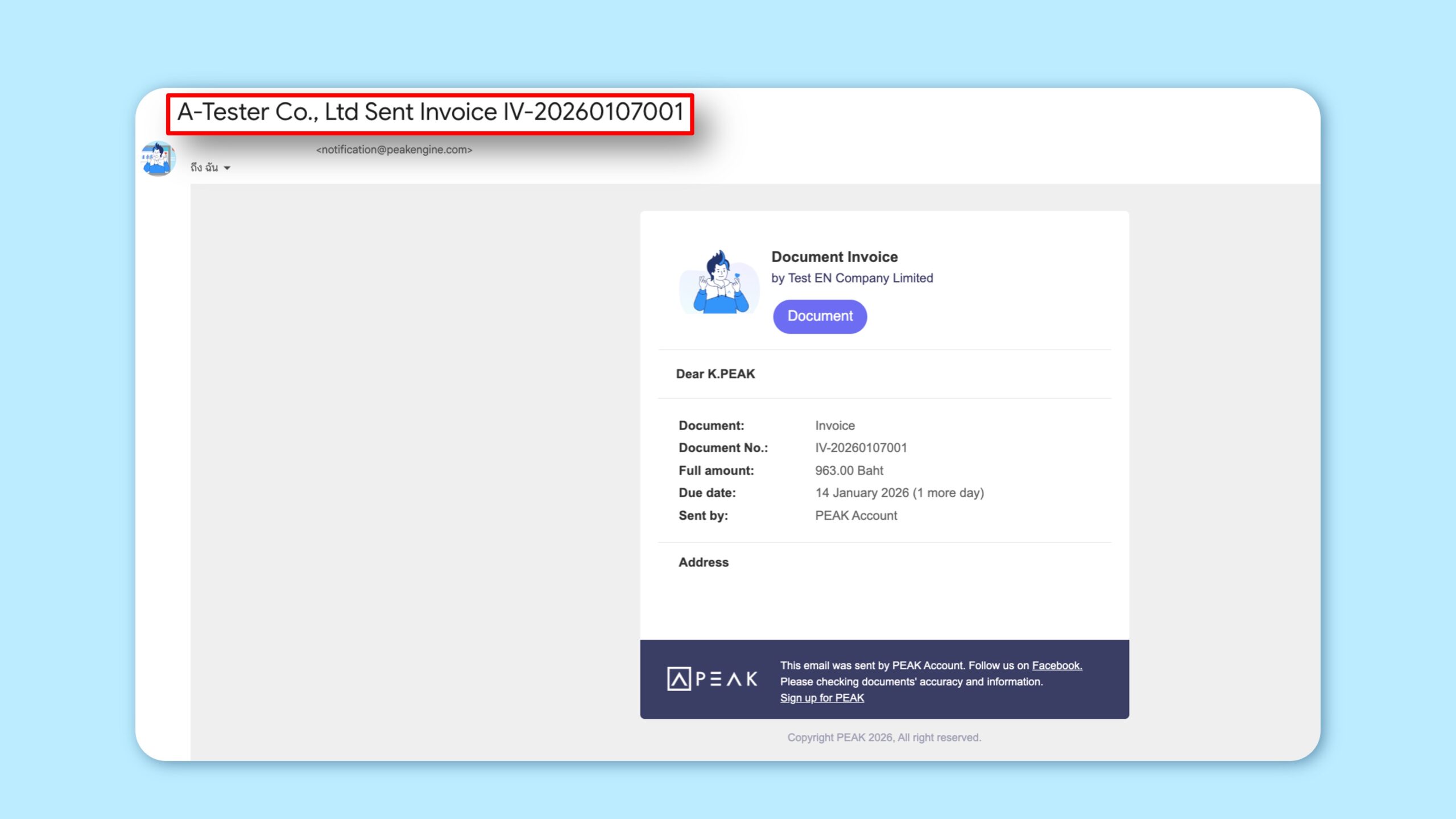
4. Automatically adjusted the display of the business name in English when emailing documents from the Income & Expense menu, ensuring standardized documents and reducing manual edits.
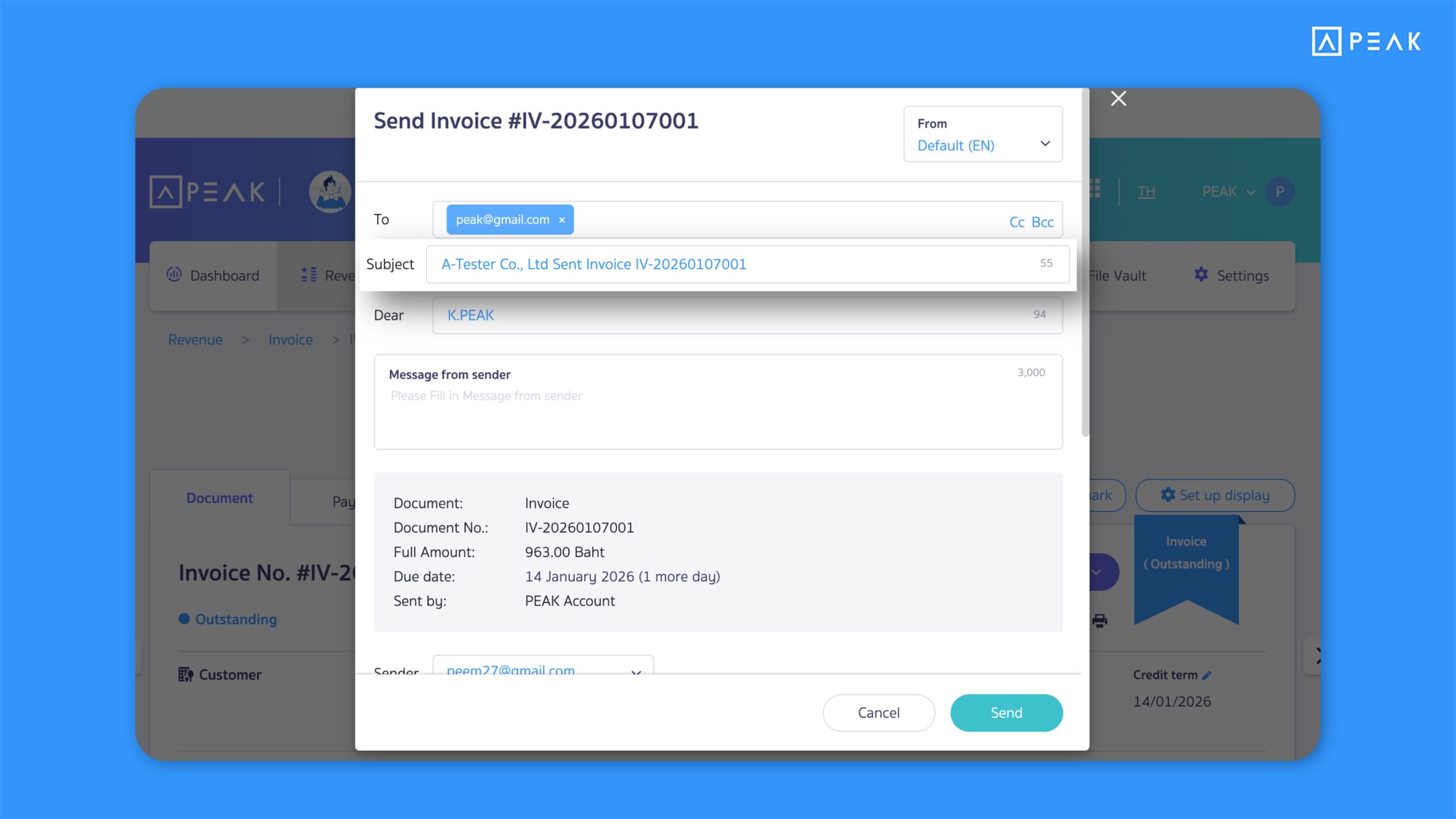
Suitable for: Users who operate the system and send emails in English
Highlight: When using PEAK in English, the system will automatically display the business name in English when sending emails. This includes the email subject, sender information, and payment details—ensuring consistency and reducing manual edits.
Note:
- If no English business name is set, the system will continue to display the Thai name as usual
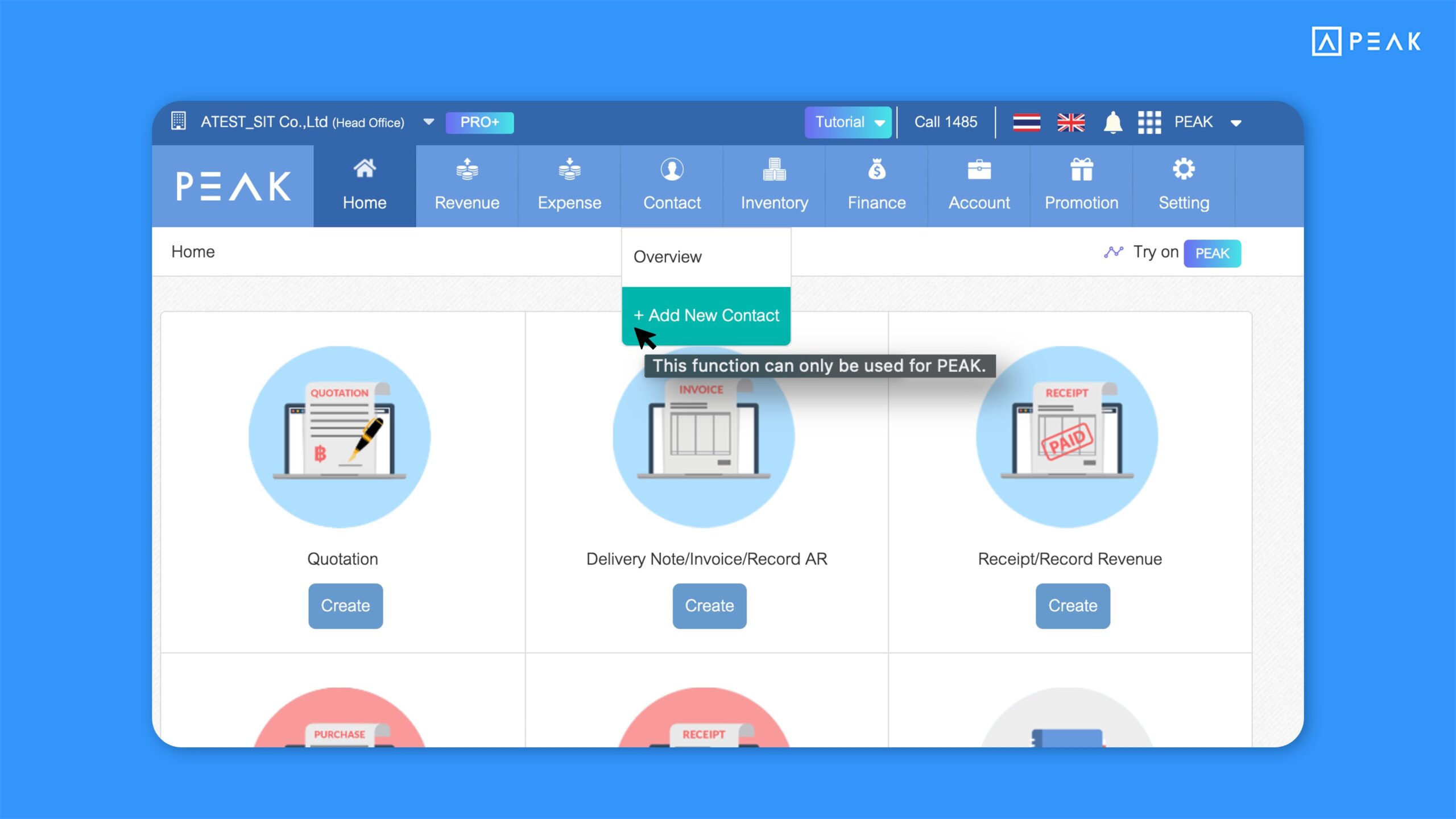
5. Updated menu navigation on Old PEAK to redirect actions to New PEAK, making it easier to record data on New PEAK.
Suitable for: Old PEAK users
Highlight: The system has disabled creating, editing, and deleting documents on Old PEAK to ensure all critical business data is managed in a single system. Users can still view data as usual, but any menu related to data modification will redirect to New PEAK.
Menus with editing disabled:
- Assets
- Accounts Code
- Products
- Units
- Contacts
- Settings
Access New PEAK at: https://secure.peakaccount.com
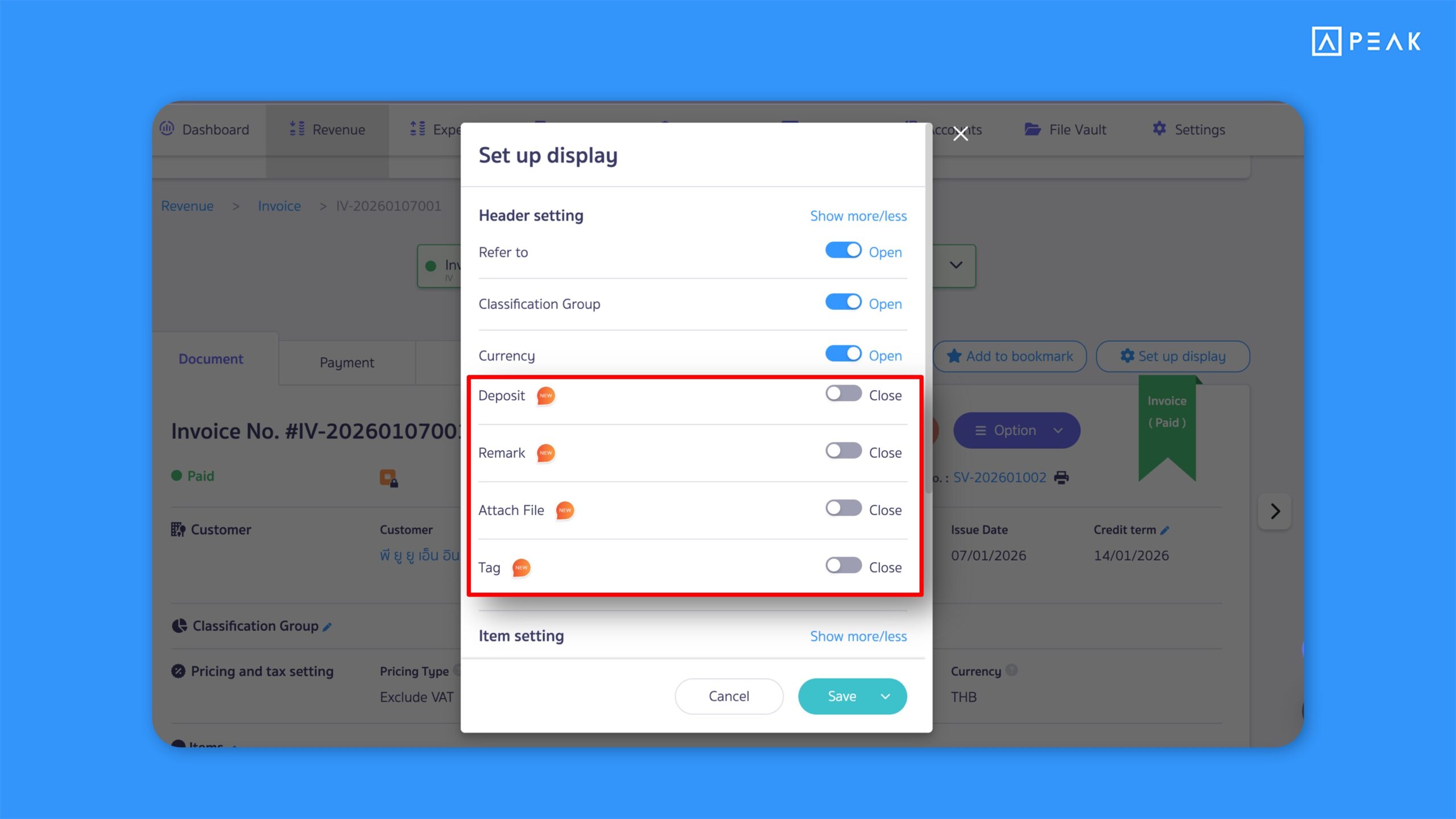
6. Added an option to hide certain fields on the Income/Expense document creation page, simplifying document creation and reducing unnecessary information.
Suitable for: Users creating a new business
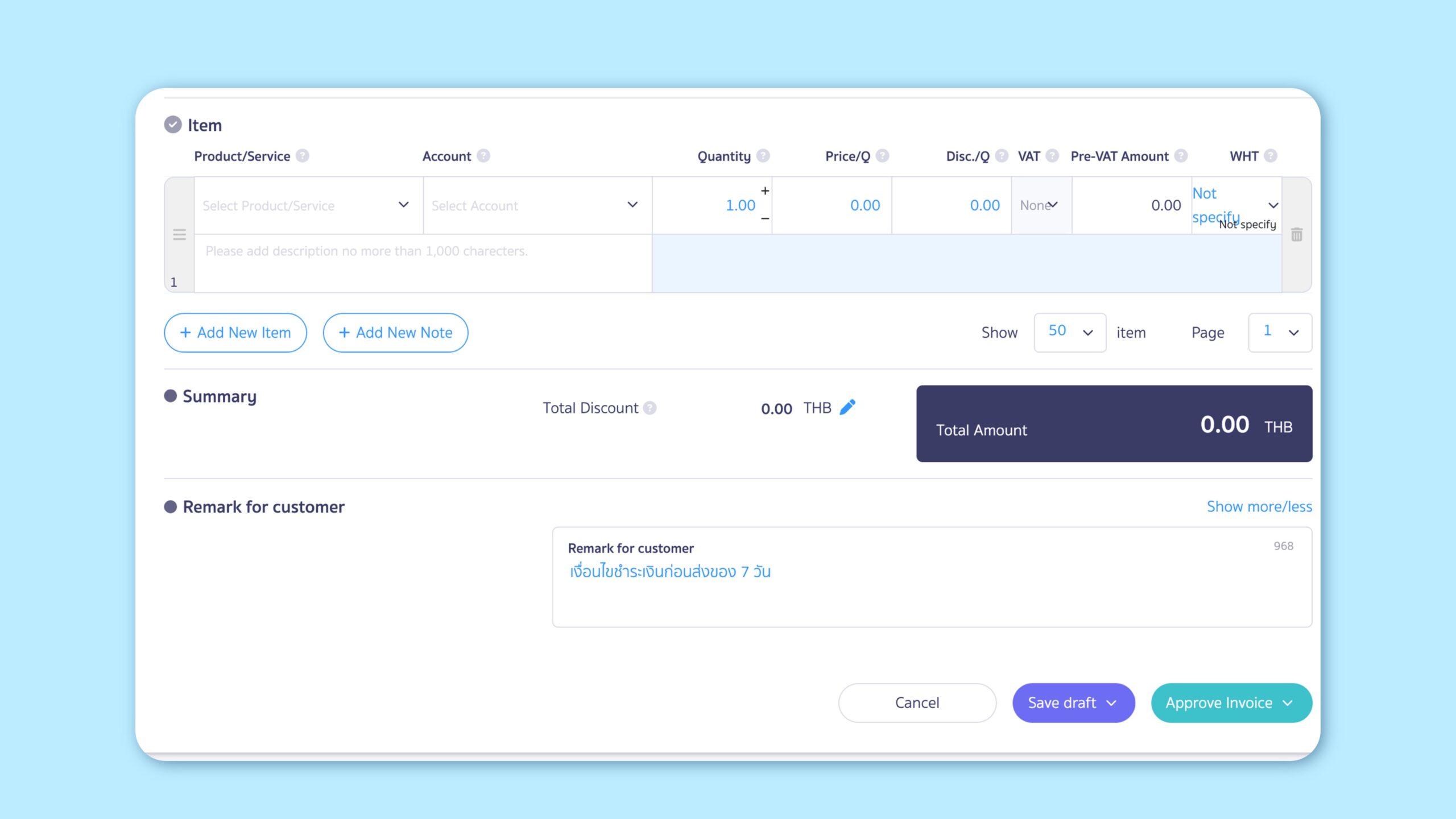
Highlight: The system updates the default settings for newly created businesses by hiding Deposit, Notes, Attachments, and Tags. This reduces the amount of information required, simplifies usage, and lowers document complexity.
Note:
- Previously, when creating a new business, the system hid Refer tp, Currency, and Account fields by default.
About Author