
PEAK with the new function designed to enhance efficiency.
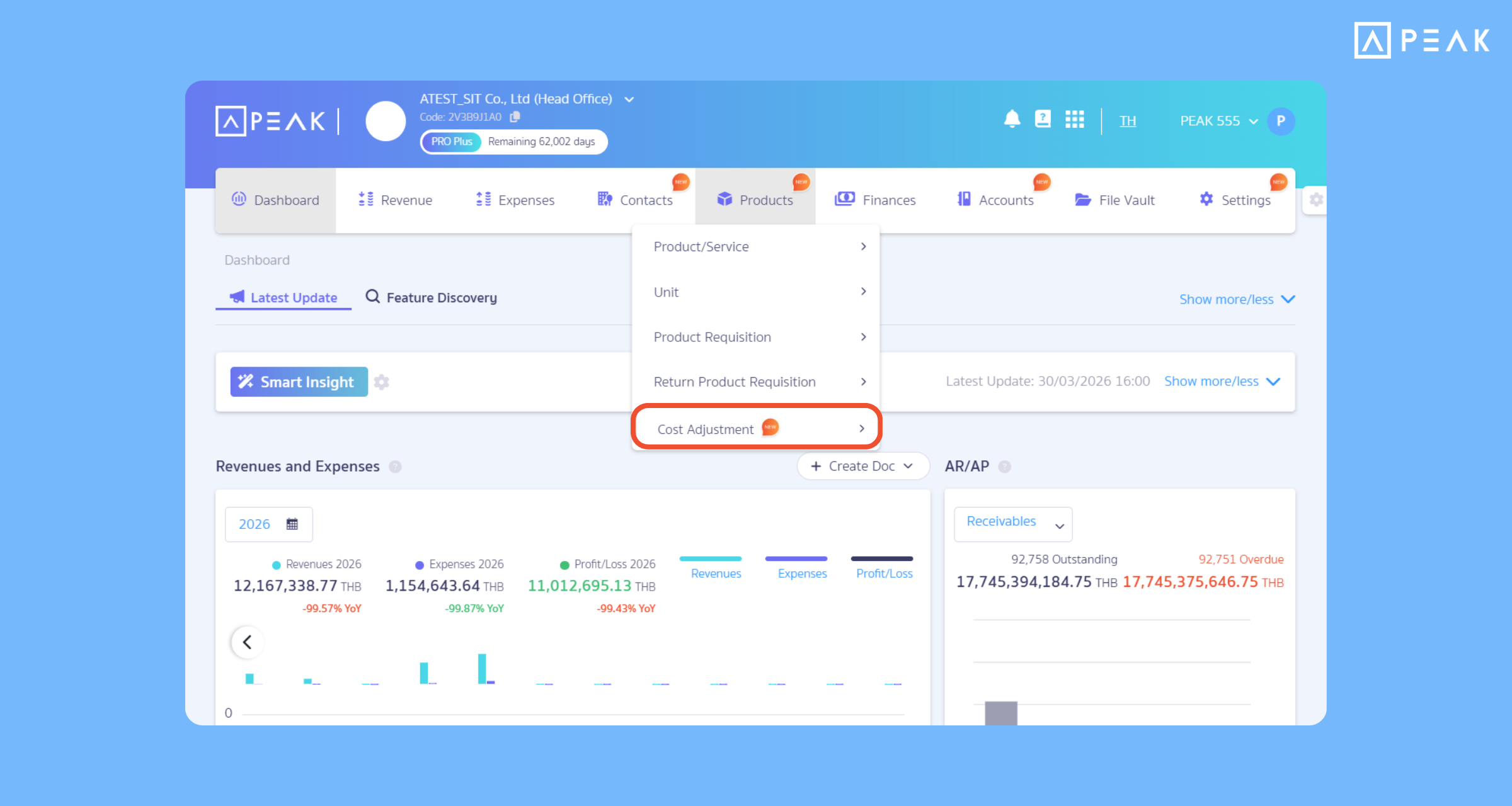
1. Added the “Product Cost Adjustment” function, calculating hidden costs accurately to reflect true profits.
Package: PRO Plus and PREMIUM packages (Available for a free trial until the end of 2026!)
Suitable for: Import businesses and trading businesses (buy-sell) that have hidden expenses (such as shipping costs, customs duties).
System Updates:
- Added the Product Cost Adjustment function: allowing users to allocate previously recorded expense documents directly to the cost of specific products.
- Supports cost Allocation Method into products in 3 formats:
- Value-based Allocation
- Quantity-based Allocation
- Custom Allocation
- The system automatically records the accounting entries, allowing you to view product costs in stock immediately.
Benefits of Use: Reduces redundant work and helps businesses accurately calculate the actual cost of products by including shipping fees, customs duties, and other related expenses. This improves profit and loss accuracy and provides a clearer view of product profitability
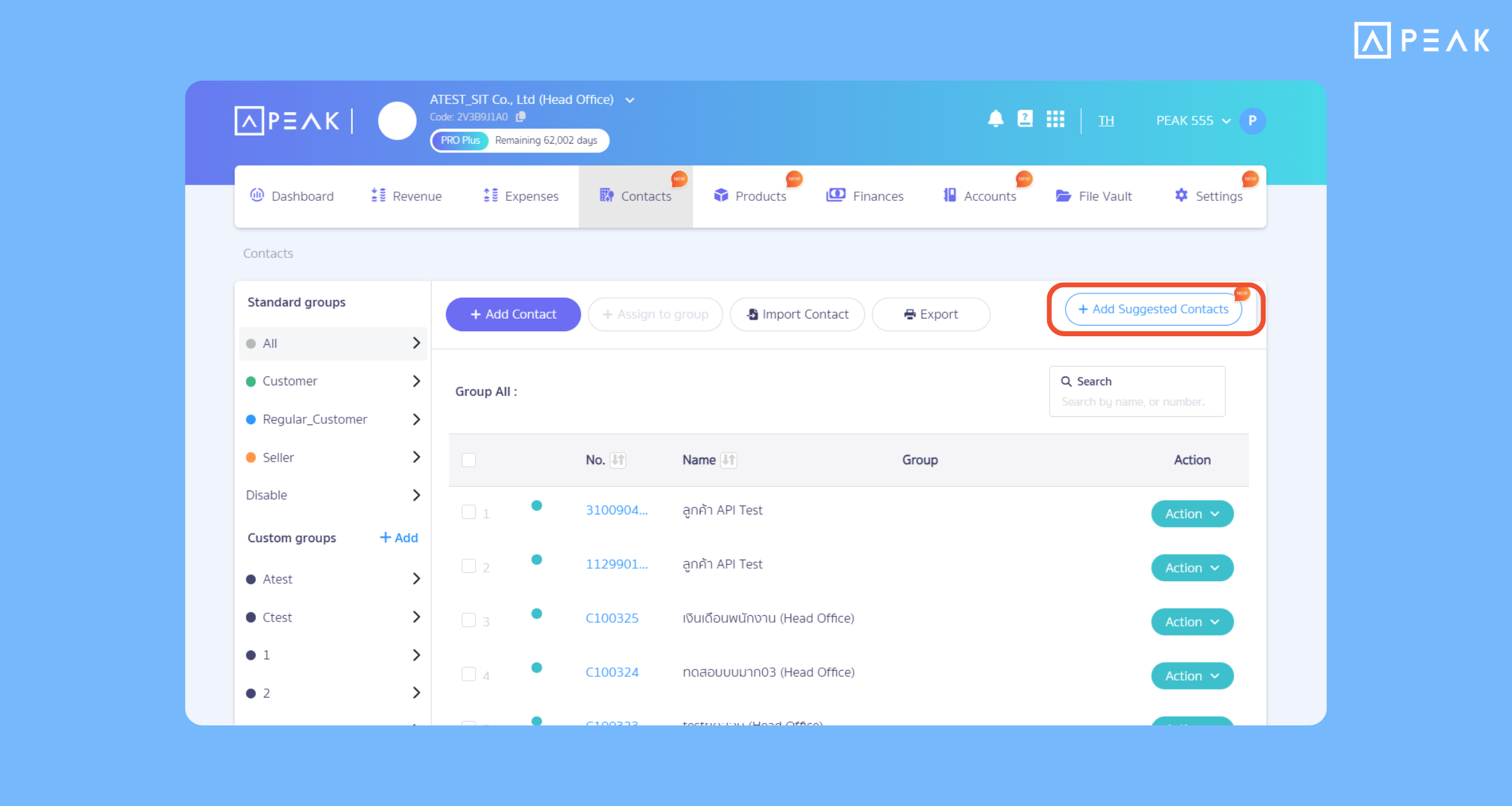
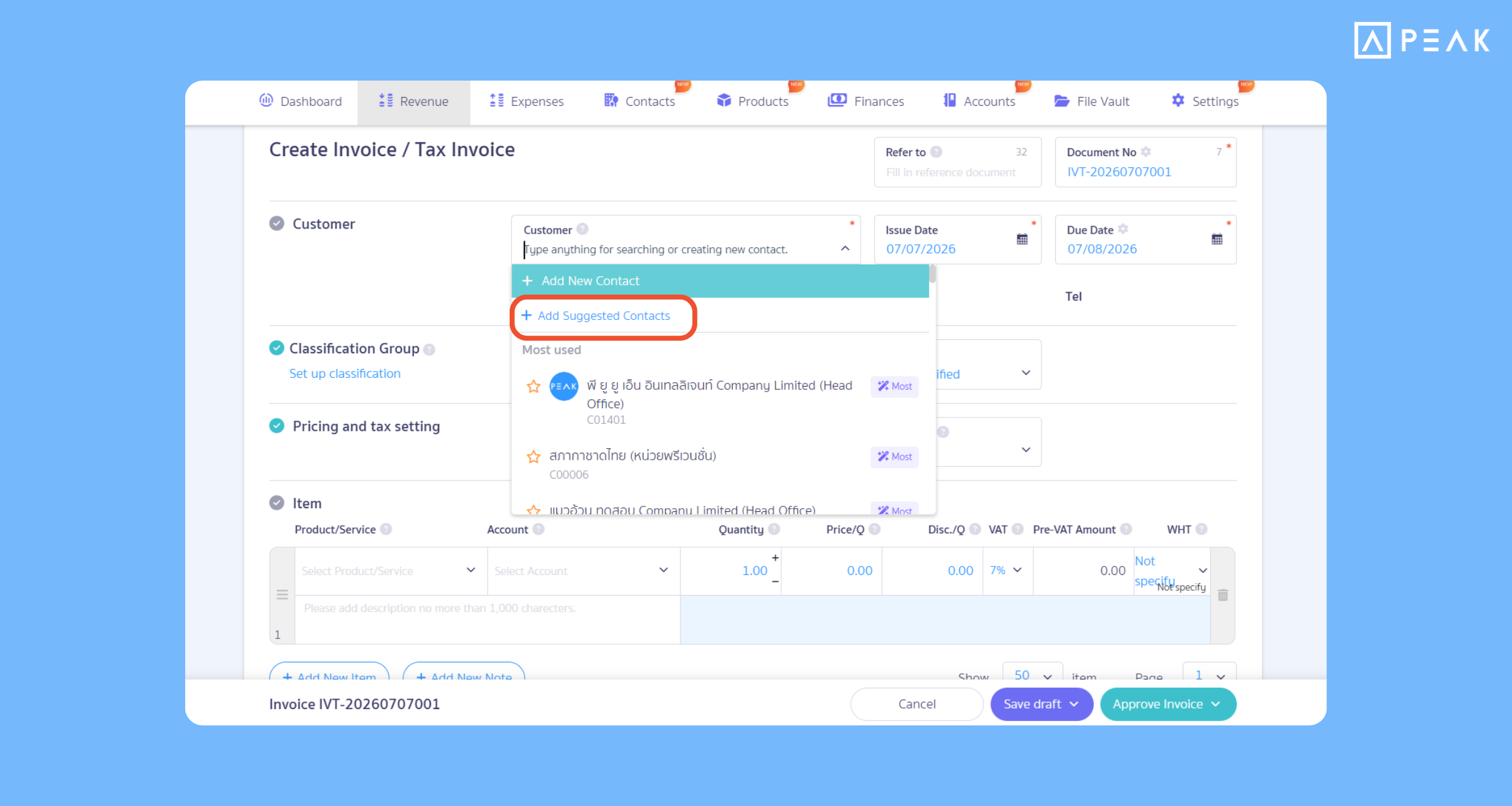
2. Added the “Add Popular Contacts” button in the Contacts menu, allowing you to select popular names and create documents in one click immediately.
Package: All active packages
Suitable for: New users who want to quickly add contacts to the system.
System Updates:
- Added the “Add Popular Contacts” button on the document creation page and Contacts menu, where the system will gather names of agencies or partners that are frequently used.
- Select system-recommended contacts and create multiple contacts at one time.
Benefits of Use: Helps reduce the steps of manually filling in new contact information from the start of using the system. Just click to select popular names recommended by the system, and essential information will be pulled to create documents immediately. Saves time, easy to search, and reduces errors in data entry.
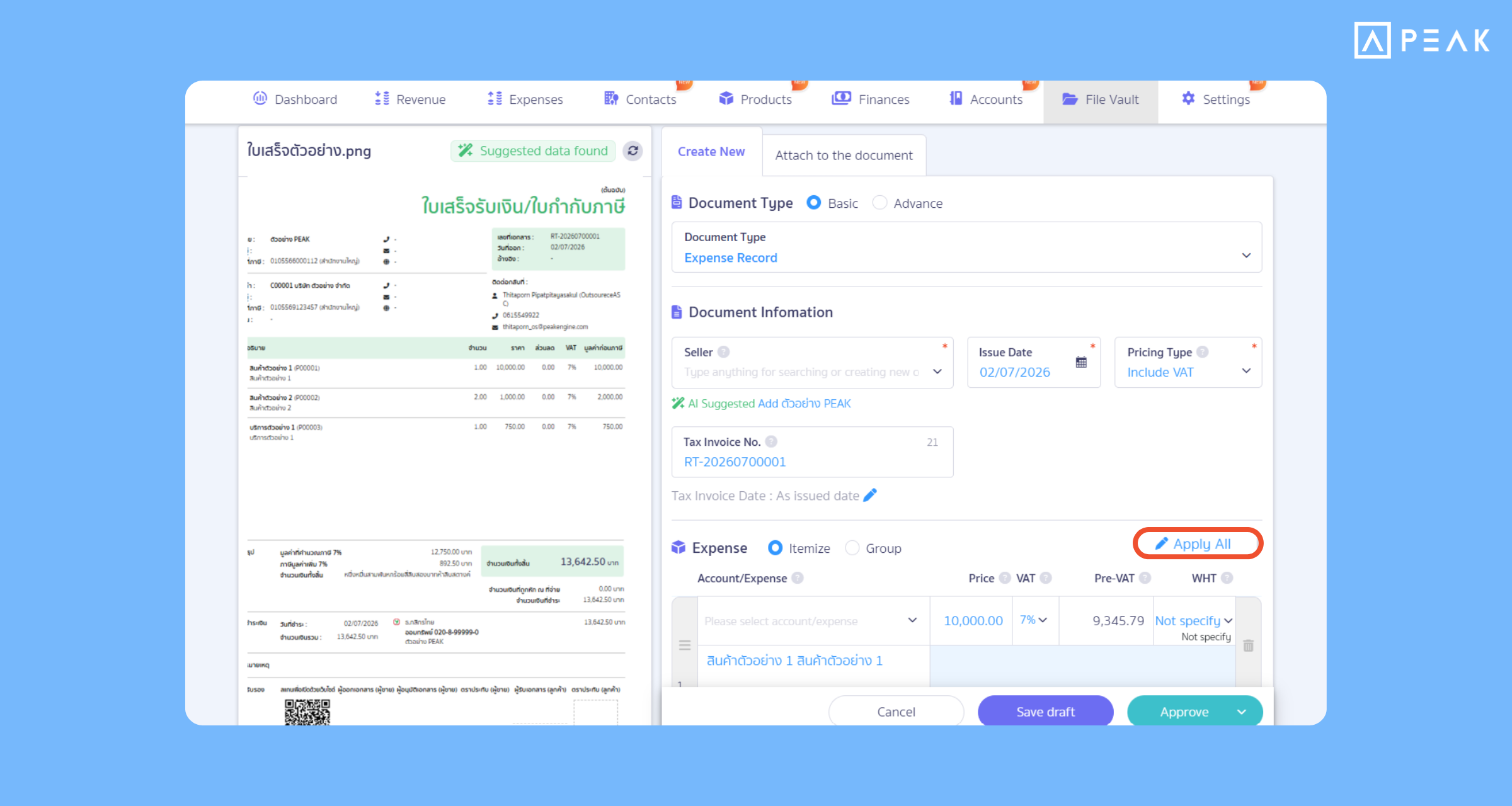
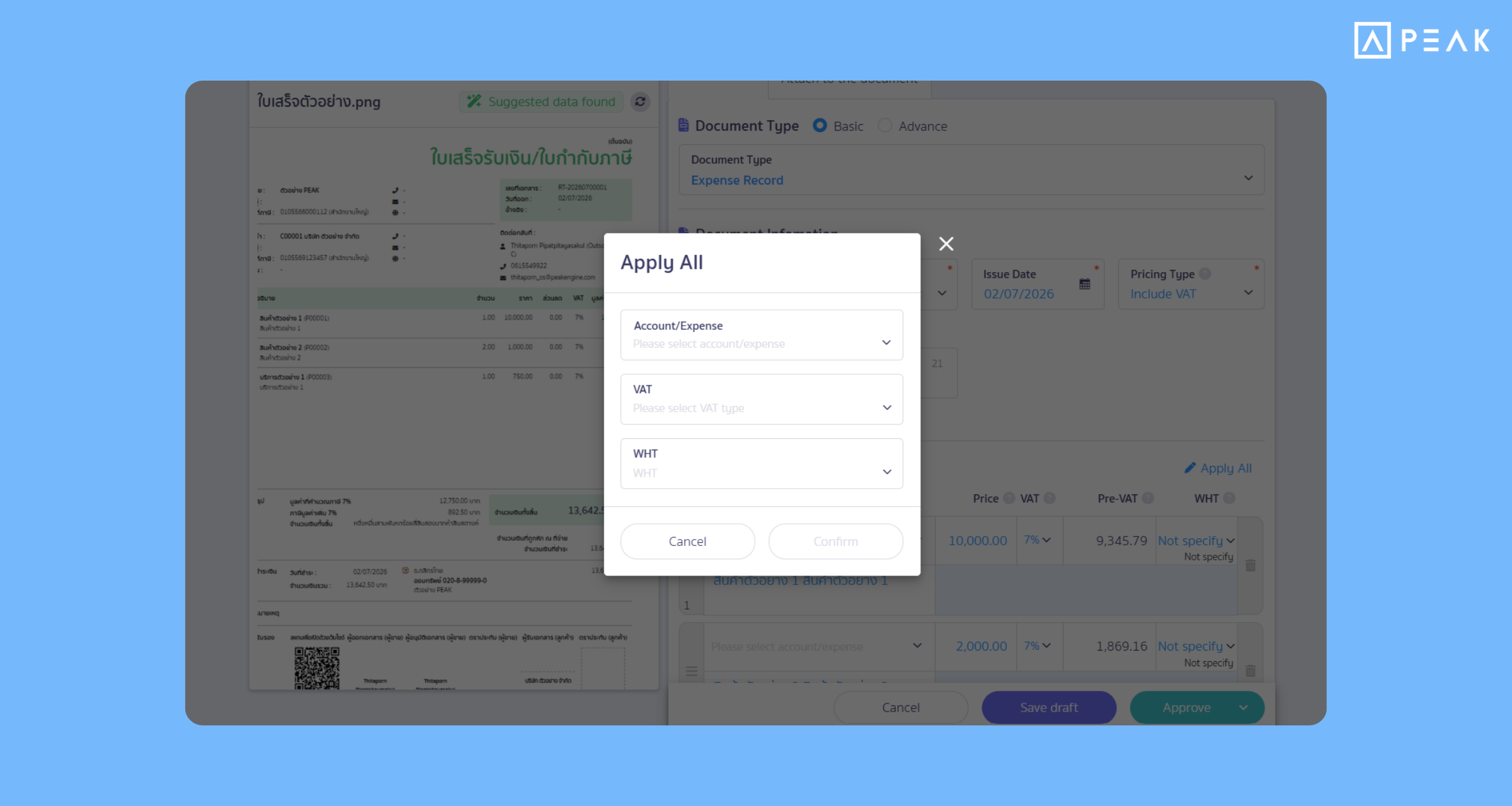
3. Added “Edit All Items” in the File Vault menu, editing multiple items of data simultaneously in a single click.
Package: e-Document package and above
Suitable for: Users who use the File Vault menu.
System Updates:
- Added the Edit All Items button to the document creation page in File Vault.
- When a scanned document contains multiple line items that should be recorded under the same chart of accounts, users can click Edit All Items to apply the selected account to all line items at once
Benefits of Use: Reduces working time, manages multiple items of data in a single click, and helps prevent errors in selecting the chart of accounts to each line item.
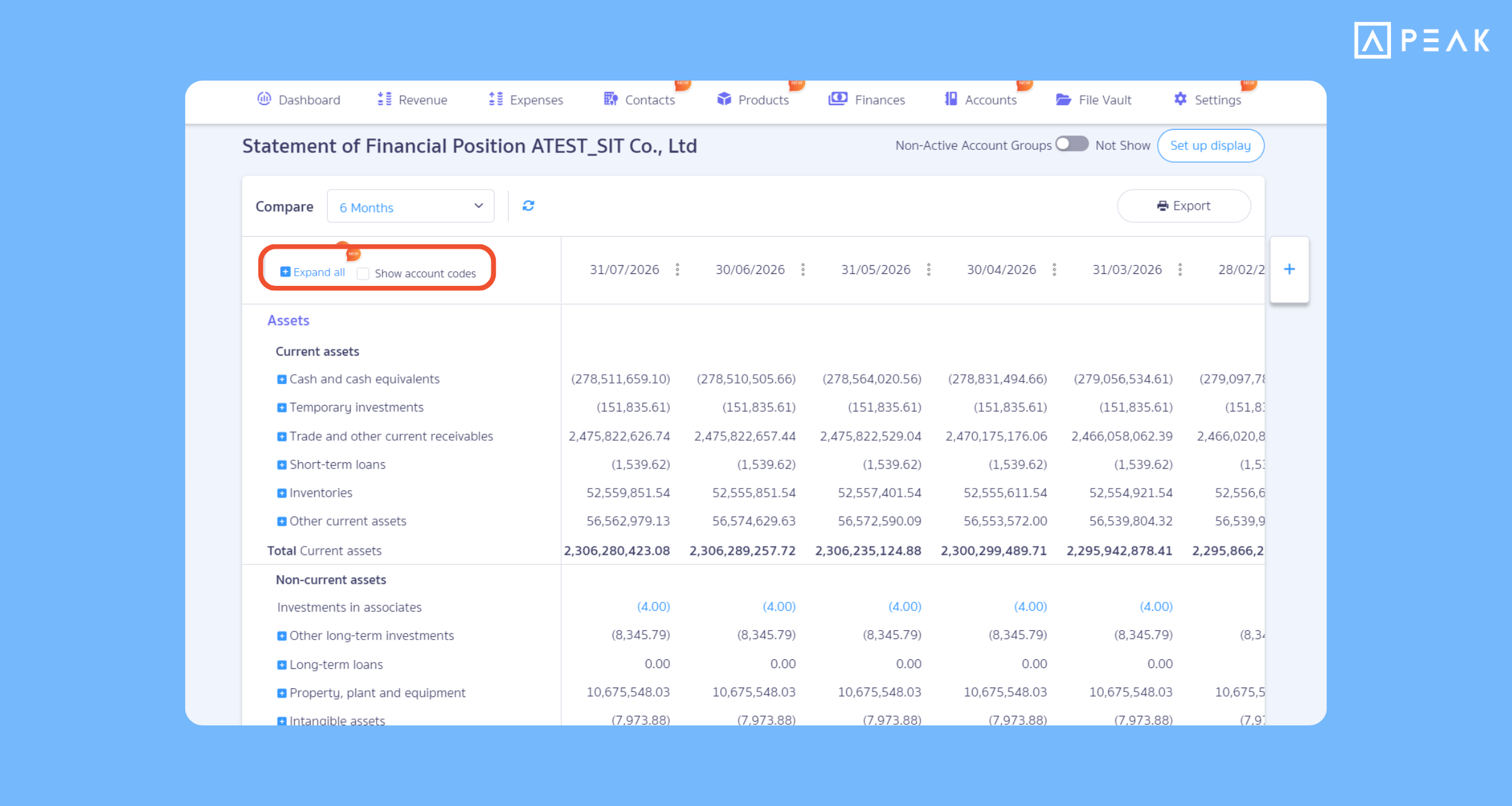
4. View financial statements more easily with the “Collapse-Expand Account Groups” and “Turn On-Off Account Numbers” systems in a single click.
Package: All active packages
Suitable for: Accountants and entrepreneurs who want to view the chart of accounts in financial statements.
System Updates: The system added buttons to show collapse-expand for the chart of accounts in the Statement of Financial Position, Income Statement, and Statement of Cash Flows to work more flexibly, as follows:
- Added the “Expand All” button to unfold and view the details of every sub-account details in a single click.
- Added a checkbox to show or hide account numbers before account names, making it easy to switch between a detailed accountant view and a simplified view for business owner
Benefits of Use: Helps users view financial statements more easily and helps accountants verify the accuracy of the chart of accounts more easily through the financial statements.
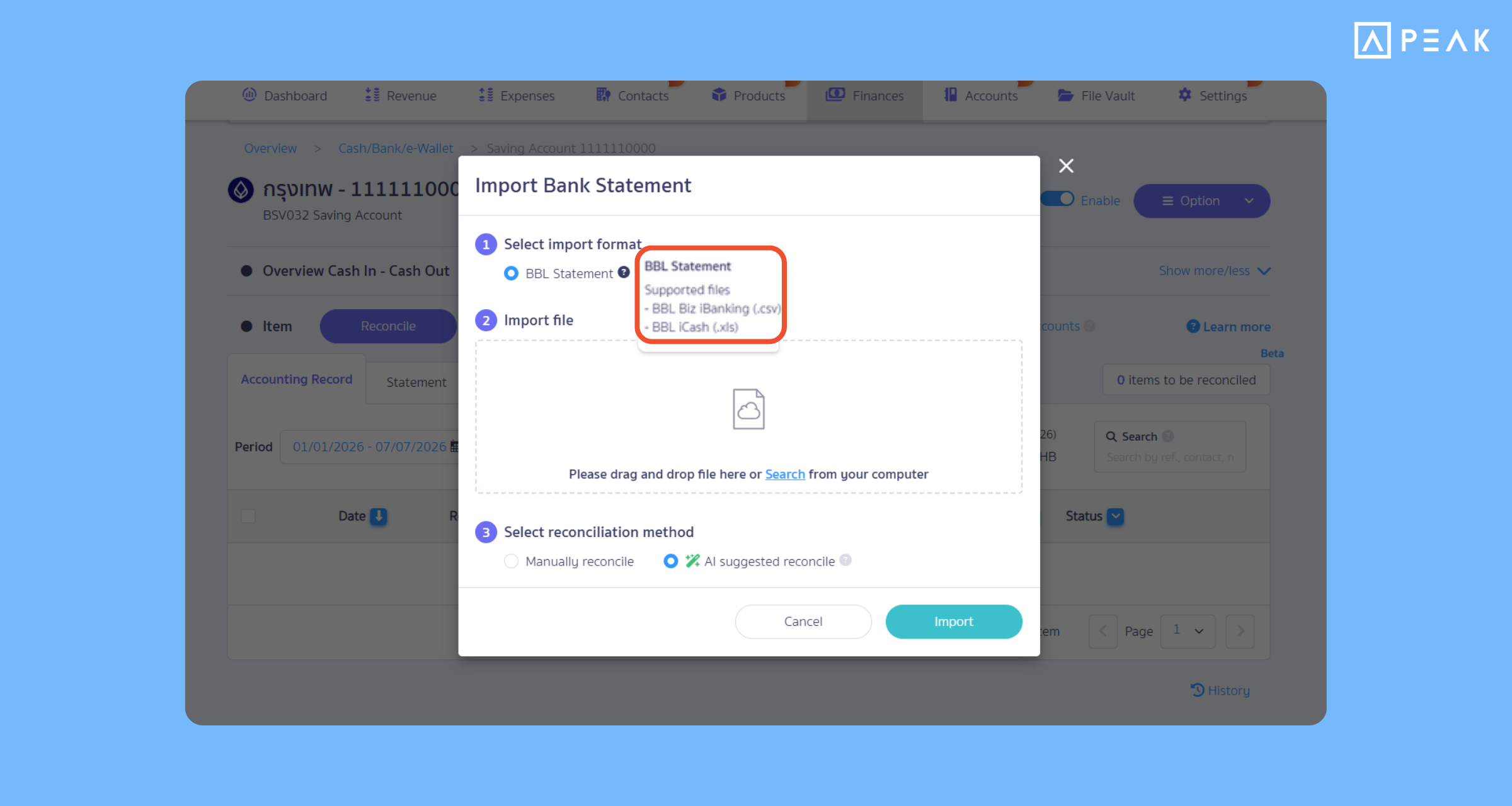
5. Supports importing files from Bangkok Bank in the iCash product format, reconciling faster than before.
Package: PRO package and above
Suitable for: Accountants who use Bangkok Bank (BBL) accounts and want to import bank statement data.
System Updates: The system added support for importing Bangkok Bank iCash statement files (.xls) for bank reconciliation.
Benefits of Use: Helps accountants work more conveniently, reducing time and reducing errors in importing data.
About Author