
PEAK with the new function designed to enhance efficiency.
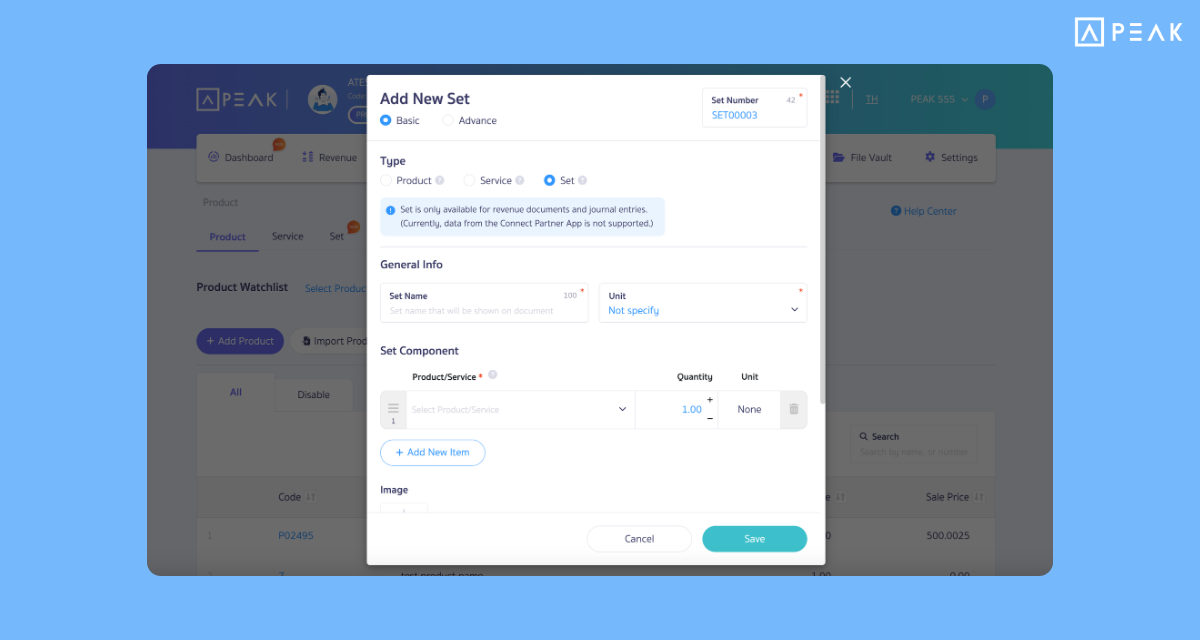
✨1. Supports “Product Sets”: Group products/services to be sold as a set. Complete everything in a single item
Suitable for: Businesses that sell products/services as sets. PRO Plus package and above.
Highlight: PEAK supports Product Sets, changing complicated work into a simple matter by reducing steps in issuing sales documents. From previously having to select products/services one by one, to just selecting a “Product Set” once. Helps work more conveniently and reduces errors in issuing documents.
Note: Currently supports issuing documents on the income side and creating product sets one by one through the program only.
Available at: Product Menu > Product Sets
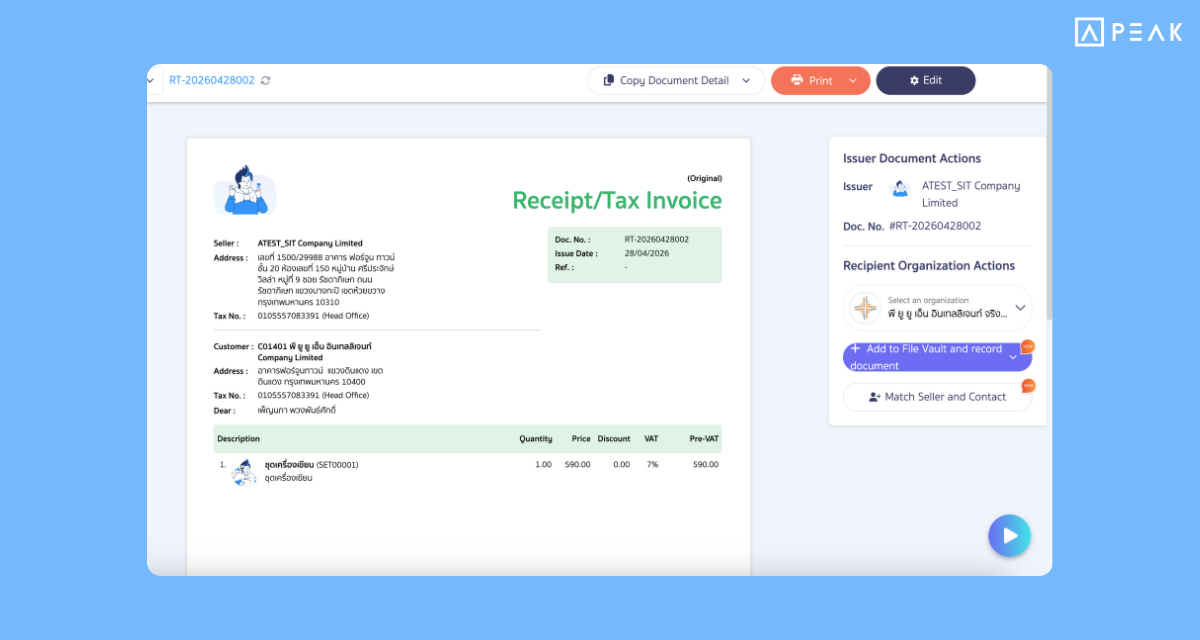
✨2. PEAK to PEAK” recognizes document data received from other PEAK users, allowing you to record expenses easily in a single click and making document issuance more convenient
Suitable for: Businesses that have buy-sell transactions and both use the PEAK program.
Highlight: PEAK helps change documents from the seller’s side into your purchase information immediately. When a document is received from a partner, the user can click to record the document through the document page. The system will change the document file format from PDF to Digital File to help suggest accounting records, match contacts, and select the Chart of Accounts automatically (SMART Suggestion).
Available at: Document Page (received from partners)
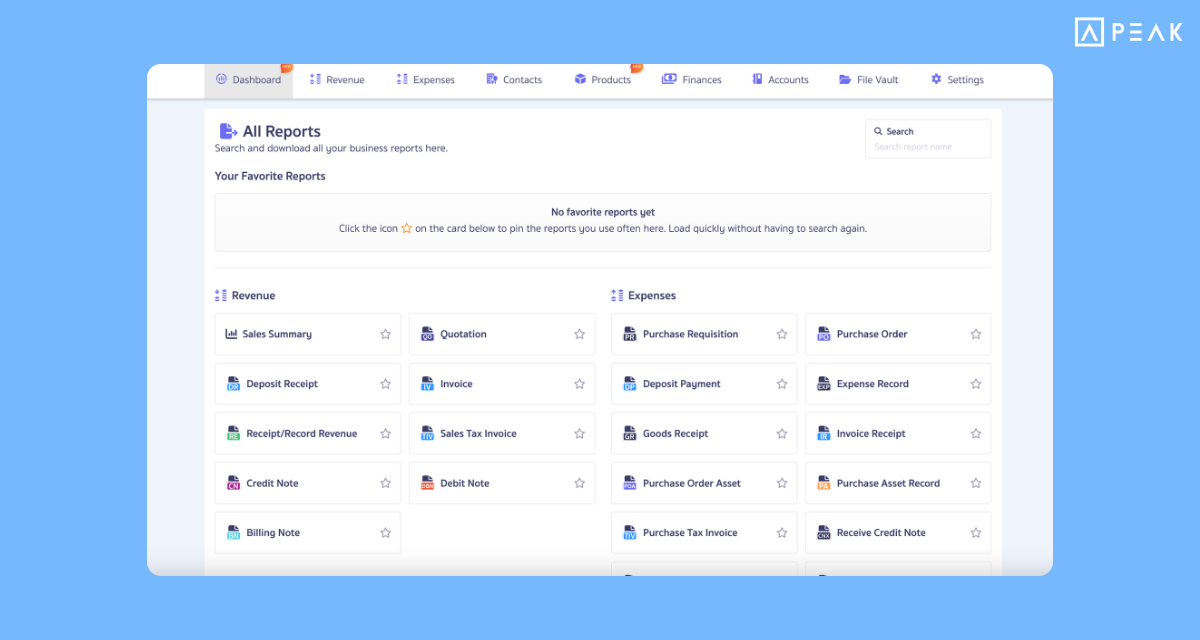
✨3. New format for Report Hub. Easy to export. Access data quickly
Suitable for: Business owners and users who want to view reports.
Highlight: The system has added a new report summary page that gathers every important report in one spot. Helping users access the information they want quickly and saving time in data management.
Available at: Dashboard Menu
✨4. Create new contacts from File Vault in one click
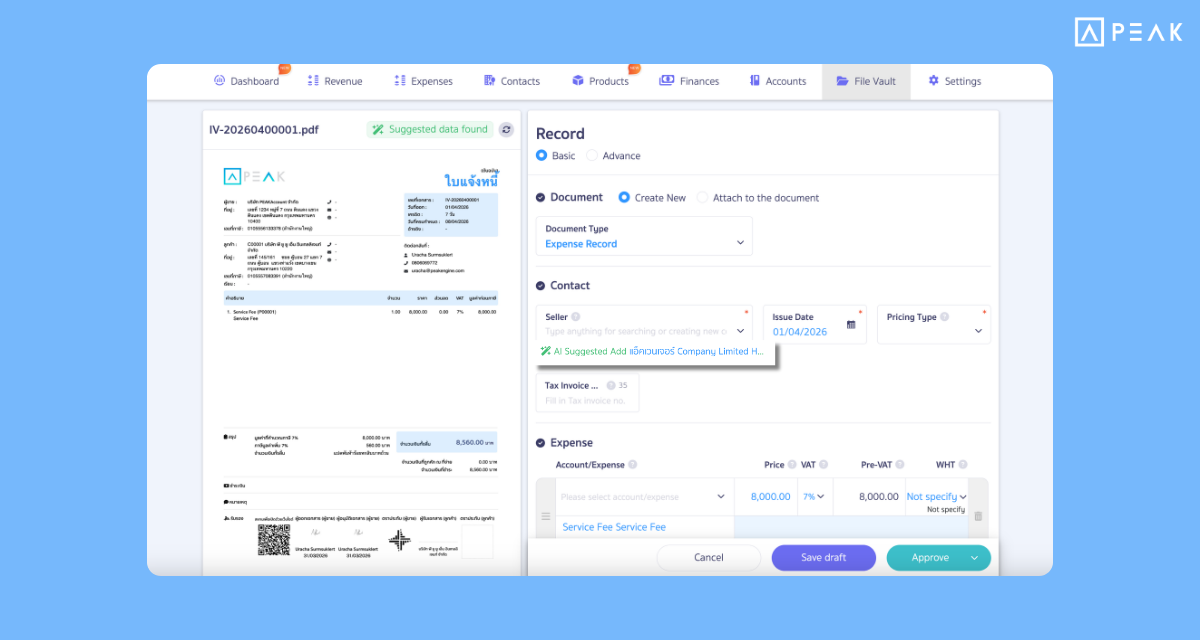
Suitable for: Users who want speed in recording documents and managing contact information through the file vault.
Highlight: The system has upgraded Smart Suggestion when creating documents through the File Vault page to automatically detect contact information from attachments. Helps reduce work steps.
Available at: File Vault Menu
✨5. Supports ReadyPlanet API connection. Instantly turn CRM data into quotations on PEAK
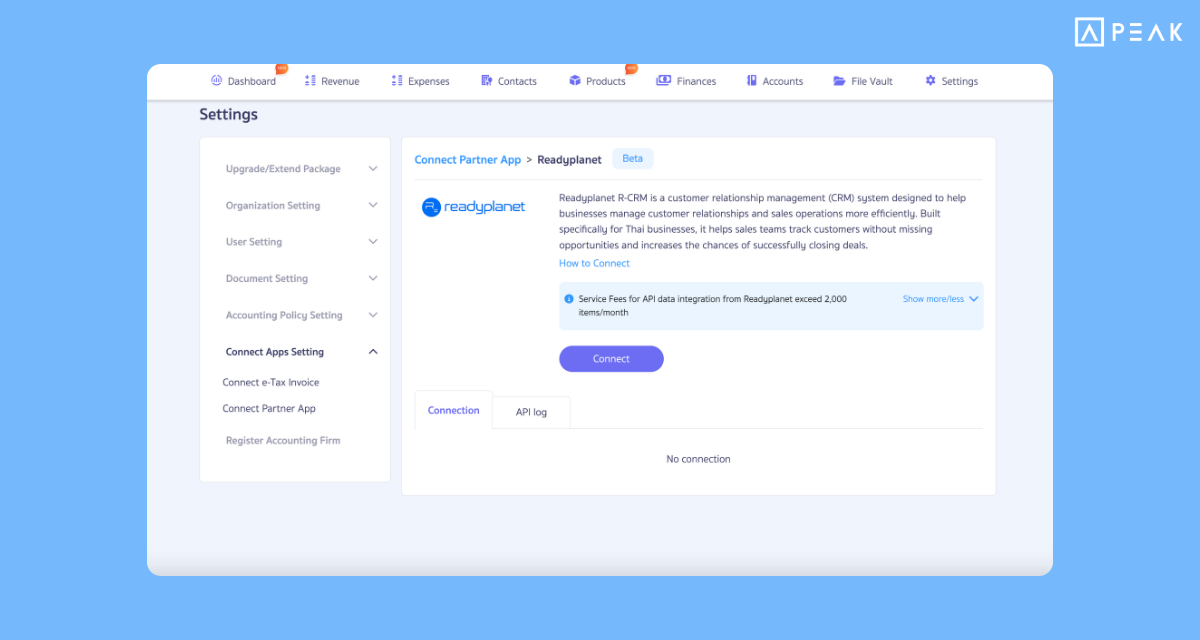
Suitable for: Users looking for a CRM system to connect with PEAK to manage accounting and sales documents smarter than before.
Highlight: Link data from the ReadyPlanet platform directly into the PEAK system via API. Automatically change sales information into Quotations on PEAK.
Available at: Settings Menu > External System Integration > ReadyPlanet
✨6. Added Action Buttons on document pages. Helping to manage documents faster
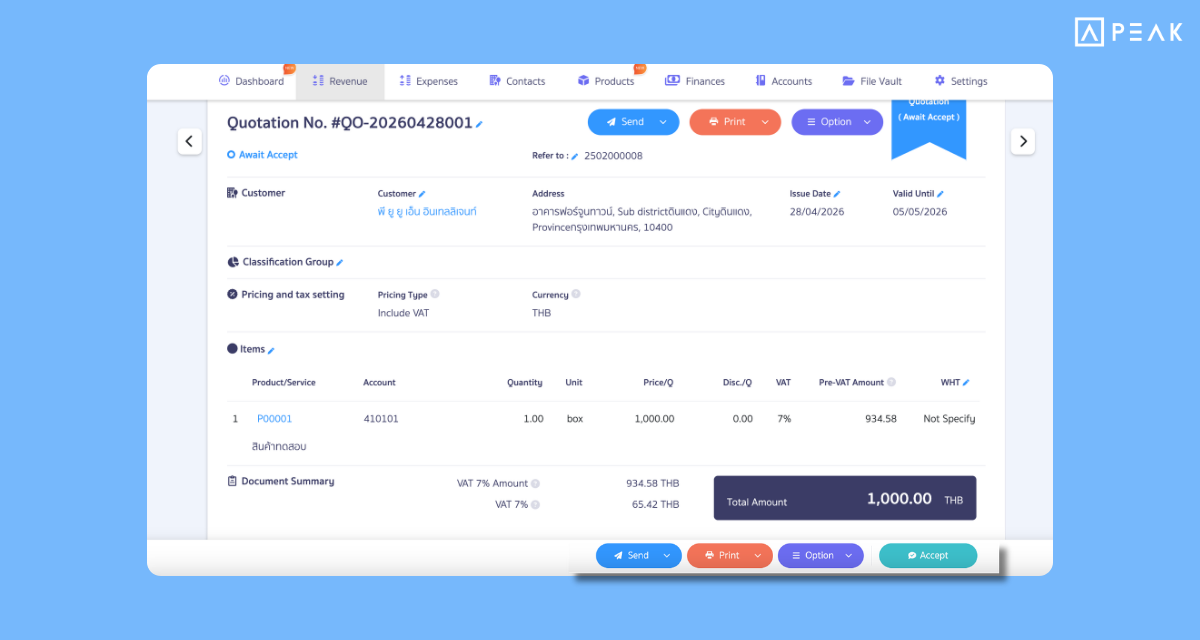
Suitable for: Every user who needs to check document details and wants to perform the next transaction quickly.
Highlight: Pinned important command buttons at the bottom of the screen, helping users perform the next transaction (like accepting a quotation) immediately without scrolling up.
Available at: Income and Expense Menus, Document Page
⚡️7. New PEAK TAX overhaul! Precise tax verification with AI and an intelligent notification system
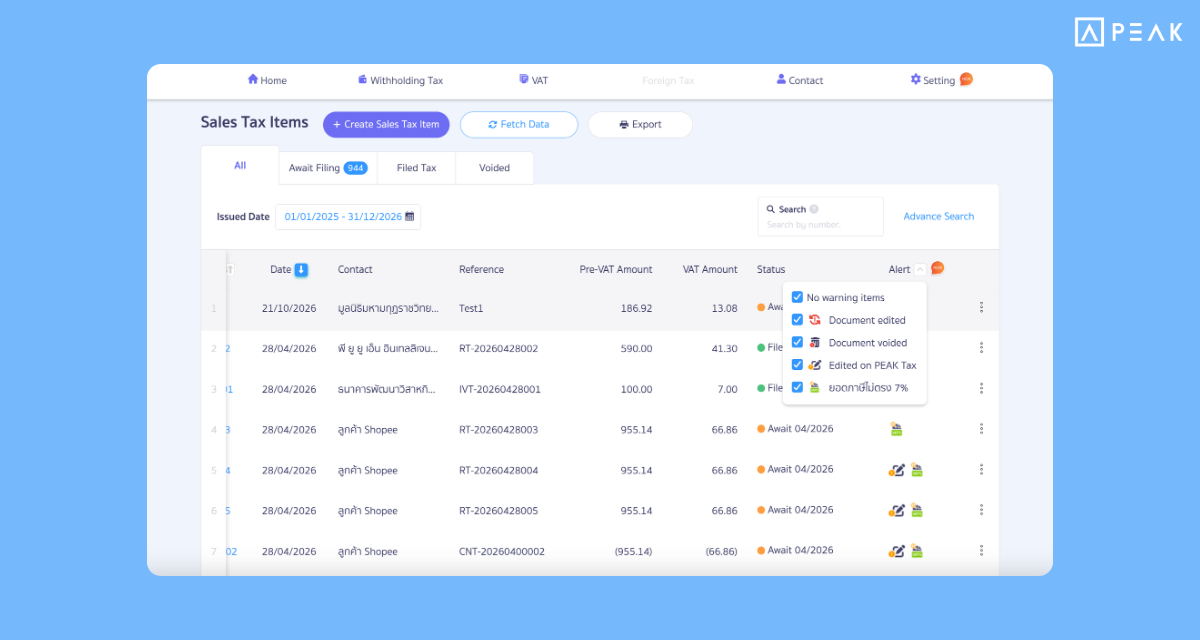
Suitable for: PEAK TAX feature users.
Highlight: AI verification for edited/canceled documents, mismatched 7% tax, or duplicates. Includes special notifications when purchase tax invoices are near expiry.
Available at: PEAK TAX
⚡️8. Shopee Dashboard: Download order reports easily in one click
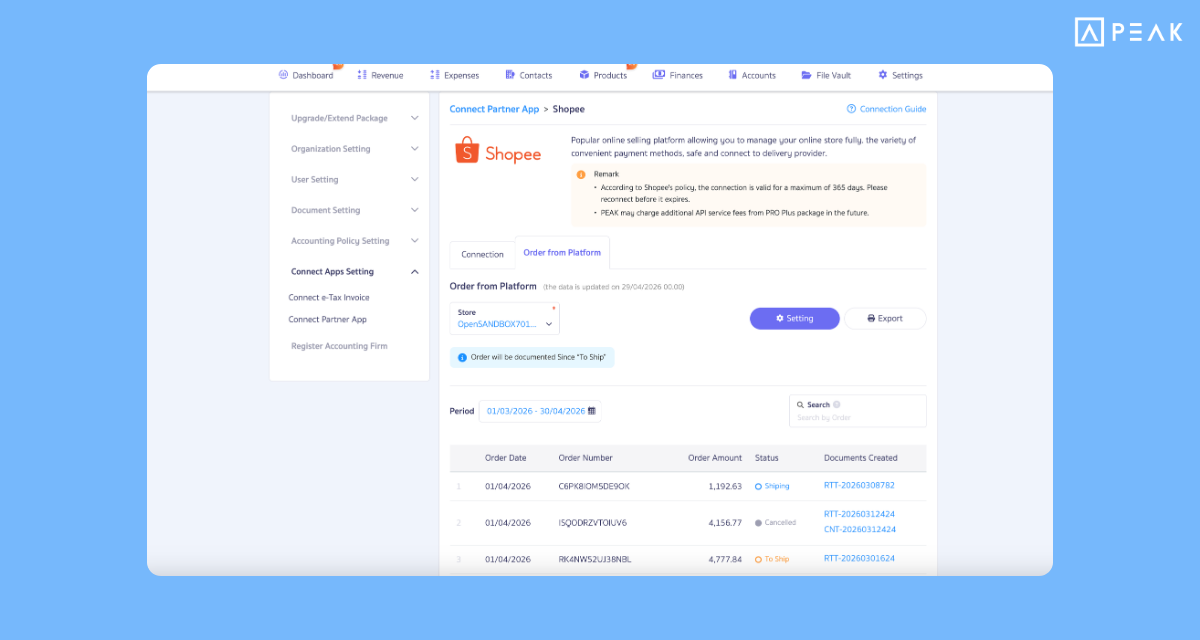
Suitable for: Customers connected to Shopee API
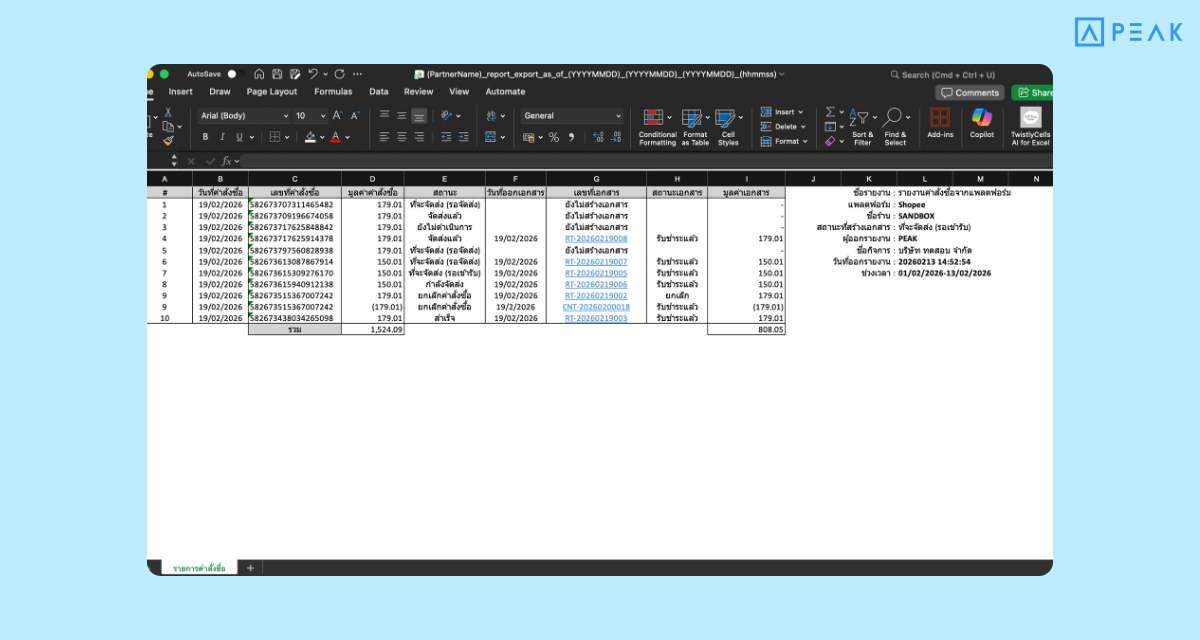
Highlight: Export order information already documented into an Excel file immediately. Helps in reconciling orders and online store management.
Available at: Settings Menu > External System Integration > Shopee
Report Example
⚡️9. Open API Dashboard: Check transaction usage volume by yourself
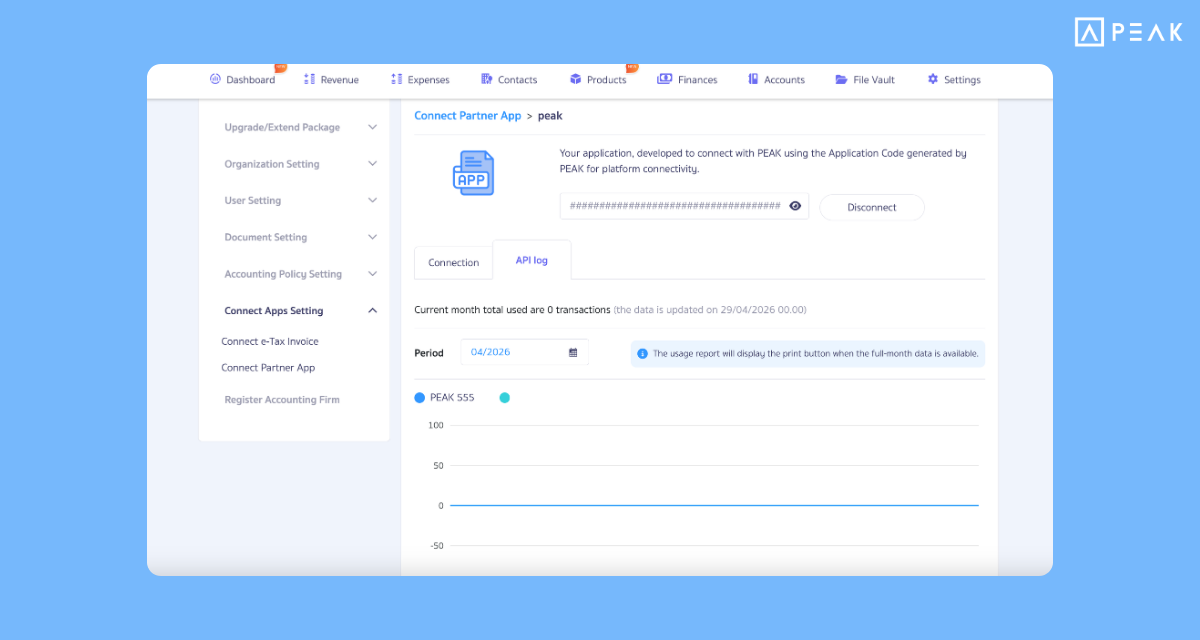
Suitable for: Users who connect their own systems to PEAK
Highlight: Download Dashboard reports from your own API to track and verify actual usage in Real-time for efficient planning.
Available at: Settings Menu > External System Integration > Connect your application
⚡️10. Instant payment notifications with the QR Payment notification system
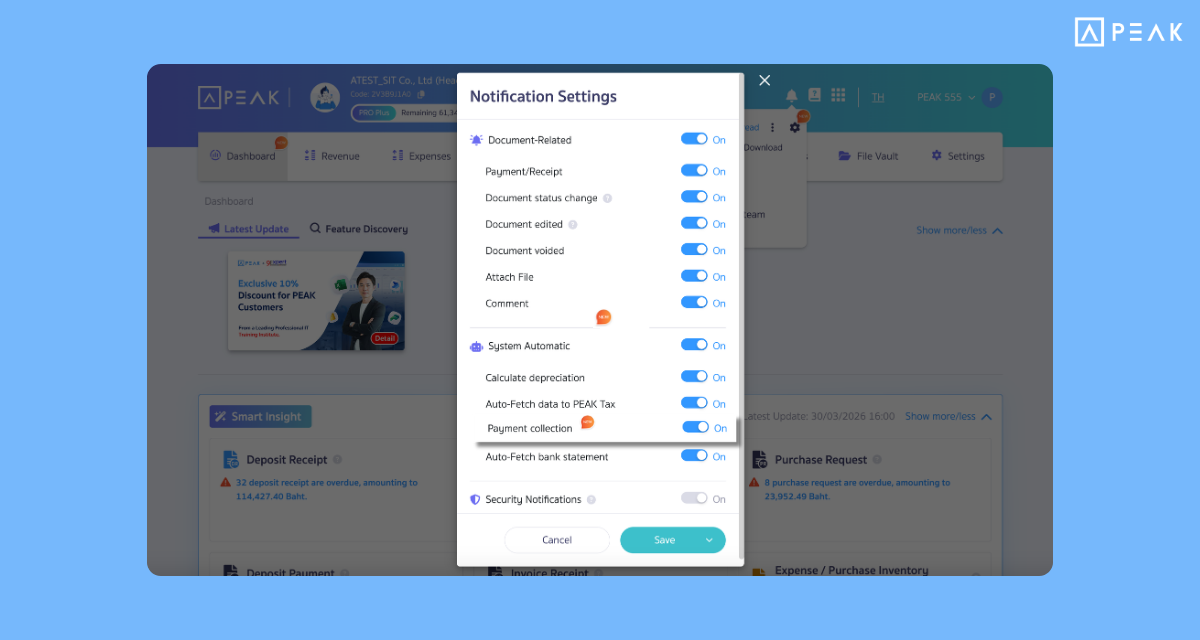
Suitable for: Users connected to the QR Payment system who want to verify incoming amounts in Real-time
Highlight: Real-time notifications when payment via QR Code is successful. Users can toggle notifications on-off as desired.
Available at: Bell icon in the program
About Author