
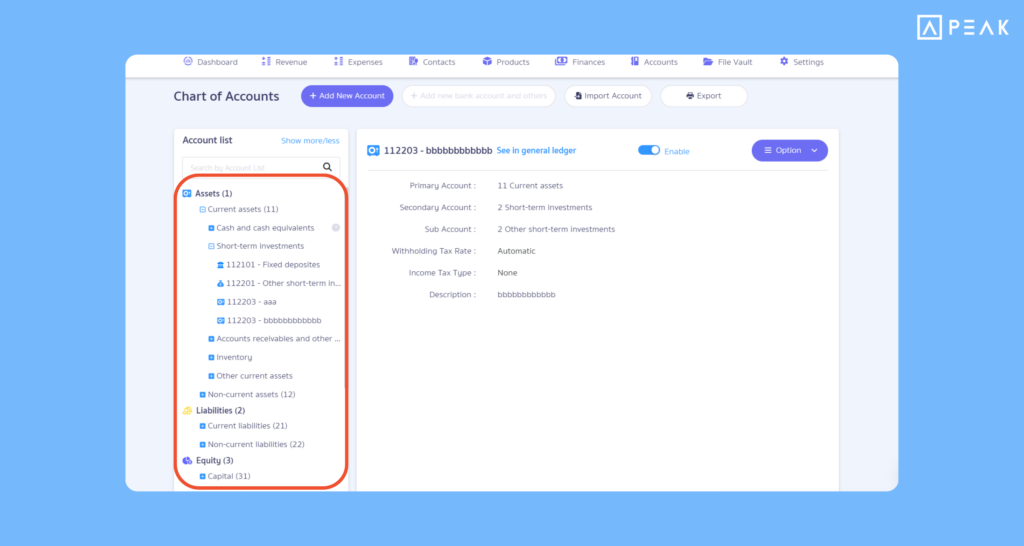
1. Added Chart of Accounts icons and display settings, making account code searches easier and faster.
Package: All active packages
Suitable for: Users who want to select account codes more conveniently.
System Updates: The system added category icons and designated colors for account codes, along with a chart of accounts display settings system to enable/disable usage, as well as customize icon displays and account code names according to your preferences.
Benefits of Use: Helps scan and search for account codes across various lists more easily, reduces working time and steps, and allows customizing the account code display format to suit your own workflow.
2. Added support for calculating and filing the “Employee Welfare Fund” (EWF) in PEAK Payroll.
Package: e-Document package and above
Suitable for: Businesses with 10 or more employees that need to make contributions to the Employee Welfare Fund.
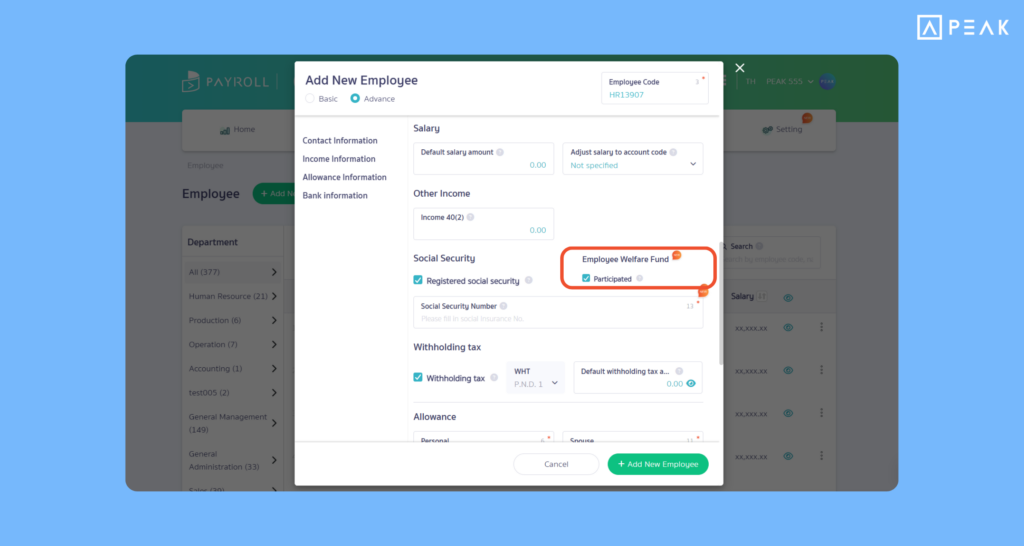
System Updates: The system added end-to-end support for the Employee Welfare Fund (EWF):
- Added Employee Welfare Fund settings under the Settings menu, with the system recommending an contribution rate of 0.25% in accordance with legal requirements.
- Added settings for contacts, chart of accounts, and deduction items for automatic accounting entries.
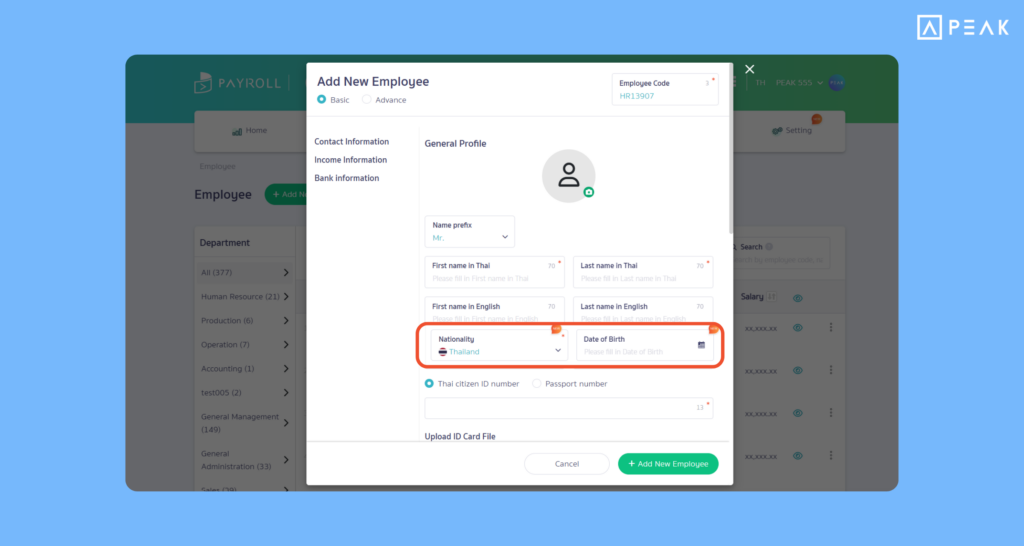
- The system added nationality and date of birth fields to display data in the S.G.L. 3 file (Excel format) for fund submission.
Benefits of Use: Helps manage Employee Welfare Fund matters accurately in accordance with legal requirements. Automatically calculates accumulated and matching contribution amounts on payslips. Records accrued liabilities and expense accounts in PEAK accurately, reducing document preparation time and facilitating quick report submission.
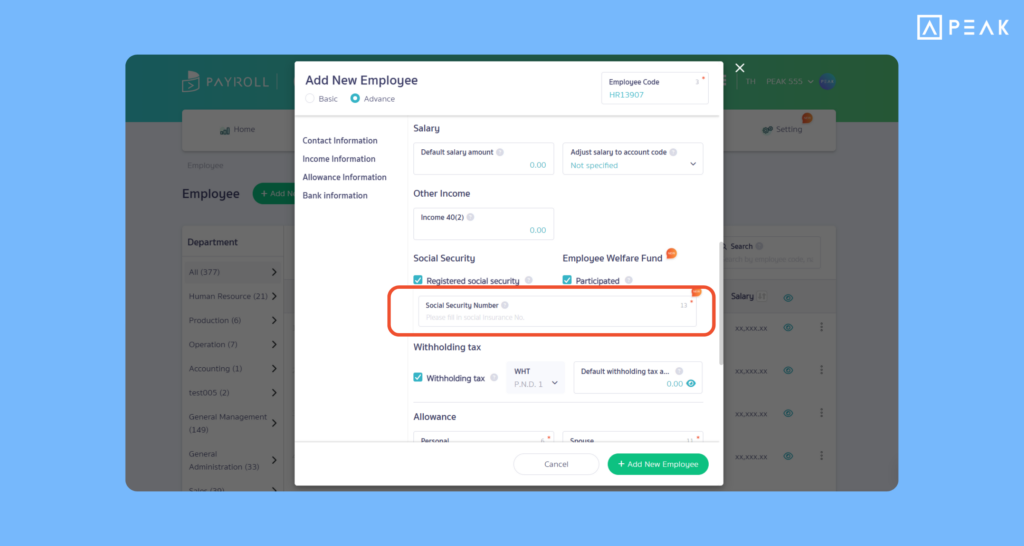
3. Added support for Social Security filings for foreign employees in PEAK Payroll.
Package: e-Document package and above
Suitable for: Businesses that employ both Thai and foreign employees.
System Updates: The system added an insured person number field to support filing Social Security for foreign employees. Supports both individual employee data entry and employee data import. The Social Security filing file will be generated immediately upon payroll processing.
Benefits of Use: Reduces time and steps required for manually edit Social Security filing files. Files exported from the system can be uploaded directly to the Social Security system, making Social Security filing faster, more convenient, and more accurate.
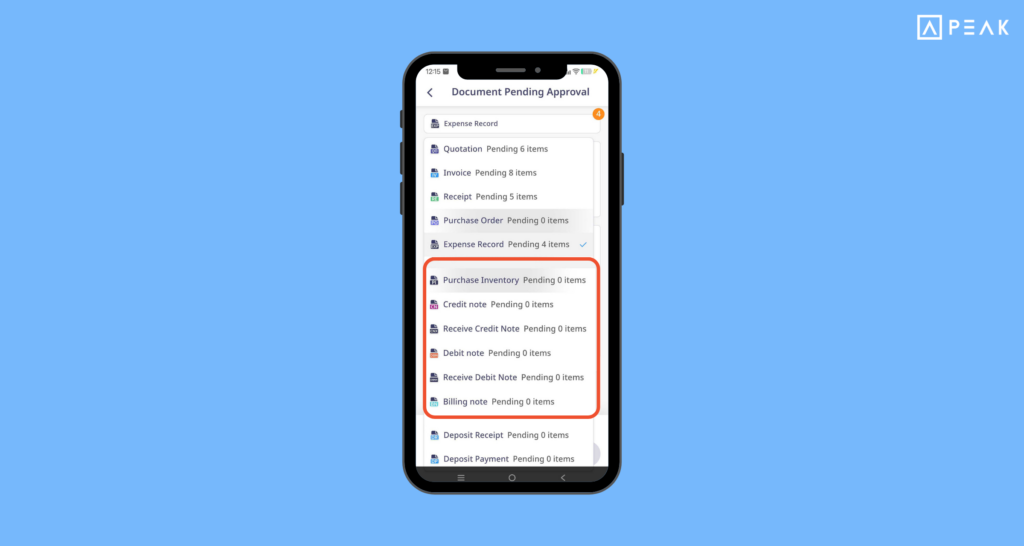
4. Added support for document types on PEAK Mobile Application, helping approve documents more conveniently.
Package: e-Document package and above
Suitable for: Business owners and executives who want to approve documents anytime, anywhere using their mobile phones.
System Updates: The system expanded the list of document types awaiting approval on the main page of PEAK Mobile, such as Credit Notes, Debit Notes, Billing Notes, Deposit Receipts/Payments. Users can review document details and approve or reject documents directly from the app, with support for approving multiple documents at once or individually.
Benefits of Use: Helps executives approve important documents quickly via mobile phone without wasting time logging in on the website. Eliminates pending approval backlogs and enables faster, more flexible operations.
About Author